

AskFormulas
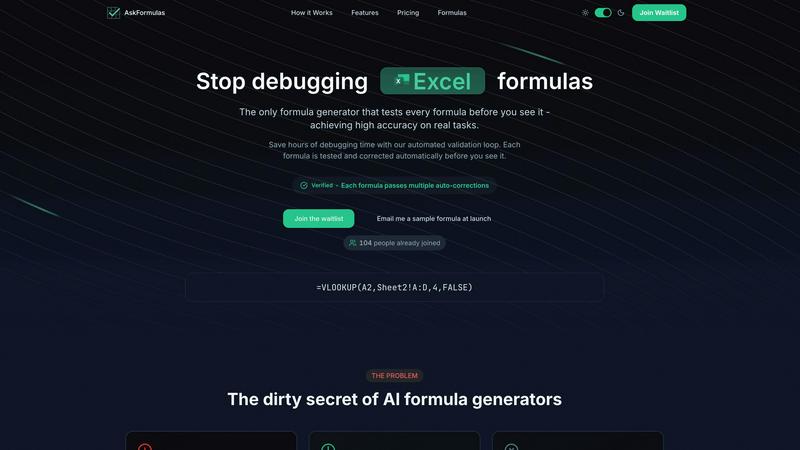
AskFormulas instantly generates and validates Excel and Google Sheets formulas, ensuring they work flawlessly every.
About AskFormulas
AskFormulas is a revolutionary formula assistant designed to elevate spreadsheet productivity by eliminating the common frustrations associated with formula generation and debugging. With the inherent complexities and errors that come with spreadsheet work, AskFormulas stands out by offering a reliable, automated validation process. Unlike traditional AI tools that merely generate formulas with a high likelihood of errors, AskFormulas rigorously tests each formula against synthetic data in a secure environment before presenting it to the user. This innovative approach ensures that professionals—from financial analysts to small business owners—can rely on their formulas to be accurate and functional. The platform transforms users from frustrated debuggers into confident data strategists by providing verified, ready-to-use formulas with a simple interface that requires no advanced technical knowledge. As a result, AskFormulas not only saves time but also empowers users to focus on deriving insights from their data rather than getting bogged down by syntax errors.
Features
Automated Validation Loop
The hallmark feature of AskFormulas is its automated validation loop, which ensures that every formula generated undergoes a rigorous three-step testing process. This system eliminates the guesswork associated with traditional formula generation, as users can trust that their formulas are validated and ready for immediate use.
Natural Language Input
AskFormulas allows users to input their requests in plain English, making it accessible to individuals without any technical background. This feature simplifies the formula creation process, enabling users to articulate their needs clearly and receive accurate formulas in return.
Verified Output
Each formula generated by AskFormulas comes with a "Verified" badge, indicating that it has passed multiple rounds of auto-corrections and testing. This assurance of accuracy instills confidence in users, enabling them to incorporate the formulas into their spreadsheets without second-guessing their validity.
Smart Error Detection
The platform's smart error detection feature automatically identifies and corrects issues within formulas, such as #REF! or #VALUE! errors. This proactive approach to error management drastically reduces the time spent on debugging, allowing users to focus on analysis and decision-making.
Use Cases
Financial Analysis
Financial analysts can leverage AskFormulas to create complex financial models without the fear of introducing errors. The validated formulas allow them to trust their calculations, ensuring accurate results for critical business decisions.
Small Business Management
Small and medium-sized business owners can utilize AskFormulas to automate routine data processing tasks without needing extensive technical skills. The tool empowers them to generate and implement formulas that enhance their operational efficiency.
Data Reporting
Professionals involved in data reporting can benefit from AskFormulas by quickly generating accurate formulas for data aggregation and analysis. This streamlining of the reporting process leads to more timely insights and better-informed decisions.
Educational Purposes
Educators and students can use AskFormulas as a learning tool to understand spreadsheet functionalities better. By generating and validating formulas, users can gain insights into spreadsheet mechanics without the frustration of debugging.
Frequently Asked Questions
How accurate are the generated formulas?
The formulas generated by AskFormulas are highly accurate due to the automated validation loop that tests each formula against synthetic data. This process ensures that users receive reliable, working solutions every time.
Does it work with both Excel and Google Sheets?
Yes, AskFormulas seamlessly integrates with both Excel and Google Sheets. Users can toggle between platforms, and the system automatically adjusts formula syntax to fit the selected environment.
How many formulas can I generate with the different plans?
AskFormulas offers various plans catering to different user needs, allowing for a range of formula generation limits from 500 to 6,000 formulas per month, depending on the chosen subscription tier.
What happens if a formula has issues?
If a formula generated by AskFormulas contains any errors, the platform's smart error detection feature automatically identifies and corrects them. This ensures that users receive accurate, validated formulas without the hassle of manual debugging.
Similar to AskFormulas

Egmatic
No-code 2D game editor: visual node logic, drag-and-drop scenes, live preview. Exports to Windows, macOS, Linux, Android, iOS, Web.
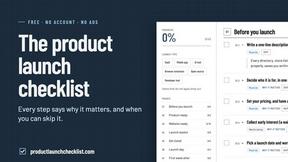
Product Launch Checklist
A free launch checklist for SaaS, apps, AI tools and more. Every step says why it matters and when you can skip it.
Kody Tools
Free collection of online developer utilities, code formatters, and digital converters designed to streamline your daily workflow.

Forms Plugin
The #1 Native Form Builder Plugin for Framer - No Code, No Embeds, No External Platforms.




PerPageFax
PerPageFax lets you send a fax online from any browser for a flat $0.50 per page — no account, no subscription, no fax machine.