

DocuExtractor
DocuExtractor transforms messy receipts and invoices into accurate, structured data instantly, streamlining your.
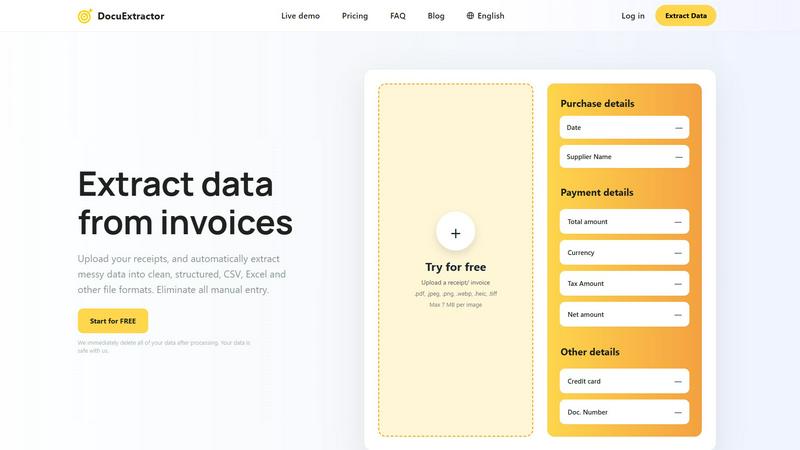
About DocuExtractor
DocuExtractor is an innovative document conversion tool revolutionizing financial data management for accountants, bookkeepers, and finance professionals. It simplifies the labor-intensive and error-prone task of manual data entry by transforming unstructured documents into structured formats with remarkable accuracy. By leveraging cutting-edge technologies such as Optical Character Recognition (OCR), Deep Learning (DL), and Large Language Models (LLM/AI), DocuExtractor intelligently extracts vital information from various document types including receipts, invoices, and bank statements. Users can effortlessly upload their documents, and within moments, receive clean data ready for analysis in formats like CSV and Excel. This streamlining of processes not only enhances efficiency, boasting an impressive 99.6% accuracy rate, but also allows finance teams to shift their focus from mundane tasks to strategic growth initiatives. Additionally, DocuExtractor prioritizes data security, automatically deleting all user data post-processing to ensure confidentiality and peace of mind.
Features
Powerful Data Extraction
DocuExtractor utilizes advanced AI-driven technologies to automatically extract essential information from documents. Users can upload various file types, and the software intelligently identifies and organizes key data fields, eliminating the need for manual input.
Seamless Batch Processing
With DocuExtractor, users can upload multiple documents simultaneously, making it easy to process large volumes of data in one go. This feature significantly reduces the time spent on document management, allowing for quicker turnaround times and improved productivity.
Instant Data Conversion
The platform transforms unstructured data into structured formats like CSV and Excel within seconds. This rapid conversion capability is designed to enhance workflow efficiency, enabling finance professionals to access and utilize their data without delay.
Enterprise-Grade Security
DocuExtractor ensures that user data remains secure throughout the extraction process. The software automatically deletes all uploaded documents immediately after processing, providing users with peace of mind regarding their data privacy and security.
Use Cases
Streamlined Expense Management
Finance teams can use DocuExtractor to manage expense reports efficiently. By quickly uploading receipts and invoices, they can extract pertinent data and maintain accurate records without the hassle of manual entry.
Efficient Invoice Processing
Bookkeepers can leverage DocuExtractor to process invoices at a much faster rate. The software's intelligent extraction capabilities allow for swift data capture, reducing the time needed to reconcile accounts and manage cash flow.
Enhanced Financial Reporting
Accountants can benefit from DocuExtractor when preparing financial reports. By converting messy data into structured formats, they can analyze financial performance more effectively and generate insightful reports for stakeholders.
Simplified Tax Preparation
During tax season, DocuExtractor can assist finance professionals in compiling necessary documents. By extracting crucial information from tax-related documents like W-2s and 1099s, users can streamline their tax filing process and ensure compliance.
Frequently Asked Questions
How does DocuExtractor ensure data accuracy?
DocuExtractor employs advanced algorithms and AI technologies that achieve an accuracy rate of 99.6% in data extraction. This high level of precision minimizes errors commonly associated with manual data entry.
What types of documents can be uploaded?
Users can upload various document types including receipts, invoices, bank statements, and PDFs. The platform supports multiple file formats such as JPEG, PNG, TIFF, and more, ensuring versatility in data extraction.
Is my data secure with DocuExtractor?
Yes, user data is treated with the utmost security. DocuExtractor automatically deletes all documents after processing, ensuring that sensitive financial information is not stored or accessed by unauthorized parties.
Can I extract data in different languages?
DocuExtractor supports over 45 languages and features automatic language detection, allowing users worldwide to extract data from documents in their preferred language seamlessly.
Similar to DocuExtractor

Egmatic
No-code 2D game editor: visual node logic, drag-and-drop scenes, live preview. Exports to Windows, macOS, Linux, Android, iOS, Web.

Product Launch Checklist
A free launch checklist for SaaS, apps, AI tools and more. Every step says why it matters and when you can skip it.

Kody Tools
Free collection of online developer utilities, code formatters, and digital converters designed to streamline your daily workflow.

Forms Plugin
The #1 Native Form Builder Plugin for Framer - No Code, No Embeds, No External Platforms.



