

SchoolGPT
SchoolGPT is the AI teaching assistant that streamlines lesson planning and grading, saving educators over 10 hours a.
tool Details
Explore More
Alternatives

About SchoolGPT
SchoolGPT is a groundbreaking AI teaching assistant specifically designed for K-12 educators, aiming to revolutionize the educational landscape. It empowers teachers by simplifying the processes of lesson planning, grading, and communication, enabling them to focus on enhancing student learning. Utilizing advanced AI models like ChatGPT and Claude, SchoolGPT offers instant access to over 60 expertly crafted templates tailored by seasoned educators. This powerful tool allows teachers to create a wide range of classroom materials—including lesson plans, quizzes, writing feedback, and IEPs—all meticulously aligned with state educational standards. The main value proposition of SchoolGPT is its potential to save educators significant amounts of time, reclaiming their evenings and weekends from administrative burdens. With more than 10,000 teachers already experiencing its benefits, SchoolGPT is a trusted ally in the quest to deliver a more enriching educational experience for students.
Features
Ready-to-Use Templates
SchoolGPT provides an extensive library of over 60 templates designed by educators, allowing teachers to generate lesson plans, quizzes, and report card comments in seconds. These templates are aligned with state standards, ensuring that the materials created are relevant and effective for classroom needs.
Writing Feedback
This feature allows teachers to generate constructive feedback on student writing based on custom criteria or specific rubrics. By simplifying the feedback process, educators can provide timely and meaningful responses, helping students improve their writing skills without the extensive time commitment.
Multiple Choice Quiz Generator
Teachers can easily generate multiple-choice assessments tailored to any topic or standard. This feature streamlines the quiz creation process, enabling educators to assess student understanding efficiently and effectively, all while saving valuable time.
Professional Communication Tools
SchoolGPT includes tools for generating professional emails, both for communication with families and colleagues. This feature ensures that teachers can maintain clear and professional correspondence without the hassle of crafting each message from scratch.
Use Cases
Lesson Planning
Educators can utilize SchoolGPT to craft detailed lesson plans that are aligned with educational standards and tailored to their teaching style. This use case significantly reduces the time spent on planning, enabling teachers to focus more on engaging with their students.
Grading and Feedback
SchoolGPT streamlines the grading process by allowing teachers to generate personalized feedback on assignments and assessments. This feature not only saves time but also enhances the quality of feedback provided to students, fostering their academic growth.
Parent Communication
With the professional email generator, teachers can effortlessly create communications for parents regarding student progress, upcoming events, and important announcements. This ensures that families remain informed and engaged in their children's education.
IEP Documentation
SchoolGPT simplifies the process of creating Individualized Education Programs (IEPs) by providing templates that help educators document student needs and accommodations. This use case enhances compliance and ensures that each student's unique requirements are met efficiently.
Frequently Asked Questions
Is SchoolGPT really free to start?
Yes, SchoolGPT offers a free tier that allows educators to test the platform with 10 AI generations per month. This enables teachers to explore its features without any financial commitment.
Why not just use ChatGPT?
While ChatGPT is a powerful tool, SchoolGPT is specifically designed for educators with ready-to-use templates and features tailored to the classroom. This focus eliminates the need for extensive prompt engineering and streamlines the teaching process.
Is my data and student information safe?
SchoolGPT is fully compliant with FERPA and COPPA regulations, ensuring that all user data and student information are protected and secure. Educators can use the platform with confidence.
How much time will I actually save?
Teachers using SchoolGPT report saving over 10 hours each week on lesson planning, grading, and administrative tasks. This time savings allows educators to invest more effort into teaching and student engagement.
Similar to SchoolGPT
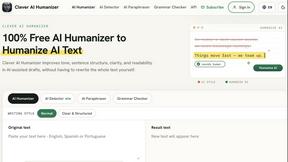
Clever AI Humanizer
Clever AI Humanizer is a free tool that makes AI-generated text sound more human.
Wordy
Learn languages with real movie and TV show clips.
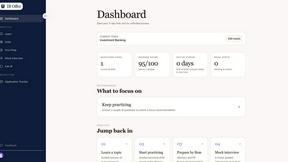
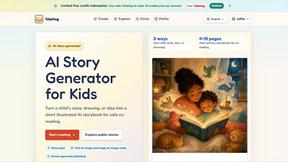
TaleHug AI Story Generator for Kids
TaleHug turns a child's voice, drawing, or idea into a safe, illustrated AI storybook for co-reading, growing young creators one story at a time.
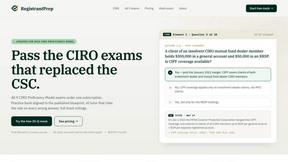
Registrant Prep
Registrant Prep evolves your CIRO exam prep with an AI tutor, 16,000+ cited questions, and custom mocks for just $29.99 monthly.
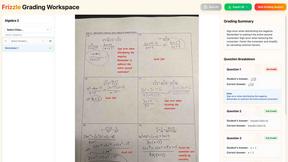
Frizzle
Frizzle transforms handwritten math work into real-time insights, helping teachers identify student needs and misconceptions effortlessly.