
Coloring Book Engine vs conceptviz
Side-by-side comparison to help you choose the right tool.

Coloring Book Engine
Transform your coloring book idea into a finished, publish-ready product with one streamlined local workflow.
Last updated: February 28, 2026

conceptviz
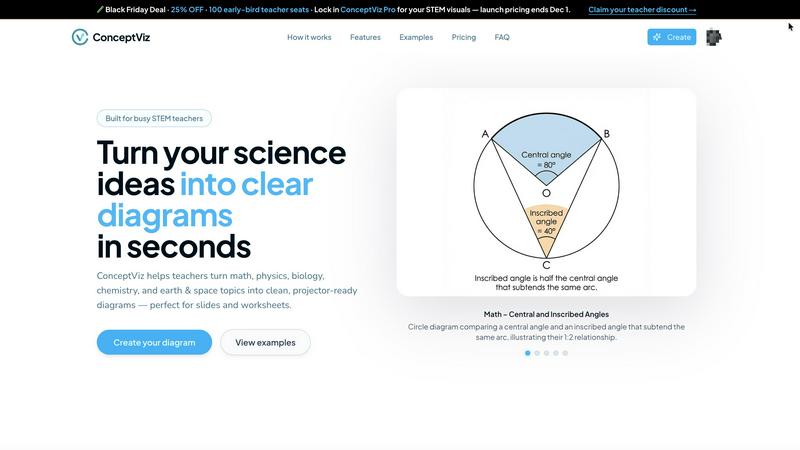
ConceptViz simplifies complex science and math concepts into clear, classroom-ready diagrams for effective learning.
Last updated: February 28, 2026
Visual Comparison
Coloring Book Engine

conceptviz
Feature Comparison
Coloring Book Engine
BYOK (Bring Your Own Key) AI Integration
This core feature embodies the philosophy of creator control. Instead of locking you into a proprietary, subscription-based AI, Coloring Book Engine allows you to integrate your own API keys from services like OpenAI or Anthropic. This means you pay only for the AI usage you need, avoid monthly fees, and most importantly, keep your data and creative process private. It provides the power of AI-assisted ideation and sketching without the vendor lock-in, putting you firmly in the driver's seat of your technological toolkit.
Six-Step Guided Production Pipeline
The application structures the entire book creation process into a clear, logical workflow: Plan, Sketch, Book, Coloring, Assets, and Video. This step-by-step pipeline eliminates guesswork and technical overwhelm, guiding you from a rough concept through to finalized, packaged products. Each stage is optimized within the single application, so you no longer need to juggle between disparate tools for layout, editing, and marketing asset creation, ensuring a smooth and focused journey to completion.
KDP-Ready Formatting & Batch Processing
Coloring Book Engine handles all the intricate technical specifications required for platforms like Amazon KDP. It automatically manages trim sizes, bleed areas, and margins, exporting print-ready PDFs that meet all professional standards. Furthermore, its highly optimized batch workflow allows you to generate, process, and format entire book pages or series of books efficiently. This scalability is crucial for creators looking to build a catalog or publish series without manual, repetitive work on each page.
Local GPU-Accelerated Video & Asset Generation
Move beyond static pages. The engine can transform your coloring book pages into engaging marketing content. Using your computer's local GPU power, it generates full coloring videos and short, social-media-ready clips perfect for YouTube Shorts, TikTok, and Instagram Reels. This feature runs locally (not in the cloud), keeping your projects secure and giving you high-quality video assets directly from your book files to promote your work effectively.
conceptviz
User-Friendly Interface
ConceptViz boasts a straightforward interface that allows users to create diagrams with ease. Users can sign in for free, select their subject and educational level, and begin generating visuals within minutes, making it accessible for anyone, regardless of their technical skill.
Custom Diagram Generation
With ConceptViz, users can describe the diagram they need in simple, plain language. The tool can interpret these descriptions to create tailored diagrams, whether it is a complex physics concept or a basic biology illustration, ensuring relevance to the specific educational context.
Projector-Ready Quality
The diagrams produced by ConceptViz are designed with clarity in mind. They feature thick, legible lines and minimal background noise, ensuring that visuals remain sharp and easily readable from any distance in a classroom setting, making them perfect for presentations.
Subject and Grade Presets
ConceptViz offers a variety of presets tailored to different subjects and grade levels, including physics, biology, chemistry, and math. This feature allows educators to start with a solid foundation that aligns with their teaching needs, saving time and effort in the diagram creation process.
Use Cases
Coloring Book Engine
The Aspiring Solo Publisher
An independent artist or illustrator can use Coloring Book Engine to systematically turn their portfolio of drawings into a professionally formatted, market-ready coloring book series for Amazon KDP. The guided workflow and BYOK AI help overcome creative blocks and technical hurdles, enabling a single creator to manage the entire production and initial marketing asset creation from one cohesive platform, launching their publishing side-hustle with confidence.
The Established Art Studio or Small Publisher
For a small team or studio producing multiple titles, the batch processing and organizational licensing are game-changers. The "Organization" license allows multiple team members to collaborate, while the engine's efficiency lets them scale production from a single book to an entire catalog. They can maintain brand consistency, ensure all outputs are KDP-ready, and rapidly generate promotional videos for each new release, streamlining their entire business operation.
The Educator or Content Creator
Teachers, homeschool coordinators, or educational content creators can utilize the tool to produce custom, themed coloring books for their classrooms or online followers. The AI-assisted sketching can help rapidly generate educational themes (like dinosaurs or planets), while the local processing ensures student or project data remains private. They can create bespoke materials and accompanying time-lapse videos to demonstrate techniques or promote their educational resources.
The AI-Assisted Traditional Artist
An artist who prefers to create all core artwork by hand but wants to leverage technology for production can follow the optional AI-free workflow. They can import their hand-drawn sketches, and Coloring Book Engine will then handle the technical bridging: cleaning up lines for print, formatting the pages into a professional book layout, and generating the coloring videos and social media assets needed for commercial promotion, all without AI touching their original art.
conceptviz
Classroom Teaching
Educators can use ConceptViz to create engaging and accurate diagrams that enhance lesson delivery. By visualizing scientific concepts, teachers can foster a deeper understanding among students, making lessons more interactive and impactful.
Student Projects
Students can leverage ConceptViz to produce professional-quality diagrams for their science projects and presentations. This tool empowers them to illustrate their ideas clearly and effectively, enhancing their overall project quality and comprehension.
Research Visualization
Researchers can utilize ConceptViz to create detailed diagrams for academic papers or presentations. By transforming complex information into clear visuals, researchers can communicate their findings more effectively to both academic and non-academic audiences.
Exam Preparation
ConceptViz can be an invaluable resource for students preparing for exams, as they can create study aids in the form of diagrams. Visualizing key concepts helps reinforce learning and improves memory retention, ultimately leading to better exam performance.
Overview
About Coloring Book Engine
Coloring Book Engine represents the definitive evolution for the modern creative entrepreneur. It is a comprehensive, standalone desktop application designed for artists, illustrators, and publishers who are ready to graduate from creating simple PDFs to running a full-fledged, scalable coloring book business. This tool is built for the ambitious creator who understands that professional success requires a professional workflow. It transforms the traditionally chaotic and fragmented process of book creation into a streamlined, six-step journey that takes you from your initial spark of an idea all the way to a publish-ready product and the promotional content needed to market it. By automating the complex technicalities of print-ready formatting, asset generation, and video creation, Coloring Book Engine empowers you to focus on your core strengths: your art and your business strategy. Its pioneering BYOK (Bring Your Own Key) AI integration philosophy ensures you maintain complete control, allowing you to leverage powerful AI tools for ideation without being locked into costly subscriptions or surrendering your data. This is more than just software; it's a complete production engine engineered to turn your creative vision into a commercial reality with unprecedented efficiency and professional polish.
About conceptviz
ConceptViz is a revolutionary tool designed to bridge the gap between complex scientific concepts and clear visual representation. It caters to the educational needs of teachers, students, and researchers by enabling them to create high-quality diagrams quickly and efficiently. The platform is particularly valuable for STEM educators, as it transforms intricate ideas into easily digestible visuals, helping learners grasp essential concepts with clarity and engagement. ConceptViz supports a variety of educational levels, from K-12 to advanced university courses, making it an accessible resource for all. By focusing on visual learning, ConceptViz empowers users to produce projector-ready diagrams suitable for lesson plans, lab activities, and assessments. The tool's user-friendly interface allows educators to generate customized visuals in just three simple steps, ensuring that teaching materials are not only informative but also captivating. In an era where visual aids significantly enhance the learning experience, ConceptViz stands out as a must-have resource for anyone involved in the science education landscape.
Frequently Asked Questions
Coloring Book Engine FAQ
Is Coloring Book Engine a subscription service?
No, Coloring Book Engine is not a subscription. It is a standalone desktop application offered with a one-time, lifetime purchase license. You pay once for the software and own it forever, including free bug-fix updates. The only potential ongoing costs are for your own AI API usage if you choose to leverage the BYOK (Bring Your Own Key) integration, which operates on a pay-as-you-go model you control.
Can I use Coloring Book Engine without any AI at all?
Absolutely. The software supports a complete AI-free workflow. You can bring your own hand-crafted artwork, import it into the engine, and use all its other powerful features: cleaning up lines, formatting your book for KDP, batch processing pages, and generating coloring videos using your local GPU. The AI features are optional tools for ideation and sketching, not a requirement for the core production pipeline.
Do I own the content I create with Coloring Book Engine?
Yes, you retain full ownership of all the content you create. The tool's BYOK model means you are using your own AI services under their terms, and any artwork you generate or import is yours. Coloring Book Engine acts as a production assistant, helping you format and package your creations, but it does not claim any rights to the final books, images, or videos you produce and publish.
What are the system requirements for optimal performance?
For best performance, especially for features like local GPU colorization and video generation, a modern system is recommended. This includes a CPU like an AMD Ryzen 5 2600 or Intel Core i5-8500, at least 16 GB of RAM, and a modern GPU with 4 GB of VRAM or more (e.g., NVIDIA GTX 1050 Ti). For experimental local AI features, a more powerful DirectML-compatible GPU with 8+ GB VRAM (like an NVIDIA RTX 3060) is suggested.
conceptviz FAQ
How does ConceptViz generate diagrams?
ConceptViz generates diagrams based on simple, plain-English descriptions provided by users. After selecting their subject and educational level, users can describe the specific diagram they need, and the tool creates a customized visual accordingly.
Is ConceptViz suitable for all educational levels?
Yes, ConceptViz is designed to cater to a wide range of educational levels, from K-12 to advanced university courses. It supports various subjects, making it a versatile resource for educators and learners alike.
Can I use ConceptViz for subjects other than science?
While ConceptViz primarily focuses on STEM subjects, its capabilities can be adapted for general educational purposes. The clear visual representation of concepts can benefit a variety of disciplines, depending on how users approach their diagram descriptions.
What file formats does ConceptViz support for downloads?
ConceptViz allows users to download their generated diagrams in high-resolution PNG format, ensuring that visuals are crisp and clear for both digital presentations and printed materials.
Alternatives
Coloring Book Engine Alternatives
Coloring Book Engine is a comprehensive desktop application for design and publishing, representing a significant leap for creators aiming to build a professional coloring book business. It automates the complex technical workflow from concept to print-ready files and marketing materials, all managed locally on your computer. Users often explore alternatives for various reasons, such as budget constraints, a preference for subscription-based web tools, or a need for a simpler solution that doesn't encompass the full business production cycle. Some may seek software focused solely on illustration or basic page layout, rather than an end-to-end commercial publishing engine. When evaluating other options, consider your current growth stage. Look at the scope of features, the total cost of ownership, data privacy policies, and whether the tool can scale with your ambitions from a single project to a full product line. The right fit should align with your technical comfort and long-term business goals.
conceptviz Alternatives
ConceptViz is a powerful tool that transforms complex scientific and mathematical concepts into clear, classroom-ready diagrams. As a member of the AI Assistants and Content Creation categories, it empowers educators, students, and researchers alike by making visual learning more accessible. Users often seek alternatives to ConceptViz due to various reasons such as pricing, specific feature sets, or compatibility with different platforms. When exploring alternatives, it is essential to consider factors like ease of use, quality of visuals, educational scope, and how well the tool aligns with specific teaching or learning needs.