
Customer Feedback vs Interhubz
Side-by-side comparison to help you choose the right tool.

Customer Feedback
Transform customer thoughts into actionable insights, fostering community engagement and driving growth.

Interhubz
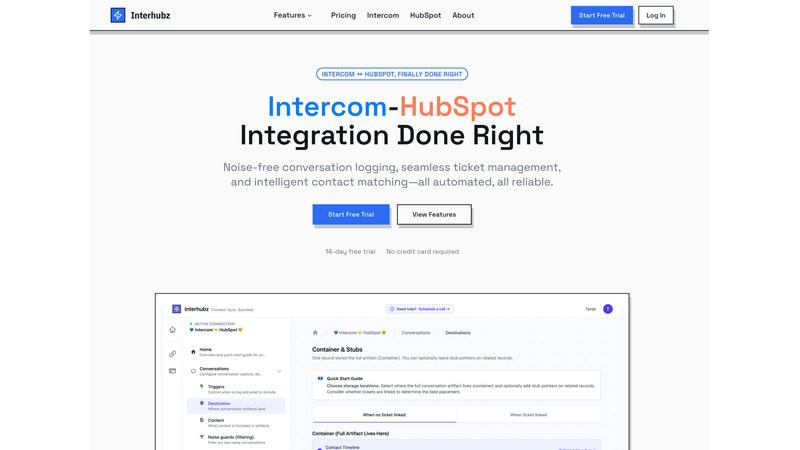
Interhubz syncs Intercom chats to HubSpot as clean, single timeline entries.
Last updated: February 28, 2026
Visual Comparison
Customer Feedback

Interhubz
Feature Comparison
Customer Feedback
Collect Feedback Everywhere
With Customer Feedback, businesses can seamlessly collect user feedback from multiple sources, ensuring that no insight goes unnoticed. Whether through embedded widgets, customizable forms, or wishlist features, this tool offers flexibility in gathering input from customers wherever they are. This omnichannel approach ensures comprehensive data collection that reflects user sentiments accurately.
AI-Driven Insights
Stop drowning in raw comments and let Customer Feedback’s AI capabilities do the heavy lifting. The tool analyzes feedback quickly, identifying patterns and trends that would be time-consuming to discern manually. This feature allows businesses to focus on strategic decisions rather than getting bogged down in data, ultimately accelerating growth and improving customer experiences.
Easy Update Sharing
Keeping users informed is crucial for maintaining engagement, and Customer Feedback simplifies this process. With the tool's easy sharing capabilities, businesses can share updates and improvements based on user feedback effortlessly. This transparent communication fosters a sense of community among users, ensuring they feel valued and heard.
Customizable Feedback Options
Customer Feedback offers a range of customizable options for collecting feedback, allowing businesses to tailor their approach to meet specific needs. Users can choose from various question types, formats, and designs to ensure that the feedback collection process aligns with their brand and engages customers effectively.
Interhubz
Consolidated Conversation Logging
Instead of flooding the HubSpot timeline with 8+ separate entries for every message, assignment, or note in an Intercom conversation, Interhubz creates one perfectly formatted note. This single artifact contains the entire conversation transcript, a summary, any file attachments, and a direct link back to the conversation in Intercom. This evolution from clutter to clarity ensures sales and CS teams can instantly grasp the full customer context without sifting through noise, dramatically improving efficiency and customer understanding.
Intelligent Contact & Company Matching
Interhubz employs advanced algorithms to prevent duplicate records, a common plague in basic integrations. It matches contacts and companies using multiple data points including email, phone number, and custom unique properties you define. This sophisticated matching goes beyond simple email lookup, ensuring that customer records are accurately unified across platforms from the very first sync. This foundational reliability is critical for maintaining data integrity as your customer base grows.
Bi-Directional Ticket Sync
This feature creates a true operational spine between support and sales. Users can create a HubSpot ticket directly from an Intercom conversation with one click. Once linked, the ticket's stage and owner in HubSpot sync in real-time with the conversation's state and assignee in Intercom, and vice-versa. This eliminates the manual copy-pasting and status drift that cripples collaboration, ensuring both teams are always looking at the same, up-to-date information.
Embedded Inbox App & Noise Guards
Interhubz provides a two-pronged approach to workflow efficiency and data cleanliness. The embedded inbox app allows support agents to view HubSpot contact and company profiles, link records, and create tickets without ever leaving Intercom. Simultaneously, configurable Noise Guards automatically filter out low-value interactions like bot-only chats, auto-closed conversations, or spam based on criteria like message count, ensuring your CRM remains a repository of meaningful customer interactions.
Use Cases
Customer Feedback
Enhancing Product Development
Customer Feedback can be instrumental in guiding product development. By gathering insights directly from users, businesses can identify areas for improvement, prioritize features, and make informed decisions that align with customer needs. This iterative process enhances product offerings and increases user satisfaction.
Boosting Customer Engagement
Businesses can use Customer Feedback to boost engagement by actively seeking user opinions and demonstrating that their feedback is valued. By implementing changes based on suggestions and communicating these updates, companies create a loyal customer base that feels invested in the brand’s journey.
Improving Customer Support
The tool can help organizations refine their customer support strategies by analyzing feedback on service quality. Understanding user experiences allows businesses to address pain points, train support staff effectively, and enhance overall service quality, leading to happier customers.
Driving Marketing Strategies
Customer Feedback can provide critical insights into user preferences and behaviors, enabling businesses to tailor their marketing strategies. By understanding what resonates with customers, companies can create targeted campaigns that improve conversion rates and maximize return on investment.
Interhubz
Scaling Support-to-Sales Handoffs
For companies where high-intent support conversations often convert to sales opportunities, Interhubz is essential. When a prospect asks about enterprise pricing in Intercom, the support agent can seamlessly create a linked HubSpot ticket. The sales rep receives a single, clean timeline note with the full conversation context, enabling a warm, informed handoff without any manual summary or context-switching, accelerating deal velocity.
Empowering Customer Success Teams
Customer Success Managers using HubSpot need complete visibility into recent support tickets to manage renewals and expansion. Interhubz ensures every customer's support history is logged in HubSpot as readable, consolidated notes. The CSM can quickly review past issues, see resolved tickets, and understand the customer's journey without needing to log into Intercom or ask for summaries, leading to more proactive and personalized account management.
Maintaining a Clean, Actionable CRM
As support volume grows, so does CRM pollution from automated messages and spam. Interhubz's Noise Guards act as a strategic filter, blocking these low-value interactions from ever entering HubSpot. This evolution ensures your sales and marketing teams are working with a high-signal database, improving the accuracy of reporting, segmentation, and outreach campaigns, and saving hours of manual data cleanup.
Unifying Remote or Hybrid Teams
For organizations where support and revenue teams operate in different tools or locations, Interhubz creates a single source of truth. It bridges the tool gap between Intercom and HubSpot, ensuring everyone—whether in support, sales, or leadership—has access to the same structured conversation history and ticket status. This eliminates internal friction and miscommunication, fostering a truly aligned, customer-centric organization.
Overview
About Customer Feedback
Customer Feedback is an innovative tool designed to enhance the way businesses collect and analyze feedback from their users. This all-in-one platform is perfect for companies of all sizes, empowering them to gather insights through various channels, including widgets, forms, and wishlists. By leveraging advanced AI technology, Customer Feedback streamlines the process of identifying patterns and trends in user comments, allowing businesses to focus on what truly matters. The main value proposition lies in its ability to transform raw feedback into actionable insights, enabling organizations to make informed decisions and foster better relationships with their customers. With features that promote easy sharing of updates, Customer Feedback keeps users engaged, creating a continuous loop of communication that drives growth and satisfaction.
About Interhubz
Interhubz is the definitive solution for teams navigating the critical intersection of customer support and revenue operations. It is a purpose-built integration that seamlessly connects Intercom, the modern conversational support platform, with HubSpot, the leading CRM and growth suite. The product is engineered for a specific, high-growth stage: when a company's support team scales on Intercom while its sales, customer success, and marketing functions rely on HubSpot for a unified customer view. This evolution creates a classic operational fracture—context is lost in translation, timelines become unreadable, and manual work proliferates. Interhubz fixes this by automating the sync with intelligence. It transforms chaotic, fragmented conversation logs into a single, rich timeline note in HubSpot, complete with full transcripts and attachments. It introduces smart noise guards to filter out spam, enables one-click bi-directional ticket creation, and embeds HubSpot data directly within Intercom. The core value proposition is moving teams from a state of manual reconciliation and data pollution to one of automated reliability, where both systems are perfectly synchronized, enabling support, sales, and CS to collaborate with full, clean context and zero administrative overhead.
Frequently Asked Questions
Customer Feedback FAQ
What types of feedback can I collect with Customer Feedback?
Customer Feedback allows you to collect various types of feedback, including suggestions, complaints, and feature requests. You can use different formats such as surveys, forms, and wishlists to gather comprehensive insights from your users.
How does the AI analyze feedback?
The AI in Customer Feedback analyzes user comments by identifying key phrases, sentiment, and patterns. It processes large volumes of data quickly, allowing businesses to focus on significant trends and insights rather than sifting through individual comments manually.
Can I customize the feedback collection process?
Absolutely! Customer Feedback offers customizable options that allow you to design surveys and forms according to your specific branding and user engagement strategies. You can choose question types, formats, and visual styles that best suit your needs.
How does Customer Feedback help improve user engagement?
Customer Feedback enhances user engagement by fostering a two-way communication channel. By actively seeking and acting on user feedback, businesses can demonstrate that they value customer opinions, leading to increased loyalty and ongoing interaction with the brand.
Interhubz FAQ
How does Interhubz handle duplicate contacts?
Interhubz uses intelligent, multi-property matching to prevent duplicates proactively. It doesn't just match on email; it can use phone numbers and custom unique identifiers you configure. Our algorithm checks for existing records using these properties before creating a new contact in HubSpot. If a match is found, the conversation is logged to the existing contact's timeline, ensuring your CRM data remains consolidated and clean from the outset.
Can I filter which Intercom conversations sync to HubSpot?
Absolutely. This is the core function of our Noise Guards feature. You can configure filters to block conversations based on specific criteria, such as those with only automated bot messages, those that are auto-closed, or those below a minimum message count or duration threshold. This gives you complete control to ensure only meaningful, human customer interactions populate your valuable CRM space.
Is the ticket status sync truly bi-directional?
Yes. Once a HubSpot ticket is created from an Intercom conversation (or linked manually), the sync is fully bi-directional. If a support agent changes the conversation status or assignee in Intercom, it updates the linked ticket in HubSpot. Conversely, if a sales rep changes the ticket stage or owner in HubSpot, that change is reflected back in the Intercom conversation. This real-time sync eliminates manual updates and status drift.
How long does it take to set up Interhubz?
Setup is designed to be completed in minutes, not days. The process involves three simple steps: a one-click OAuth connection to both Intercom and HubSpot, configuring your matching preferences (with smart defaults provided), and setting your Noise Guard filters. Most teams can complete the configuration in under 10 minutes and begin seeing synced, clean conversations in HubSpot immediately afterward.