
CloudBurn vs Mod
Side-by-side comparison to help you choose the right tool.

CloudBurn
CloudBurn prevents budget surprises by revealing AWS costs in pull requests before deployment, ensuring smarter.
Last updated: February 28, 2026

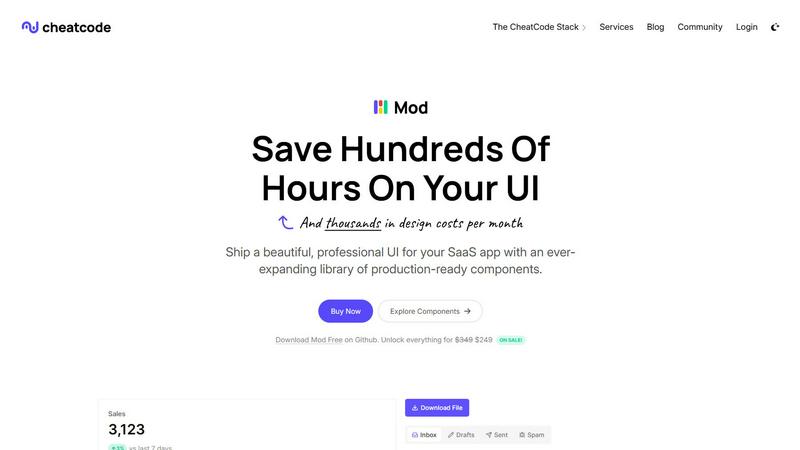
Mod evolves from a CSS framework into a complete component library for shipping SaaS UI faster.
Visual Comparison
CloudBurn

Mod
Feature Comparison
CloudBurn
Real-Time Cost Estimates
CloudBurn provides immediate AWS cost estimates for every infrastructure change proposed in a pull request. This feature allows developers to see the financial impact of their changes before deployment, fostering a culture of cost awareness throughout the development process.
Automated Cost Analysis
By integrating seamlessly into the GitHub workflow, CloudBurn automatically analyzes the diff or plan output from infrastructure-as-code tools like Terraform or AWS CDK. This automation ensures that developers receive timely insights without manual intervention, streamlining the review process.
Detailed Cost Reporting
When a pull request is created, CloudBurn posts a comprehensive cost report as a comment. This report includes breakdowns of resource costs, highlighting any significant changes in monthly expenses, thus enabling teams to make informed decisions before merging changes.
Continuous Integration and Deployment Support
CloudBurn's integration with CI/CD workflows allows teams to maintain up-to-date pricing for every resource they deploy. This feature ensures that developers have access to the most accurate financial data, helping them to avoid unexpected costs associated with infrastructure changes.
Mod
Expansive Component Library
Mod provides an extensive collection of over 88 meticulously designed components that form the building blocks of any SaaS application. This includes everything from complex data tables, modals, and navigation bars to form elements, alerts, and pricing cards. Each component is built with accessibility and semantic HTML in mind, ensuring a solid foundation. This library allows developers to assemble sophisticated user interfaces without starting from scratch, ensuring consistency and professional polish across every page and feature of your application.
Deep Customization with Design Tokens
Beyond pre-built components, Mod offers profound customization through 168 distinct styles and a comprehensive system of design tokens. This includes spacing scales, color palettes, typography rules, and shadow elevations. You can theme your entire application by modifying these central tokens, and changes propagate automatically across all components. This system provides the flexibility to match your brand identity perfectly while maintaining the underlying consistency and quality of the Mod framework, scaling your design system as your product grows.
Framework-Agnostic & Lightweight Integration
Mod is engineered to work seamlessly within any modern tech stack. It delivers pure, utility-first CSS that can be imported into projects using Next.js, Nuxt, Vite, Svelte, Ruby on Rails, Django, and more. There is no heavy JavaScript runtime or proprietary syntax to learn; it integrates like any other CSS framework. This agnostic approach future-proofs your investment, allowing you to adopt Mod today and change your underlying application framework tomorrow without rewriting your entire UI layer.
Production-Ready Themes & Icons
The library ships with two complete, professional themes (light and dark) and includes built-in, easy-to-implement dark mode support. Furthermore, it comes bundled with a suite of over 1,500 crisp icons, covering a vast range of common SaaS needs. Having a cohesive icon set and pre-configured themes eliminates the time-consuming search for matching assets and ensures visual harmony. Every element is built with a mobile-first, responsive design philosophy, guaranteeing your application looks and works flawlessly on all devices from the start.
Use Cases
CloudBurn
Proactive Budget Management
With CloudBurn, teams can proactively manage their cloud budgets by catching potential cost overruns during the code review stage. This capability prevents surprises in monthly bills and encourages responsible resource usage.
Streamlined Code Reviews
Developers can incorporate cost analysis into their code review process, making it as integral as unit tests and code quality checks. This shift ensures that cost implications are considered alongside functionality and performance during development.
Risk Mitigation for Production Deployments
By identifying expensive resources and misconfigurations before they hit production, CloudBurn helps teams mitigate the risks associated with deploying costly infrastructure changes. This foresight reduces the need for emergency refactoring later.
Enhanced Collaboration Among Teams
CloudBurn facilitates collaboration between finance and engineering teams by providing a shared understanding of cloud costs. This transparency fosters better communication and alignment on resource allocation and budget constraints.
Mod
Rapid Prototyping and MVP Development
For solo developers and startups, speed is everything. Mod is the perfect tool for rapidly transforming a concept into a tangible, investor-ready minimum viable product (MVP). By leveraging the pre-built components and layouts, you can construct a fully functional, visually compelling prototype in days instead of weeks. This allows you to validate your business idea with real users quickly, gather feedback, and iterate without being blocked by UI development hurdles.
Standardizing UI Across Development Teams
In growing teams, inconsistent UI implementation can slow down development and harm product quality. Mod acts as a single source of truth for the user interface. By adopting Mod, teams ensure that every developer is using the same components, spacing, and colors. This standardization streamlines collaboration, reduces code review time for visual aspects, and ensures that new features feel like a natural part of the existing application, maintaining a professional and unified user experience.
Modernizing Legacy Application UIs
Many established SaaS products suffer from outdated, inconsistent front-end code that is expensive to maintain. Mod provides a strategic path for gradual UI modernization. Teams can incrementally replace old, brittle CSS with Mod's components and utility classes, one section or feature at a time. This approach minimizes risk, allows for continuous deployment, and progressively delivers a fresh, modern, and responsive interface to users without a costly full rewrite.
Building Consistent Internal Tools and Admin Panels
SaaS companies often need to build robust internal dashboards, admin panels, and customer portals. These projects are critical for operations but rarely justify a large design investment. Mod is ideal for this use case, enabling small teams or even a single developer to build powerful, intuitive internal tools that maintain the same level of polish and usability as the customer-facing product, all while staying on budget and schedule.
Overview
About CloudBurn
CloudBurn is a pioneering FinOps platform designed specifically for engineering teams leveraging Terraform or AWS CDK. This innovative tool transforms the way cloud costs are managed by shifting financial feedback to the crucial moment of code creation—during the code review process. Traditionally, teams discover costly infrastructure mistakes weeks after deployment, leading to a reactive approach to cost optimization. CloudBurn mitigates this challenge by integrating directly into GitHub workflows, providing real-time AWS cost estimates for every proposed infrastructure change in a pull request. This critical feedback loop empowers developers to understand the financial implications of their code as they write it. The primary value proposition of CloudBurn lies in its ability to prevent budget overruns before they occur, redefining cloud cost management from a reactive, post-mortem accounting task into a proactive element of the development lifecycle. By identifying misconfigurations, over-provisioned resources, and architectural inefficiencies during code review, teams can iterate efficiently and deploy with confidence, ensuring their infrastructure scales both in performance and financial sustainability.
About Mod
Mod represents a pivotal evolution in the journey of a SaaS developer, transitioning from wrestling with inconsistent, time-consuming UI code to shipping polished, professional applications with confidence and speed. It is a comprehensive CSS framework and component library meticulously crafted for the specific demands of building modern software-as-a-service user interfaces. Designed for solo founders, indie hackers, and development teams, Mod eliminates the traditional design bottleneck. Its core value proposition is acceleration: by providing a vast, production-ready system of visual styles and interactive components, it allows developers to bypass the repetitive groundwork of UI construction. This means you can invest your energy into your unique application logic and user experience, dramatically reducing time-to-market and the costs associated with custom design work. Framework-agnostic by design, Mod seamlessly integrates into your existing workflow, whether you're building with Next.js, SvelteKit, Rails, Django, or any other modern stack. It's not just a set of tools; it's a growth catalyst for your project, enabling you to present a mature, visually cohesive product from the very first commit.
Frequently Asked Questions
CloudBurn FAQ
How does CloudBurn integrate with GitHub?
CloudBurn integrates seamlessly with GitHub by allowing users to install it via the GitHub Marketplace. Once set up, it automatically analyzes pull requests for cost implications based on the infrastructure changes proposed.
What infrastructure-as-code tools does CloudBurn support?
CloudBurn currently supports popular infrastructure-as-code tools such as Terraform and AWS CDK. Users can choose the appropriate GitHub Action for their tool to enable cost analysis.
Can CloudBurn help prevent all cloud cost overruns?
While CloudBurn significantly reduces the risk of unexpected costs by providing real-time estimates, it is still essential for teams to maintain good practices in resource management and code quality to fully prevent overruns.
Is there a free trial available for CloudBurn?
Yes, CloudBurn offers a 14-day Pro trial that allows users to experience premium features at no cost. After the trial, users can either continue with the Community plan or cancel without any obligations.
Mod FAQ
Is Mod a JavaScript library or a CSS framework?
Mod is primarily a CSS framework. It delivers its functionality through CSS classes and design tokens. While its components are demonstrated with HTML structure, there is no bundled JavaScript behavior; you implement interactivity (like opening a modal) using your chosen front-end framework (React, Vue, Svelte, etc.) or vanilla JavaScript. This keeps it lightweight and gives you full control over component logic.
How does Mod handle responsiveness and mobile design?
Mod is built from the ground up with a mobile-first, responsive design philosophy. All components, layout grids, and spacing utilities are designed to adapt gracefully from small mobile screens to large desktop displays. You use responsive modifier classes (e.g., for different breakpoints) to control how elements behave across screen sizes, ensuring your SaaS application delivers an optimal experience on every device without requiring custom media queries for common patterns.
Can I use Mod with my existing project's CSS or other frameworks?
Yes, absolutely. Mod is designed to be incrementally adoptable. You can import its CSS alongside your existing stylesheets. It uses specific, semantic class names to minimize conflicts. A recommended approach is to start using Mod for new features or during a redesign, allowing you to gradually transition your project without disrupting currently working parts of your application.
What is included in the yearly updates mentioned?
The yearly updates ensure your license provides access to new components, features, and improvements released for Mod over a 12-month period. This includes additions to the component library, expansions of the icon set, new theme variations, updates to the design token system, and compatibility enhancements for new versions of major web frameworks. It's a commitment to keeping your toolset current and growing alongside modern web development standards.