
Hush Touch | Voice-to-Text for MacOS vs QuickImg
Side-by-side comparison to help you choose the right tool.

Hush Touch | Voice-to-Text for MacOS
Hush Touch evolves your Mac dictation with smarter, on-device voice-to-text that learns your vocabulary.
Last updated: February 28, 2026

QuickImg
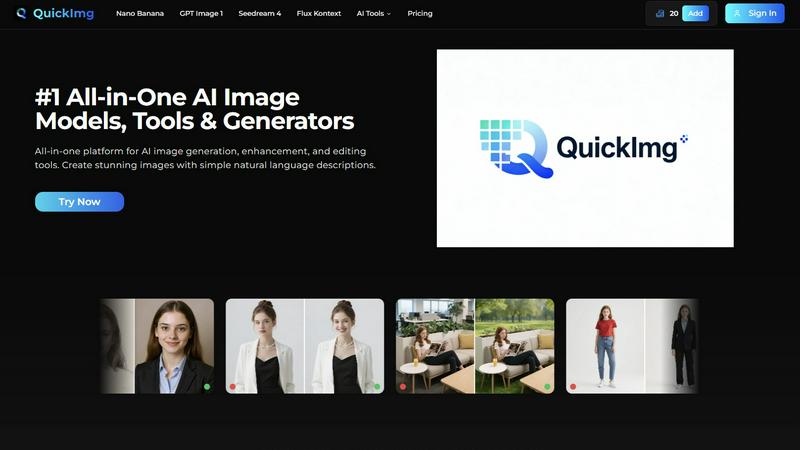
QuickImg effortlessly generates, enhances, and edits stunning AI images using simple natural language descriptions.
Last updated: February 28, 2026
Visual Comparison
Hush Touch | Voice-to-Text for MacOS

QuickImg
Feature Comparison
Hush Touch | Voice-to-Text for MacOS
Dual-Engine Recognition & AI Polish
Hush Touch leverages a sophisticated dual-engine architecture for unmatched accuracy. It simultaneously uses Apple's DictationTranscriber for natural flow and punctuation and SFSpeechRecognizer to spot custom vocabulary and technical terms. These outputs are then merged and refined with a final Apple Intelligence pass, all processed on your Mac. This multi-stage, on-device approach ensures your transcriptions are not only accurate but also contextually aware and polished, eliminating the lag and privacy concerns of cloud-based alternatives.
Custom Vocabulary with Adaptive Learning
The application evolves with your language. You can manually add up to 500 terms, but the true power lies in its adaptive learning. When you correct a transcription, Hush Touch automatically detects this and adds the right word to your personal vocabulary. It employs frequency-weighted language models and can even create per-app profiles, meaning it learns the specific jargon you use in your email client versus your coding environment, becoming more precise with every use.
Smart Text Processing & Hands-Free Commands
Beyond simple transcription, Hush Touch acts as an intelligent writing assistant. It automatically removes filler words ("um," "like"), applies auto-correction for common slips, and can format numbered lists from your speech. For ultimate workflow integration, it supports fully hands-free operation via Siri and includes customizable voice commands. You can set it to auto-insert text after a pause and use phrases like "okay send message" to execute actions, streamlining your process from thought to final action.
100% On-Device Privacy & Lightweight Design
Privacy isn't a premium feature; it's the foundation. Every aspect of Hush Touch, from voice capture to the final AI polish, happens locally on your Mac. No audio or data ever leaves your device. This commitment is paired with an incredibly lightweight 5.5 MB application that launches instantly and runs efficiently in the background, ensuring robust performance without compromising your system's resources or your personal data security.
QuickImg
Natural Language Processing
QuickImg allows users to generate and edit images by simply describing their requirements in natural language. This feature eliminates the need for professional prompts, making the platform user-friendly for everyone, regardless of their experience level.
Multiple AI Models
With access to various advanced AI models like Nano Banana, GPT Image 1, and Seedream 4, users can choose the most suitable model for their specific tasks. This flexibility ensures optimal results, whether for image generation, enhancement, or editing.
Ready-to-Use Templates
QuickImg offers a wide array of professionally designed templates tailored for common scenarios, such as social media posts and product photos. These templates enable users to kickstart their projects quickly and effectively, ensuring a professional look with minimal effort.
One-Click Tools
The platform features one-click tools that simplify complex workflows, such as background removal and image enhancement. These tools allow users to achieve professional results without the steep learning curve typically associated with advanced image editing.
Use Cases
Hush Touch | Voice-to-Text for MacOS
Drafting Long-Form Content and Documents
For writers, researchers, and content creators, Hush Touch unlocks a fluid drafting process. Speak your thoughts naturally to overcome writer's block and capture ideas at the speed of speech. The smart punctuation, filler word removal, and adaptive vocabulary learning ensure the initial transcript is remarkably clean, significantly reducing editing time and helping you maintain a clear, consistent tone throughout lengthy documents.
Technical and Medical Documentation
Professionals with specialized lexicons, such as software engineers dictating code snippets with terms like "Kubernetes" or physicians documenting patient notes with complex medical terminology, find immense value. Hush Touch's custom vocabulary and per-app learning profiles ensure niche jargon is recognized accurately from the start, improving documentation efficiency and accuracy where other generic dictation tools fail.
Managing Communication and Email
Transform your inbox management by dictating emails and messages hands-free. The dedicated Email context mode optimizes transcription for correspondence, and the ability to send a message directly with a voice command like "send it" creates a seamless, efficient workflow. This is ideal for busy professionals looking to clear their communication queue quickly without ever touching the keyboard.
Capturing Ideas and Meeting Notes
Use Hush Touch as a digital thought partner. Quickly launch it with a hotkey to capture fleeting ideas, brainstorm project plans, or take real-time notes during meetings. The app's speed and offline capability mean you can rely on it anywhere, ensuring no insight is lost. The Notes context mode helps format these captures cleanly for later review and action.
QuickImg
Marketing Materials Creation
QuickImg is ideal for marketers looking to create compelling visuals for campaigns. By generating images quickly with natural language descriptions, marketers can focus on strategy rather than getting bogged down in design details.
Personal Projects and Art
Artists and hobbyists can use QuickImg to bring their creative visions to life. The platform enables users to create unique art pieces or enhance their existing works without needing extensive design skills.
Social Media Content
For social media managers, QuickImg streamlines the process of generating eye-catching visuals. With ready-to-use templates and one-click tools, users can quickly create and edit images that engage their audience.
Professional Presentations
QuickImg is an excellent resource for professionals preparing presentations. Users can generate high-quality images and graphics to elevate their slides, ensuring that they convey their message effectively and attractively.
Overview
About Hush Touch | Voice-to-Text for MacOS
Hush Touch represents the next stage in the evolution of personal computing: a move away from cloud-dependent services towards powerful, private, and intelligent on-device tools. It is a sophisticated voice-to-text application built exclusively for macOS, designed to transform spoken word into polished written text with remarkable accuracy and speed. At its core, Hush Touch is for anyone who writes—be it emails, messages, notes, documents, or code—and seeks a more natural, efficient, and hands-free workflow. Its primary value proposition is a powerful trifecta: superior AI-driven transcription that learns and adapts to you, complete privacy through 100% on-device processing, and a simple, one-time payment that liberates users from subscription fatigue. By intelligently blending two native Apple transcription engines and applying a final Apple Intelligence pass, Hush Touch delivers cleaner text, learns your unique vocabulary, and removes verbal filler words, all while operating entirely offline. This isn't just another dictation tool; it's a commitment to building a smarter, more private, and more autonomous way of working that grows alongside you.
About QuickImg
QuickImg is an innovative all-in-one platform that transforms the way users generate, enhance, and edit images using artificial intelligence. It caters to a diverse audience, including professional designers, marketers, artists, and casual users, by simplifying the creative process. With QuickImg, individuals can produce stunning visuals effortlessly through simple natural language descriptions, eliminating the need for advanced technical skills. The platform boasts a variety of cutting-edge AI models, such as Nano Banana, GPT Image 1, and Seedream 4, allowing users to bring their creative ideas to life in high-quality formats. QuickImg's intuitive interface democratizes image creation, making sophisticated tools accessible to everyone, regardless of their design expertise. Whether you are seeking to create eye-catching marketing materials, enhance personal projects, or edit images for social media, QuickImg offers a comprehensive solution that streamlines the entire workflow, enabling users to focus on their creativity rather than technical challenges.
Frequently Asked Questions
Hush Touch | Voice-to-Text for MacOS FAQ
How does Hush Touch's accuracy compare to cloud-based services?
Hush Touch achieves superior accuracy for many users by leveraging two local Apple engines and an AI final pass, specifically optimized for on-device processing. While cloud services have vast datasets, Hush Touch's strength is its personalized, adaptive learning. It gets smarter the more you use it, learning your voice, accent, and unique vocabulary without ever sending your data to a server, offering a perfect balance of high accuracy and absolute privacy.
Can I use Hush Touch completely offline?
Yes, absolutely. This is a core design principle. Hush Touch requires no internet connection to function. All voice processing, transcription, vocabulary learning, and text polishing occur 100% on your Mac's hardware. This makes it reliable in any situation, from flights to areas with poor connectivity, while guaranteeing your data never traverses the web.
What is included in the one-time $20 license?
The one-time $20 payment grants you a lifetime license for Hush Touch on macOS. This includes all current features—dual-engine transcription, custom vocabulary, adaptive learning, smart text processing, and all privacy guarantees—as well as future updates. There are no subscriptions, monthly fees, or tiered plans, representing a significant long-term saving compared to other dictation software.
How does the adaptive vocabulary learning work?
The learning is automatic and context-aware. When you manually correct a word in the transcribed text, Hush Touch detects this correction and adds the right spelling/term to your personal vocabulary list. It also uses frequency weighting, prioritizing words you use often. You can create different vocabulary profiles for different applications (e.g., Xcode vs. Mail), and the app will boost the relevant terms when you switch to that app.
QuickImg FAQ
How does QuickImg handle image quality?
QuickImg utilizes advanced AI models to ensure that generated images maintain high quality and resolution. Users can create visuals in 2K and 4K formats, preserving detail and clarity.
Is QuickImg suitable for beginners?
Absolutely! QuickImg is designed with user-friendliness in mind, allowing beginners to create stunning images without the need for advanced skills or technical knowledge. The natural language processing feature makes it accessible to everyone.
Can I edit existing images with QuickImg?
Yes, QuickImg offers various editing tools that allow users to enhance and modify existing images easily. You can upload an image and apply various AI-powered editing features to achieve your desired result.
What types of AI models are available on QuickImg?
QuickImg provides access to multiple AI models, including Nano Banana for image generation, GPT Image 1 for advanced multimodal generation, and Seedream 4 for ultra-fast image processing. Each model excels in different scenarios, offering users flexibility.
Alternatives
Hush Touch | Voice-to-Text for MacOS Alternatives
Hush Touch | Voice-to-Text for MacOS is a specialized AI assistant that elevates dictation by operating entirely on your device. It represents a significant step forward in personal productivity tools, focusing on privacy and seamless integration into the MacOS writing workflow. Users often seek tools that match their specific stage of growth, whether they are just beginning to explore voice commands or are seasoned professionals needing advanced, offline-capable solutions. The search for alternatives is a natural part of evolving your toolkit. Needs change; perhaps a project demands real-time collaboration features, a different pricing model like a subscription fits a budget better, or support for multiple operating systems becomes essential. The core desire, however, remains constant: to communicate ideas fluidly without being hindered by the keyboard. When evaluating options, consider your current priorities. Key differentiators often include the processing location for privacy, the accuracy and contextual understanding of the transcription, the cost structure, and how intuitively the tool fits into your existing applications. The right choice is the one that aligns with your immediate workflow needs while supporting your next phase of productivity.
QuickImg Alternatives
QuickImg is an all-in-one AI-powered platform that excels in generating, enhancing, and editing images. It caters to a diverse audience, including professional designers and casual users, by simplifying the image creation process through natural language descriptions. As users seek to elevate their visual content, they often explore alternatives due to factors like pricing, specific feature needs, or compatibility with their existing platforms. When choosing an alternative, it's essential to consider the platform's ease of use, the range of AI models offered, and how well it aligns with your creative goals. In a rapidly evolving digital landscape, users desire tools that not only meet their current needs but also adapt to their growing creative aspirations. Alternatives to QuickImg can provide different pricing structures, unique features, or specialized functionalities that might better suit specific projects or workflows. As you evaluate your options, prioritize platforms that emphasize intuitive design, robust support, and a variety of AI capabilities to ensure a seamless transition and ongoing creative growth.