

BlitzCut
BlitzCut transforms your videos by auto-removing silence and adding captions, enabling quick, engaging edits for social.

About BlitzCut
BlitzCut is an innovative AI-powered video editing tool designed specifically for content creators who need to produce high-quality videos quickly and efficiently. With the rise of social media platforms like TikTok, Instagram Reels, and YouTube Shorts, the demand for fast and engaging video content has never been higher. BlitzCut addresses this need by automating the tedious aspects of video editing, allowing creators to focus on their artistic vision rather than getting bogged down in technical processes. The app is mobile-first, meaning it is optimized for use on iPhone, iPad, and Mac devices, making it accessible for creators on the go. By streamlining workflows and reducing editing time to just two minutes per video, BlitzCut empowers creators to post daily, ensuring they stay relevant and engaged with their audience.
Features
Automatic Silence Removal
BlitzCut uses advanced AI technology to instantly remove all pauses and silences from your video clips. This feature ensures that your content flows seamlessly without the awkward gaps that can detract from viewer engagement. The speed of this process allows creators to maintain a rapid editing workflow, saving precious time.
AI Captions
With an impressive accuracy rate of over 95 percent, BlitzCut's AI captioning feature generates styled captions automatically. This not only enhances accessibility but also aligns with trending styles that can make your content more shareable. By eliminating the need for manual captioning, this feature allows creators to focus on crafting compelling narratives.
Text-Based Editing
BlitzCut revolutionizes video editing by enabling users to edit their videos through text-based commands. By simply deleting sentences from the transcription of their video, creators can make precise edits without having to scrub through lengthy footage. This feature simplifies the editing process, making it intuitive and user-friendly.
Mobile-First Design
BlitzCut is designed for the mobile creator, with a user interface optimized for iPhones and iPads. This mobile-first approach ensures that creators can edit and export high-quality videos directly from their devices, making it easy to produce content on the go. The convenience of mobile editing means creators can respond to trends and post content quickly.
Use Cases
Social Media Influencers
Social media influencers can leverage BlitzCut to produce engaging content rapidly. With automatic silence removal and AI captions, they can create polished videos for platforms like TikTok and Instagram without spending hours editing, allowing them to post more frequently and interact with their audience.
Educators and Trainers
Educators can use BlitzCut to create informative video lessons and tutorials efficiently. By utilizing the text-based editing feature, they can easily cut out unnecessary parts of their lectures and focus on delivering high-quality educational content, enhancing the learning experience.
Vloggers
Vloggers often capture long footage that requires careful editing. BlitzCut simplifies this process, enabling vloggers to quickly trim their videos and add captions, making their content more accessible and engaging for viewers, all while maintaining a consistent posting schedule.
Marketers
Marketing professionals can benefit from BlitzCut by creating promotional videos or client presentations swiftly. The ability to remove silence and automatically generate captions allows marketers to focus on strategic messaging and creative storytelling, ultimately leading to more effective campaigns.
Frequently Asked Questions
What platforms is BlitzCut available on?
BlitzCut is currently available for free on iPhone, iPad, and Mac devices. The app is designed with a mobile-first approach, making it easy for creators to edit videos on the go.
Do I need to create an account to use BlitzCut?
No, BlitzCut does not require users to create an account to access its features. You can download the app and start editing videos immediately, streamlining the user experience.
How does the automatic silence removal work?
The automatic silence removal feature utilizes AI algorithms to detect and eliminate pauses in your video clips. This process is done on-device, ensuring quick results without the need for internet uploads.
Can I export videos directly to social media platforms?
Yes, BlitzCut allows users to export videos in full quality HDR directly to social media platforms such as TikTok, Instagram, and YouTube. This feature simplifies the process of sharing your content with your audience.
Similar to BlitzCut
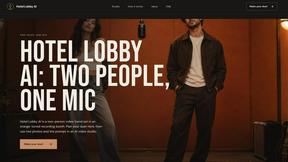
Hotel Lobby AI
A simple two-person AI video concept set in a warm orange recording booth, featuring two performers sharing one microphone in a natural call-and-respo
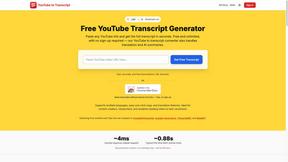
GetYouTubeTranscript
Free YouTube transcripts on the web, a Chrome extension, and an API + MCP server so AI assistants can read YouTube.
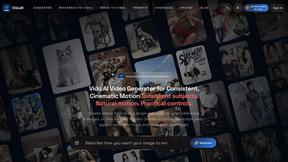
ViduAI
Create consistent ViduAI videos from text, images, references, or first-and-last frames with Vidu Q3 workflows.
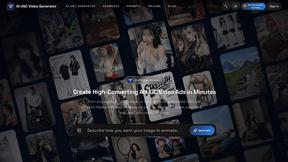
AI UGC Video Generator
Create ready-to-test AI UGC video ads from product URLs, images, or scripts with lifelike creators, voices, captions, and calls to action.
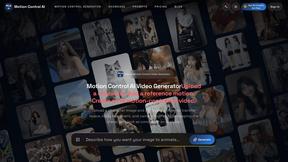
Motion Control AI
Create motion-controlled character videos by transferring dance, gestures, timing, and camera rhythm from a reference video to a character image.
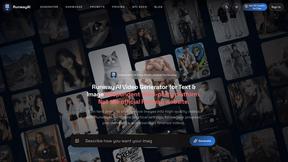
RunwayAI
Independent AI video generator for creating videos from text prompts or reference images with task tracking, previews, downloads, and API resources.
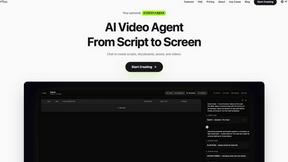
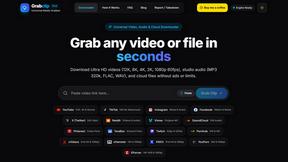
Grabclip
Free, ad-free downloader for video & audio from YouTube, TikTok, Instagram, X, Reddit & more — up to 12K, 320kbps MP3.