

BlueHumanizer
BlueHumanizer evolves your AI text into clear, natural writing with one click, keeping your meaning and tone intact while improving flow and.
tool Details
Explore More
Alternatives
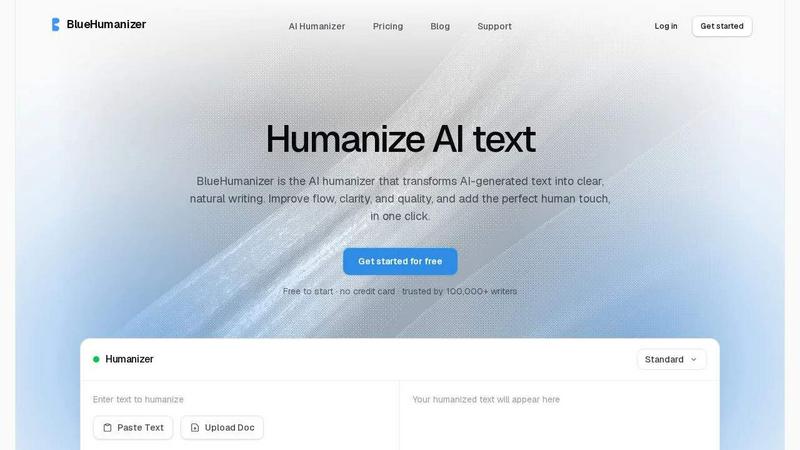
About BlueHumanizer
BlueHumanizer is an advanced AI humanizer that transforms AI-generated text into clear, natural writing with a single click. It takes output from ChatGPT, Claude, Gemini, or any AI writer and rewrites it into polished, human-sounding prose with better flow and sharper phrasing. Unlike basic tools that simply swap words for synonyms, BlueHumanizer reshapes sentence structure and restores the natural rhythm that makes writing feel real and authentic. The tool preserves your original meaning, tone, and key points while making the text smoother and easier to read. Quotes, citations, and references stay untouched during the rewriting process, ensuring academic and professional integrity. With support for over 50 languages, adjustable humanization levels, and tone controls, BlueHumanizer is built for a wide range of users including students, researchers, marketers, bloggers, non-native writers, and anyone who writes with AI assistance. The platform is trusted by over 100,000 writers worldwide and offers a free starting tier with no credit card required. Whether you are refining an essay, polishing a research paper, shipping on-brand marketing copy, or warming up everyday emails and reports, BlueHumanizer delivers writing that reads clean, natural, and ready to publish. The product represents a significant evolution in AI writing tools, moving beyond simple word substitution to true sentence-level rewriting that mimics how a skilled human editor would refine text.
Features
Humanize AI Text in One Click
The core feature of BlueHumanizer is its one-click humanization capability. You simply copy and paste text from any AI writer like ChatGPT, Gemini, or Claude, and the tool instantly rewrites it into clear, natural prose. There is no setup, no learning curve, and no complicated configuration required. The process is as simple as Ctrl+C, Ctrl+V, and click Humanize. This streamlined workflow saves hours of manual editing time and makes the tool accessible to writers of all skill levels, from students to seasoned professionals.
Clearer, Smoother Writing with Structural Rewriting
BlueHumanizer goes beyond basic synonym replacement by actively reshaping sentence structure and varying sentence rhythm. It tightens phrasing, improves flow, and restores the natural cadence that makes writing feel authentic and engaging. The tool analyzes the entire text to identify awkward constructions, repetitive patterns, and stiff phrasing common in AI output. It then rewrites these sections to create smoother, more readable prose without changing the original meaning or intent. This results in writing that passes human detection tools like GPTZero, Turnitin, and ZeroGPT more naturally.
Keeps Your Intent, Tone, and Citations Intact
One of the most powerful features of BlueHumanizer is its ability to preserve your original tone, intent, and key points while enhancing clarity. The rewrite maintains the voice you intended, whether professional, academic, casual, or creative. Additionally, all quotes, citations, and references remain exactly as they were in the original text. Only the writing around them changes, ensuring academic integrity and proper attribution. This makes BlueHumanizer ideal for researchers and academics who need to maintain citation accuracy while improving readability.
Adjustable Humanization with Tone Controls and Multi-Language Support
BlueHumanizer offers customizable humanization levels and tone controls, allowing you to dial in the exact clarity and style each rewrite needs. You can choose from different tones such as casual, professional, or formal, and adjust the strength of humanization from subtle refinement to full transformation. The tool also supports over 50 languages with automatic detection, delivering natural, human-sounding output for writers anywhere in the world. This flexibility makes BlueHumanizer suitable for global teams, multilingual content creators, and non-native English speakers looking to produce fluent, natural writing.
Use Cases
Students Refining AI-Assisted Essays and Assignments
Students can use BlueHumanizer to transform AI-generated drafts into clear, well-structured writing that flows naturally. The tool helps refine essays, reports, and assignments by improving sentence structure, eliminating awkward phrasing, and ensuring the final submission reads like authentic student work. This is particularly valuable for students who use AI as a brainstorming or drafting tool and need to polish the output into a final version that meets academic standards and avoids detection by AI writing checkers.
Researchers and Academics Polishing Papers and Abstracts
Researchers and academics benefit from BlueHumanizer when refining AI-drafted research papers, abstracts, and literature reviews. The tool improves clarity and flow while keeping every citation, reference, and quote intact. This ensures that the final manuscript maintains academic rigor and proper attribution while reading more smoothly for peer reviewers and journal editors. Researchers can save significant time on the editing phase of manuscript preparation, allowing them to focus more on the actual research and analysis.
Marketers and Content Teams Shipping On-Brand Copy
Marketing professionals and content teams use BlueHumanizer to transform AI-generated blog posts, email campaigns, landing pages, and social media content into polished, on-brand copy. The tone controls allow marketers to match the specific voice of their brand, whether casual and conversational or professional and authoritative. The tool ensures that marketing materials read naturally and engage audiences effectively, without the robotic or generic quality often associated with AI-generated content. This helps maintain brand consistency across all channels.
Non-Native Writers Producing Fluent English Content
Non-native English speakers can leverage BlueHumanizer to make their AI-generated English writing flow naturally and read as fluent and effortless. The tool corrects awkward phrasing, improves sentence structure, and adjusts word choice to sound more idiomatic and natural. This is especially valuable for international professionals, students studying abroad, and global teams who need to communicate effectively in English but may struggle with the nuances of natural expression. BlueHumanizer helps bridge the language gap and builds confidence in written communication.
Frequently Asked Questions
How is BlueHumanizer different from other AI humanizers?
BlueHumanizer differs from basic humanizers because it does not simply swap words for synonyms. Instead, it reshapes sentence structure and restores the natural rhythm of writing, similar to how a skilled human editor would refine text. This results in clearer, more flowing prose that reads authentically. The tool also preserves your original meaning, tone, and key points while leaving quotes and citations untouched. With adjustable humanization levels, tone controls, and support for over 50 languages, BlueHumanizer offers a level of customization and quality that basic tools cannot match.
Is BlueHumanizer free to use?
Yes, BlueHumanizer is free to start with no credit card required. The platform offers a free tier that allows users to humanize a limited amount of text each month, making it accessible for students, casual users, and anyone wanting to test the tool. For users who need higher volume or additional features, paid plans are available. The free tier is designed to give you a full experience of the tool's capabilities, including access to tone controls and multi-language support, so you can see the quality of the output before committing to a paid plan.
Does BlueHumanizer work with all AI writing tools?
Yes, BlueHumanizer works with output from any AI writing tool, including ChatGPT, Claude, Gemini, Mistral AI, and many others. The tool is model-agnostic, meaning it can humanize text generated by any AI system, regardless of the underlying model or platform. This flexibility makes it a universal solution for anyone who uses AI writing assistance, whether you are using a free tool like ChatGPT or a premium model like Claude Opus 4.5. The humanization process is consistent and effective across all sources.
Will BlueHumanizer remove or alter my citations and quotes?
No, BlueHumanizer is designed to leave all quotes, citations, and references exactly as they are in the original text. Only the writing around these elements changes to improve clarity and flow. This feature is critical for academic and professional users who need to maintain proper attribution and avoid altering source material. The tool recognizes citation formats, quotation marks, and reference markers, and preserves them throughout the rewriting process. This ensures that your work maintains its scholarly or professional integrity while benefiting from improved readability.
Similar to BlueHumanizer
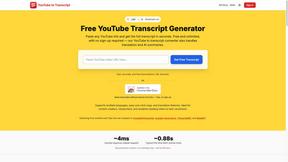
GetYouTubeTranscript
Free YouTube transcripts on the web, a Chrome extension, and an API + MCP server so AI assistants can read YouTube.




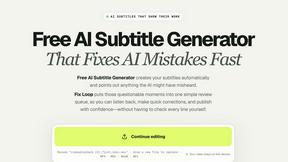
subtitlegenerator.net
Free AI subtitle generator that auto-creates subtitles and flags AI mistakes for quick review.

benchmark.directory
AI tools written up by the people who paid for them. Pricing, integrations, data policy and the limit we hit in a week of use.

saasgrow.ai
Get your SaaS tool discovered. Free listing, honest screening, a dofollow link — and no way for anyone to outbid you.