

BudgetSheet
BudgetSheet seamlessly imports your bank transactions into Google Sheets, simplifying budget tracking and financial.
tool Details
Explore More
Alternatives

About BudgetSheet
BudgetSheet is an innovative financial tool designed to streamline the process of managing personal finances by seamlessly integrating live bank transactions into Google Sheets. This powerful addon caters to individuals who seek a more efficient and personalized approach to budgeting without the hassle of manual exports or cumbersome CSV file handling. With BudgetSheet, users can effortlessly connect to over 10,000 financial institutions, including checking, savings, investment accounts, and credit cards, ensuring comprehensive financial tracking. The main value proposition of BudgetSheet lies in its ability to empower users with complete control over their financial data while enabling automation through Google Sheets. This allows for customized budget creation, expense tracking, and data manipulation, all tailored to individual needs. Ultimately, BudgetSheet transforms how users interact with their finances by providing the tools necessary for informed decision-making and effective money management.
Features
Live Bank Transactions
BudgetSheet allows users to import live bank transactions directly into Google Sheets, eliminating the need for tedious manual data entry. This feature ensures real-time updates, so users can always access their latest financial information, enhancing their budgeting process.
Seamless Integration with Google Sheets
The addon integrates smoothly with Google Sheets, allowing users to leverage the power of spreadsheets for their financial planning. With this integration, users can utilize advanced functions, custom scripts, and various tools like Zapier to further automate and enhance their budgeting experience.
Support for Over 10,000 Financial Institutions
With BudgetSheet, users can connect to more than 10,000 financial institutions, including banks, credit card companies, and investment platforms. This extensive support ensures that users can easily link all their financial accounts, providing a comprehensive view of their finances in one place.
Enhanced Security with Plaid
BudgetSheet utilizes Plaid to securely connect to users' bank accounts, ensuring that sensitive financial information is protected. The addon does not store bank logins but uses encrypted read-only access tokens, giving users peace of mind while managing their finances.
Use Cases
Personal Budgeting
Individuals looking to create and manage their budgets can use BudgetSheet to automatically import their transactions. This streamlines the budgeting process, allowing for quick adjustments based on actual spending rather than estimates.
Expense Tracking for Small Businesses
Small business owners can benefit from BudgetSheet by tracking business expenses alongside personal finances. The integration with Google Sheets enables easy categorization and analysis of expenses, helping users stay organized and informed.
Financial Analysis and Reporting
Finance enthusiasts and analysts can utilize BudgetSheet for detailed financial reporting. The ability to customize spreadsheets and use advanced functions allows for in-depth analyses of cash flow, spending patterns, and investment performance.
Automating Financial Workflows
Users who want to automate their financial workflows can enable the Autofetch feature, which fetches new transactions nightly. This hands-free approach saves time and ensures that users always have up-to-date financial data without manual intervention.
Frequently Asked Questions
How secure is BudgetSheet when connecting to my bank accounts?
BudgetSheet uses Plaid to handle all bank connections, ensuring your bank logins are not stored or managed by us. We only keep a read-only access token, which is encrypted for your safety.
Can I try BudgetSheet for free?
Yes, BudgetSheet offers a 15-day free trial with no credit card required. This allows you to explore the features and capabilities before committing to a subscription.
What types of financial accounts does BudgetSheet support?
BudgetSheet supports a wide range of financial accounts, including checking accounts, savings accounts, credit cards, investment accounts, and loans. It connects to over 10,000 financial institutions.
How do I set up BudgetSheet after installation?
Setting up BudgetSheet is simple. After enabling the addon in Google Sheets, you can link your bank accounts and start importing transactions by following the setup instructions in the addon menu.
Similar to BudgetSheet


FX Radar
FX Radar evolves your trading with real-time news and AI-driven logic, delivering market-moving headlines in seconds for smarter decisions.

CalcFi
CalcFi provides 500+ free financial calculators to empower your money decisions, offering instant insights without signup or data collection.

Redbark
Redbark evolves your finances by syncing Australian bank data to your favorite apps automatically.

Ricco - Financial Literacy Game
Master real-world finance through a fun game that evolves your money skills with every choice.
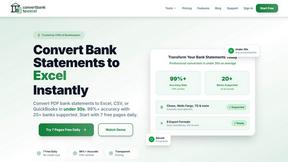
ConvertBankToExcel
Transform your PDF bank statements to Excel and more in under 30 seconds with 99% accuracy for seamless accounting.
ExpenseManager
From tracking receipts to forecasting cash flow, evolve your financial clarity and growth.

Portfolio Genius
Portfolio Genius evolves your investments with AI that analyzes markets and executes smart trades.