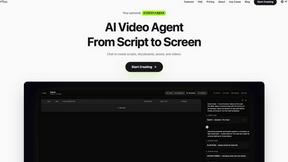
Clipt
Clipt streamlines video editing by automating transcription, styling, and rendering, so your team can focus on.

About Clipt
Clipt is a cutting-edge video creation platform designed to simplify the process of video production for content creators across various industries. With the ability to ingest videos from popular platforms like YouTube, LinkedIn, TikTok, Instagram, and over 50 other websites, Clipt allows users to create high-quality videos effortlessly. Its main value proposition lies in its powerful features that automate the video editing process, enabling users to generate word-accurate captions, eye-catching visuals, and even professional spokesperson videos without the need for complex setups or equipment. Clipt is ideal for marketers, educators, social media influencers, and businesses looking to enhance their video content strategy. By leveraging AI technology, Clipt ensures that users can craft compelling narratives with ease, ultimately driving engagement and conversion rates.
Features
Video Captioning
Clipt offers an advanced video captioning feature that automatically generates word-accurate captions from various video sources. Users can customize the captions with unique fonts, colors, and animation presets, ensuring that each video remains visually appealing and aligns with brand aesthetics. This feature saves time and enhances accessibility, making videos more engaging for diverse audiences.
Slideshow Maker
The Slideshow Maker transforms simple ideas into captivating carousel posts. Utilizing AI, it writes scripts, generates images, and even adds voice narration, making it a comprehensive tool for content creation. Users simply describe their vision, and the AI plans out multiple slides, complete with captions and visuals, which can then be seamlessly posted to TikTok and Instagram.
Talking Heads
With Clipt's Talking Heads feature, users can create professional spokesperson videos without needing cameras or studios. By typing in the desired script, the AI generates scenes and delivery styles, selecting from a library of AI-generated characters. This feature allows for unique expressions and personalized backgrounds, making it easier to create authentic, engaging content suitable for any platform.
AI-Generated Characters
Clipt enables users to create unique, realistic AI characters based on natural language descriptions. This feature supports brand consistency by ensuring that the same character appears across various videos. Users can generate multiple variations of a character, ensuring flexibility while maintaining a cohesive brand identity throughout their video content.
Use Cases
Social Media Marketing
Clipt is perfect for social media marketers looking to create engaging content quickly. Whether it's auto-generated captions for videos or eye-catching carousels for Instagram, Clipt streamlines the process, allowing marketers to focus on strategy rather than tedious editing tasks.
E-commerce Promotions
E-commerce businesses can leverage Clipt to generate unboxing videos or product testimonials using the Talking Heads feature. By creating engaging spokesperson videos, brands can enhance their product visibility and drive conversions, making their marketing campaigns more effective.
Educational Content Creation
Educators and content creators can use Clipt to develop informative video lessons. The Slideshow Maker feature allows for the transformation of complex subjects into digestible slideshows, complete with visuals and narration, making learning more interactive and enjoyable for students.
Brand Representation
Clipt's AI-generated characters serve as brand ambassadors, providing a consistent face for businesses. This is especially valuable for companies running multi-market campaigns, where the same character can be localized for different languages while maintaining brand identity across all platforms.
Frequently Asked Questions
How many characters can I create?
Users can create multiple AI characters based on their needs. There is no strict limit, allowing for the development of a diverse range of characters suited for various types of content.
Can I use characters across different video types?
Yes, characters created in Clipt can be used across various video formats, ensuring consistent branding and messaging throughout all content types, including talking head videos and UGC.
Are the characters unique to me?
While characters are generated based on user descriptions, they are designed to be unique variations. However, since they are created using AI, it is possible that other users may generate similar characters based on similar descriptions.
Can I edit a character after creating it?
Yes, users have the flexibility to edit their characters after creation. This allows for adjustments in appearance or personality traits, ensuring that the character remains aligned with the evolving needs of the brand.
Similar to Clipt
ViduAI
Create consistent ViduAI videos from text, images, references, or first-and-last frames with Vidu Q3 workflows.
AI UGC Video Generator
Create ready-to-test AI UGC video ads from product URLs, images, or scripts with lifelike creators, voices, captions, and calls to action.
Motion Control AI
Create motion-controlled character videos by transferring dance, gestures, timing, and camera rhythm from a reference video to a character image.

RunwayAI
Independent AI video generator for creating videos from text prompts or reference images with task tracking, previews, downloads, and API resources.

ContextBolt SEO
Research keywords, competitors, backlinks and AI visibility inside Claude or Codex, with findings saved to your SEO dashboard.


SubmitMap
A directory of launch platforms: who each accepts, what disqualifies you, and how to submit. Free to read, and your agent can do the submitting.