

dmaya
dMaya is an AI design platform that streamlines UI creation, client collaboration, and code export for teams and agencies.
tool Details
Explore More
Alternatives
About dmaya
dMaya is an innovative design platform tailored for agencies, teams, and freelancers who prioritize the design phase before diving into code. Unlike conventional AI tools that focus solely on generating code, dMaya emphasizes the importance of visual design, allowing users to create professional UI designs from simple text descriptions. Whether you're crafting a SaaS dashboard, an e-commerce workflow, or a mobile application, dMaya swiftly produces polished screens in seconds. Users can engage in a real-time conversation with an AI agent to refine their designs, making instantaneous adjustments to colors, layouts, typography, and content. This design-first approach ensures that teams can align their visions and catch potential issues early in the process, significantly speeding up the workflow. Once designs are approved, exporting them as clean HTML, CSS, and JavaScript code is seamless, enabling efficient handoff to developers. With dMaya, the review cycle that traditionally took days is condensed into mere minutes, empowering teams to present, approve, and ship their projects with confidence.
Features
AI-Powered Design Generation
dMaya harnesses the power of AI to generate production-ready UI designs based on natural language descriptions. This feature eliminates hours of manual design work, allowing users to receive complete layouts and responsive variants in mere seconds.
Multi-Screen Canvas
The platform offers an infinite canvas where users can simultaneously work across desktop and mobile frames. This feature allows for intuitive organization and manipulation of screens, similar to tools like Figma, but with the added advantage of AI-assisted design.
Built for Teams & Collaboration
Collaboration is streamlined in dMaya, enabling users to invite team members, share projects with clients, and leave comments in real time. Role-based access ensures that everyone involved can contribute effectively while maintaining focus on their specific tasks.
Conversational Design Iteration
Users can engage in natural language conversations with the AI to refine their designs. This feature allows for real-time updates, such as changing colors, layout adjustments, or adding new sections, making the design process more interactive and efficient.
Use Cases
Agency Workflows
Agencies can leverage dMaya to generate design concepts during discovery calls, allowing them to present multiple design directions to stakeholders within hours instead of weeks. This accelerates client engagement and decision-making.
Product Development
Product teams can utilize dMaya to explore various UI directions before committing engineering resources. This helps in aligning design with product vision, ensuring that the final output reflects the intended user experience.
Freelance Projects
Freelancers can take on more projects without extending their working hours. By using dMaya, they can deliver high-quality designs quickly, enabling them to increase their workload while maintaining a balanced schedule.
Client Presentations
Clients benefit from dMaya's interactive preview feature, which allows them to review designs through a simple link without needing an account. This facilitates instant feedback and approval, drastically reducing the time from design to delivery.
Frequently Asked Questions
What types of designs can I create with dMaya?
dMaya allows users to create a variety of designs, including SaaS dashboards, e-commerce flows, and mobile applications. You can describe your vision in plain language, and the AI will generate production-ready UI designs.
How does the design iteration process work?
With dMaya, you can chat with an AI agent to refine your designs in real time. You can request changes such as color adjustments, layout swaps, and typography updates, allowing for a fluid and interactive design process.
Can clients provide feedback on designs?
Yes, dMaya enables you to share polished, interactive previews with clients through a single link. Clients can leave feedback directly, making the review process efficient and straightforward.
What do I do once my design is approved?
Once your design is approved, you can export it as clean HTML, CSS, and JavaScript code. You can then hand off this code to any coding agent or team member to build the design in your chosen framework, such as React or Flutter.
Similar to dmaya
Qwen Image Edit
Prompt-based Qwen Image editing and generation for backgrounds, text, products, posters, outpainting, and creative styles.

Presentation Intelligence
AI-native presentation and visual content platform that turns prompts, documents, images, videos, and data into polished, shareable decks.
Text Logo
Create a custom text logo, wordmark logo, or typography logo with editable fonts, colors, icons, shapes, and flexible export formats.



IsThisAIImage
Free AI image checker: upload a photo for AI-generated and deepfake scores, a clear verdict, and optional generator hints.
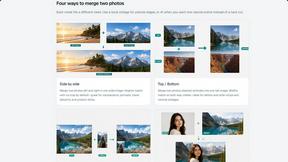
Merge Two Photos
Merge two photos free in your browser: side by side, stacked, overlay, or AI. Download a clean PNG, no watermark.
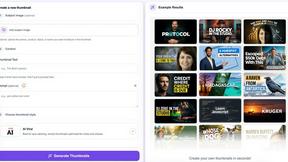
StopScroll
StopScroll is an AI thumbnail maker that generates YouTube thumbnail concepts from a URL, title, or prompt.