

FlashSlides
FlashSlides transforms any topic into stunning presentations in minutes with AI-generated content and images.
tool Details
Explore More
Alternatives

About FlashSlides
FlashSlides is an innovative AI-powered presentation generator that revolutionizes the way users create professional-quality presentations. Designed to cater to a wide audience, including business professionals, educators, students, and startup founders, FlashSlides transforms your ideas into polished slides in mere seconds. Whether you need to prepare meeting decks, proposals, or quarterly reports, the platform streamlines the entire process by allowing users to simply describe a topic, paste a YouTube URL, drop a website link, or upload a PDF or Word document. The unique capability of FlashSlides to generate visually appealing slides complete with relevant images ensures that your presentations effectively convey information while also capturing the audience's attention. Its primary value proposition lies in saving time and enhancing productivity, enabling users to focus on content rather than design. Overall, FlashSlides is a game-changer in the presentation landscape, empowering users to deliver impactful and engaging presentations with ease.
Features
AI-Powered Content Generation
FlashSlides utilizes advanced AI technology to automatically generate complete presentations based on user input. By simply typing a topic or providing relevant links, the AI crafts slides filled with well-structured content and appropriate images, making the presentation creation process seamless and efficient.
Customizable Slide Count
Users have the flexibility to choose the number of slides they want in their presentation, ranging from 1 to 50. This feature allows for tailored presentations that fit specific needs, whether it is a concise pitch or a comprehensive report, making it adaptable for various contexts.
Instant Download and Sharing Options
Once your presentation is generated, FlashSlides enables instant downloading as a PowerPoint (.pptx) file. Additionally, users can share their presentations via a unique URL, streamlining collaboration and enhancing accessibility for team members or clients.
Unique AI-Generated Images
Each slide in a FlashSlides presentation comes with custom AI-generated images that are contextually relevant to the content. This feature not only enhances the visual appeal of the slides but also aids in effectively communicating ideas, ensuring that presentations are engaging and memorable.
Use Cases
Educational Presentations
Students can leverage FlashSlides to create impressive class presentations and project reports in minutes. This tool saves time and effort, allowing students to focus on research and content rather than formatting and design.
Business Proposals
Business professionals can quickly prepare meeting decks, proposals, and quarterly reports with a professional polish. The AI-generated content ensures that their presentations convey key messages effectively, making a strong impact on stakeholders.
Lesson Planning for Educators
Teachers and educators can generate engaging lesson plans and educational content that captivates students' attention. The ability to create visually appealing slides helps in delivering lessons more effectively and making learning more enjoyable.
Investor Pitch Decks
Startup founders can build compelling pitch decks and investor presentations that resonate with potential investors. FlashSlides simplifies the process of creating impactful presentations, increasing the chances of securing funding and support for their ventures.
Frequently Asked Questions
How does FlashSlides work?
FlashSlides works by allowing users to enter a topic, after which the AI generates a complete presentation with slides containing relevant content and images. The entire process typically takes less than a minute, providing a fast and efficient solution for presentation needs.
Is it really free to use?
Yes, FlashSlides offers every user one free presentation per day, with no credit card required. For those who need additional presentations, credits can be purchased, making it accessible for various users.
What formats can I download my presentations in?
Users can download their presentations as PowerPoint (.pptx) files. Additionally, FlashSlides provides the option to share presentations via a unique URL, facilitating easy access and collaboration.
Are my presentations private?
By default, presentations are public and may appear in the FlashSlides archive. However, users have the option to make any presentation private from their dashboard, ensuring that sensitive information remains confidential.
Similar to FlashSlides

@fuck.it - email with attitude
Private email. Pure. Secure. Exclusive. No ads, no tracking, no data selling. GDPR compliant, EU-hosted.


Verla AI
Verla is an AI academic assistant for university and college students, combining AI essay writing, academic research, AI detection, AI humanization
Novastart
Apps and files on an infinite canvas where people and AI agents work together.
AIPetGen
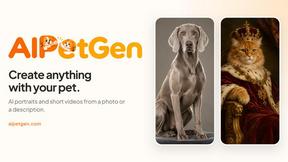
AIPetGen turns a photo of your dog, cat, or other pet, or a written description, into a new picture or a short animation.

Hotel Lobby AI Video Generator
Turn two photos into a Hotel Lobby dance video in the orange A COLORS SHOW booth
TryH3 - MiniMax H3 Video Generator
Try MiniMax Hailuo H3 video generation in the browser
Genjutsu AI
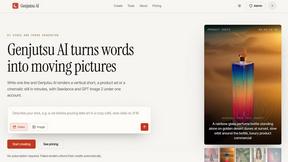
Genjutsu AI turns ideas into cinematic videos, product ads, social shorts, and quality images in minutes. Built for TikTok, Reels, Shorts.