

Img Editor
Effortlessly create stunning AI-generated images from your ideas in seconds with Img Editor's advanced technology.
tool Details
Explore More
Alternatives

About Img Editor
Img Editor is a groundbreaking free AI image generation platform that empowers users to create stunning visuals with ease and efficiency. Tailored for artists, marketers, designers, and hobbyists, Img Editor leverages the latest advancements in artificial intelligence to facilitate high-quality image creation at no cost. This user-friendly platform democratizes creativity, allowing individuals from all backgrounds to transform their ideas into captivating images effortlessly. Users can generate up to 10 images daily for free and actively participate in the community to earn unlimited bonus generations. With Img Editor, artistic expression is limitless, making it an invaluable resource for professionals looking to enhance their projects with visually striking content. The platform not only simplifies the creative process but also fosters a vibrant community that shares and collaborates on visual projects, nurturing a culture of innovation and support among users.
Features
Text to Image Generation
This feature allows users to input descriptive prompts and generate high-quality images based on their text. The advanced AI understands context and nuance, transforming words into visually appealing art that reflects the user's vision.
Image Editing Capabilities
Img Editor offers robust image editing tools that enable users to refine and enhance their generated images. Users can adjust colors, apply filters, and modify image attributes, ensuring that the final product meets their specific aesthetic requirements.
Prompt Generator
The Prompt Generator feature assists users in formulating effective prompts for image creation. By providing examples and suggestions, it helps users articulate their ideas more clearly, leading to more successful image outcomes and a more satisfying creative experience.
Community Engagement
Img Editor promotes user interaction through community features. Users can submit their creations to the gallery for review, participate in discussions, and earn bonus generations, fostering a collaborative environment where creativity thrives and inspiration is shared.
Use Cases
Marketing Campaigns
Businesses can utilize Img Editor to create unique and eye-catching visuals for their marketing campaigns. Whether for social media ads or website graphics, the platform enables marketers to generate diverse images that capture attention and convey brand messages effectively.
Social Media Content Creation
Content creators can leverage Img Editor to produce high-quality images tailored for various social media platforms. With the ability to generate 10 images daily, users can maintain a consistent and engaging visual presence, enhancing their online identity.
Artistic Projects
Artists can explore their creativity through Img Editor by generating digital artwork or concept visuals. The platform allows for experimentation with different styles and themes, enabling artists to push the boundaries of their imagination.
Educational Resources
Educators and students can use Img Editor to create engaging visuals for presentations, reports, or educational materials. The generated images can illustrate complex concepts and make learning more dynamic and visually stimulating.
Frequently Asked Questions
How does Img Editor generate images?
Img Editor uses advanced AI algorithms to convert user-provided text prompts into images. The AI interprets the input, considering context and creativity, to produce unique visuals.
Is Img Editor really free to use?
Yes, Img Editor is a free platform that allows users to create up to 10 images daily without any cost. Additionally, users can earn unlimited bonus generations by participating in community activities.
Can I edit the images I generate?
Absolutely. Img Editor includes a suite of editing tools that allows users to refine and enhance their generated images, making adjustments to colors, filters, and other attributes as needed.
What kind of images can I create with Img Editor?
Users can create a wide range of images, from realistic landscapes to abstract art, based on their textual descriptions. The flexibility of the platform caters to various creative needs, making it suitable for artists, marketers, and more.
Similar to Img Editor
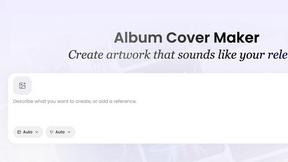
AI Album Cover Maker
Create release-ready album covers from a prompt or photo. Generate, refine, and export art for singles, EPs, mixtapes, and playlists.
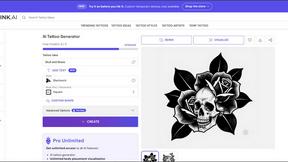
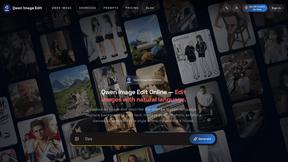
Qwen Image Edit
Prompt-based Qwen Image editing and generation for backgrounds, text, products, posters, outpainting, and creative styles.
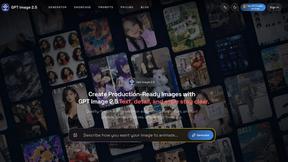
GPT Image 2 API
API access to GPT Image 2 for programmatic image generation and editing.
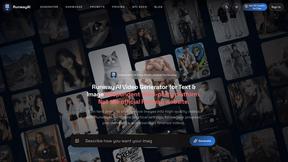
RunwayAI
Independent AI video generator for creating videos from text prompts or reference images with task tracking, previews, downloads, and API resources.
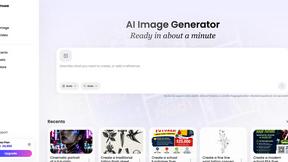
Vismuse
Create polished AI images and videos from prompts or references for social posts, ads, flyers, album covers, and campaigns.
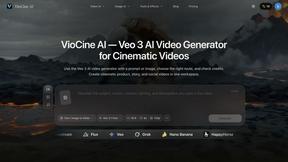
VioCine AI
Create AI video, image, and music assets in one model-aware workspace.

IsThisAIImage
Free AI image checker: upload a photo for AI-generated and deepfake scores, a clear verdict, and optional generator hints.