Quickfix AI
Quickfix AI delivers instant, comprehensive system diagnostics and insights, simplifying performance troubleshooting.
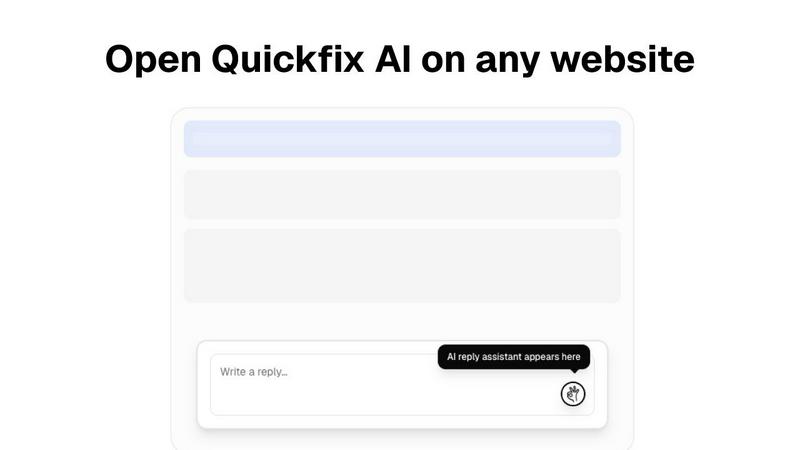
About Quickfix AI
Quickfix AI is a groundbreaking browser extension that redefines online communication by leveraging advanced artificial intelligence technology. Designed for individuals and businesses alike, it generates instant responses across numerous platforms such as Gmail, LinkedIn, Reddit, Slack, and various customer support tools. With Quickfix AI, you can significantly reduce the time spent on typing replies, making it an essential tool for anyone looking to enhance their productivity. Whether you are an individual seeking to streamline personal correspondence or a business focused on improving customer interactions, Quickfix AI delivers a seamless and efficient solution. The main value proposition lies in its ability to provide contextually relevant replies with just a click, thus eliminating the tedious task of manual response typing. Optimized for all languages, Quickfix AI caters to a global audience, ensuring that users can communicate effectively wherever they are. By integrating smoothly into your browsing experience, Quickfix AI allows for effortless communication, enabling you to respond faster to emails, support tickets, social media comments, and everyday messages.
Features
Instant Reply Generation
Quickfix AI instantly generates replies tailored to your specific communication context. This feature allows you to maintain a fluid conversation without the hassle of typing, thereby enhancing your efficiency across various platforms.
Multi-Platform Support
The extension seamlessly integrates with popular platforms such as Gmail, LinkedIn, and Slack, ensuring that you can utilize its capabilities wherever you communicate. This versatility makes it an invaluable tool for both personal and professional use.
Language Optimization
Quickfix AI is engineered to work with multiple languages, making it a globally accessible tool. This feature ensures that users from different linguistic backgrounds can benefit from instant replies without language barriers.
User-Friendly Interface
The browser extension boasts an intuitive interface that requires no technical knowledge to use. This user-friendly design enables anyone to take advantage of AI-powered responses, simplifying the communication process.
Use Cases
Streamlining Personal Communication
Individuals can utilize Quickfix AI to manage their personal correspondence more effectively. By generating instant replies, users can engage in conversations without the burden of typing out every message.
Enhancing Customer Support
Businesses can leverage Quickfix AI to improve their customer service interactions. With instant, contextually relevant replies, customer support teams can address inquiries swiftly, leading to higher customer satisfaction.
Optimizing Social Media Engagement
Social media managers can use Quickfix AI to respond promptly to comments and messages across platforms. This tool enables brands to maintain an active online presence while minimizing response times.
Assisting IT Support Teams
IT support teams can utilize Quickfix AI to communicate with clients experiencing technical issues. By providing quick and relevant responses, teams can diagnose problems efficiently and improve user experience.
Frequently Asked Questions
Is Quickfix AI free?
Yes, Quickfix AI is available for free, allowing users to experience its features without any initial investment.
Is my data secure?
Absolutely. Quickfix AI prioritizes user privacy and implements robust security measures to ensure that your data remains safe and confidential.
Do I need technical knowledge to use Quickfix AI?
No, Quickfix AI is designed to be user-friendly and intuitive, making it accessible to users regardless of their technical expertise.
What platforms are supported by Quickfix AI?
Quickfix AI supports a variety of platforms including Gmail, LinkedIn, Reddit, Slack, and various customer support tools, ensuring broad usability for all users.
Similar to Quickfix AI
Kody Tools
Free collection of online developer utilities, code formatters, and digital converters designed to streamline your daily workflow.


laya.tools
Free directory of 950+ projects built on Laya, the open-source model that turns text into typed decisions. Ports, SDKs, agents and demos.
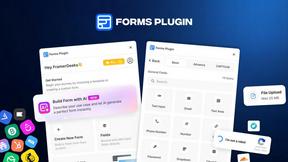
Forms Plugin
The #1 Native Form Builder Plugin for Framer - No Code, No Embeds, No External Platforms.