

Zovo
Zovo offers 20 essential privacy-first Chrome extensions for developers and writers with one subscription and no data.
tool Details
Explore More
Alternatives
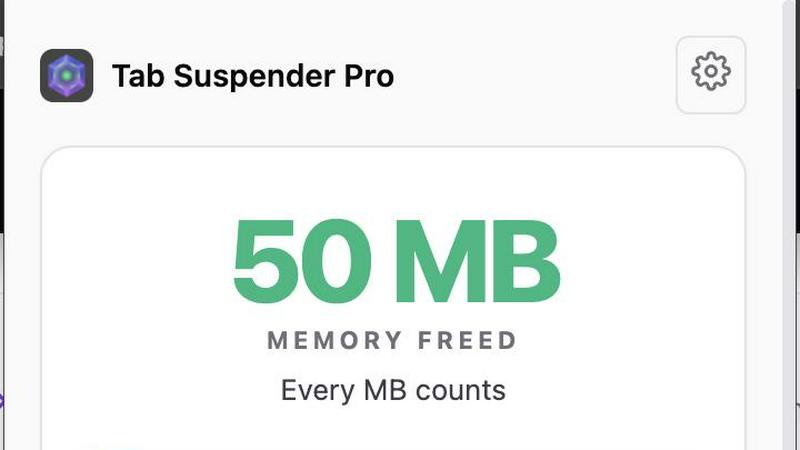
About Zovo
Zovo is a powerful suite of 20 Chrome extensions developed by Michael Lip, a solo developer with over a decade of experience and an impressive track record of $400K earned on Upwork, boasting a 100% success rate. Designed for anyone looking to enhance their browser functionality, Zovo's flagship extension, BeLikeNative, empowers over 3,300 users to write like native speakers with one-keystroke rewrites in 80 languages. The comprehensive suite includes essential tools like Tab Suspender Pro, JSON Formatter Pro, Clipboard History Pro, and more, all crafted with a privacy-first approach—meaning your data never leaves your device. This commitment to user privacy ensures there is no data harvesting or investor influence on development. Users actively participate in shaping the roadmap, voting on features and suggesting improvements. With new extensions launched monthly and many tools available for free at zovo.one, Zovo is the go-to solution for those seeking reliable, user-centric tools without compromises.
Features
Privacy-First Design
Every Zovo extension operates entirely on your device, ensuring that your personal data remains private. There are no tracking mechanisms or data collection practices, allowing users to browse freely without concerns about their activity being monitored or harvested.
User-Driven Development
Zovo thrives on community input, empowering users to directly submit feature requests and vote on upcoming features. This collaborative approach means that the most-requested features get prioritized, ensuring the development aligns with user needs and preferences.
Open Source Transparency
With 12 of its extensions being fully open source, Zovo allows users to review the code behind each tool. This transparency builds trust, as users can verify the privacy policies and functionalities before installation, ensuring they are comfortable with the software they are using.
Seamless Installation and Use
Zovo extensions are designed for immediate usability. Users can install any extension without creating an account and start using core features right away. For those who wish to unlock advanced features, a simple subscription covers all tools, making it easy to upgrade at any time.
Use Cases
Enhanced Writing with BeLikeNative
For non-native speakers or anyone looking to improve their writing, BeLikeNative offers real-time suggestions to help users write more fluently in over 80 languages. This tool is ideal for professionals, students, and anyone who frequently communicates in a second language.
Efficient Tab Management with Tab Suspender Pro
Users who often work with numerous browser tabs will find Tab Suspender Pro invaluable. This extension automatically suspends inactive tabs, freeing up memory and improving browser speed, making it easier to manage large projects without overwhelming system resources.
Streamlined Data Handling with JSON Formatter Pro
Web developers and data analysts can efficiently format and validate JSON data using JSON Formatter Pro. This tool simplifies the process of working with data, helping users quickly identify errors and improve their workflow.
Organized Clipboard History with Clipboard History Pro
Clipboard History Pro enhances productivity by allowing users to access an extensive history of copied items. This feature is particularly useful for content creators, developers, and anyone who frequently transfers information between applications, as it ensures no valuable data is lost.
Frequently Asked Questions
How does Zovo ensure user privacy?
Zovo prioritizes user privacy by running all extensions locally on your device, meaning no data is transmitted over the internet. There are no tracking, analytics, or data collection practices in place, ensuring that your activity remains confidential.
Can I make feature requests for Zovo extensions?
Absolutely! Zovo encourages user input by allowing you to submit feature requests directly. The most-voted requests are prioritized for development, ensuring that the tools evolve to meet the community's needs.
Are Zovo extensions free to use?
Yes, all core features of Zovo extensions are available for free. Users can install and use them without creating an account. For those who seek advanced features, a paid subscription is available, providing access to additional functionalities.
How often does Zovo release new extensions?
Zovo is committed to continuous improvement and innovation, with new extensions being released monthly. Members receive early access to these new tools, often 1-2 weeks before public release, allowing them to stay ahead of the curve.
Similar to Zovo
Egmatic
No-code 2D game editor: visual node logic, drag-and-drop scenes, live preview. Exports to Windows, macOS, Linux, Android, iOS, Web.

Product Launch Checklist
A free launch checklist for SaaS, apps, AI tools and more. Every step says why it matters and when you can skip it.

Kody Tools
Free collection of online developer utilities, code formatters, and digital converters designed to streamline your daily workflow.
Forms Plugin
The #1 Native Form Builder Plugin for Framer - No Code, No Embeds, No External Platforms.




PerPageFax
PerPageFax lets you send a fax online from any browser for a flat $0.50 per page — no account, no subscription, no fax machine.