

Ultimate Forms
Ultimate Forms enables effortless no-code form creation and process automation in Microsoft SharePoint for faster.
tool Details
About Ultimate Forms
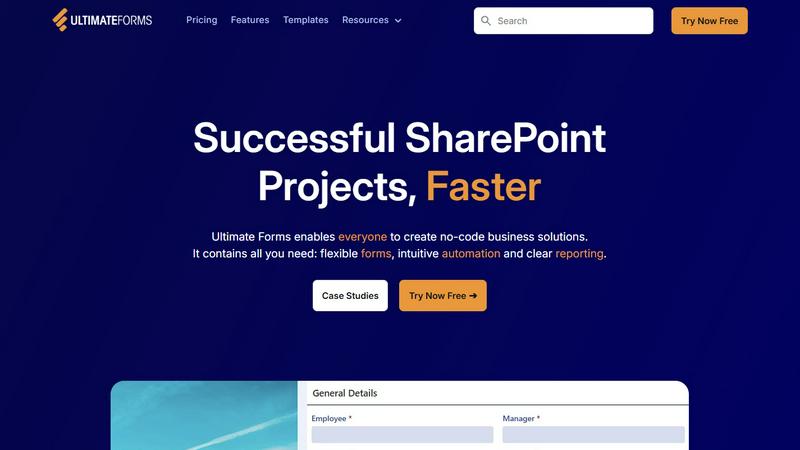
Infowise Ultimate Forms is a comprehensive forms and automation platform meticulously crafted for Microsoft SharePoint users. Designed with a no-code approach, it empowers businesses and individuals to create, manage, and share customized forms and business processes effortlessly. Ultimate Forms seamlessly integrates with SharePoint and Microsoft 365, making it an optimal choice for organizations that aim to enhance operational efficiency without needing extensive technical expertise. The core value proposition of Ultimate Forms lies in its capability to streamline complex workflows, enrich user experiences, and elevate data quality, all while safeguarding critical information within SharePoint. With over two decades of industry experience, Infowise has engineered Ultimate Forms to be both user-friendly and robust, enabling users across all skill levels to rapidly develop effective business solutions. As organizations continually evolve, Ultimate Forms acts as a flexible partner in driving productivity and efficiency across diverse sectors, ensuring that the tools evolve alongside the growing needs of businesses.
Features
Flexible Forms
Ultimate Forms provides responsive modern forms tailored for various business needs. Features include customizable tabs, section and column permissions, dynamic rules, repeating sections, electronic signatures, and input validation. This ensures that all data remains secure within SharePoint while enhancing user experience and data quality.
Intuitive Automation
The platform simplifies complex SharePoint and Power Automate workflows by offering versatile Actions that allow users to create and update data within SharePoint and integrate with applications like Exchange, MS SQL, and Teams. This user-friendly approach reduces the learning curve and empowers more individuals within the organization to manage business solutions effectively.
Clear Reporting
Ultimate Forms transforms data into actionable insights through detailed shareable reports, dashboards, KPIs, calendars, and charts. This feature ensures that all users can visualize information easily, thereby enhancing responsiveness and accountability across the organization.
Pre-built Solution Templates
With Ultimate Forms, users can quickly create, replicate, and distribute forms and automation-enhanced SharePoint solutions using a vast library of pre-built templates. This feature allows for building once and deploying multiple times across various sites and tenants, significantly saving time and effort for organizations.
Use Cases
Project Management
Ultimate Forms is ideal for managing and tracking projects, tasks, and work hours. Users can create comprehensive solutions that help oversee project milestones and resource allocation, ensuring smooth project execution and accountability.
HR Recruitment
Organizations can utilize Ultimate Forms to develop a multi-stage portal for processing, evaluating, and hiring candidates. This streamlined approach simplifies the recruitment process, allowing HR teams to manage applications and make informed hiring decisions efficiently.
Leave Request Management
Businesses can manage employee leave requests and approvals effortlessly with Ultimate Forms. The platform facilitates smooth communication and record-keeping, ensuring that all leave applications are processed in a timely and organized manner.
Asset Tracking
Ultimate Forms enables organizations to track assets effectively by creating customized forms and workflows. This functionality helps businesses maintain accurate records of their assets, ensuring better management and utilization of resources.
Frequently Asked Questions
What is Ultimate Forms?
Ultimate Forms is a no-code forms and automation platform designed for Microsoft SharePoint users, enabling them to create, manage, and share customized business solutions efficiently.
How does Ultimate Forms integrate with SharePoint?
Ultimate Forms integrates seamlessly with SharePoint and Microsoft 365, allowing users to create flexible forms and automate workflows without requiring extensive technical knowledge.
Can I use Ultimate Forms for various business processes?
Yes, Ultimate Forms is versatile and can be utilized for a wide range of business processes, including project management, HR recruitment, leave requests, and asset tracking.
Is technical knowledge required to use Ultimate Forms?
No, Ultimate Forms is designed with a no-code approach, making it accessible to users of all skill levels, allowing them to create and manage business solutions without any coding experience.