

Alternatives to DreamFace
DreamFace creates avatar videos, AI-generated videos, and images from text, audio, prompts, and photos.
Explore 20 alternatives to DreamFace. Compare features, pricing, and find the best fit for your needs.

FoxyLab
FoxyLab helps product teams create videos and banner sets from chat prompts, using website context and conversational edits for campaign assets.

goshortsai
An AI video studio for turning prompts, photos, and reference footage into clips with motion controls and creative presets.
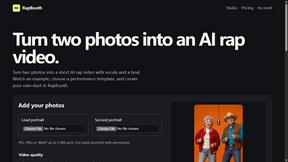
RapBooth
RapBooth turns adult portraits into short AI rap clips, with performance templates, vocals and a downloadable MP4.

StikSound
Turn video, photo or GIF media into a short sticker clip with audio, trimming and an in-browser preview.
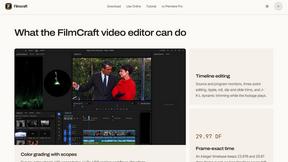
FilmCraft
FilmCraft is a free, open-source video editor for desktop and browser use, with frame-accurate timelines, color tools and native codec support.
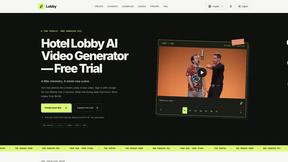
LobbyClip
LobbyClip turns two individual photos into short AI videos, with templates for people, couples and pets.

Vikas Editor AI
Vikas Editor AI is a browser based image and video generator with customizable portrait templates and five second photo animation for Indian creators.
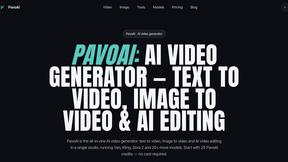
Pavo AI
Pavo AI turns written prompts into short videos and images, with four models, adjustable settings and a shared credit balance.
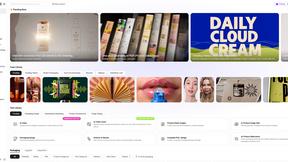
Rhinobird
Rhinobird creates product photosets, advertising visuals, reference-based videos and packaging renders for e-commerce.

AI Tiny Desk
Turn a portrait into a 19-second concert video with four casting modes, original performance audio and a silent MP4 download.
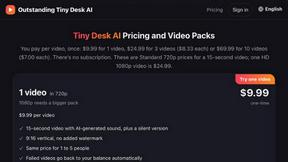
Tiny Desk AI
Turn photos of you and friends into a 15-second vertical Outstanding Tiny Desk video with AI-generated sound, ready for social sharing.

Tip Toeing in My Jordans AI
Put one or two photos into a 12-second Rumpelstiltskin tiptoe video, then export an MP4 in vertical or widescreen format.
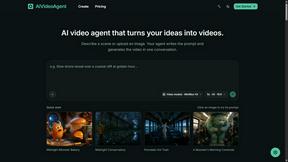
AIVideoAgent
Create short AI videos from a scene description or image, then review model, duration, resolution and estimated credit use before rendering.
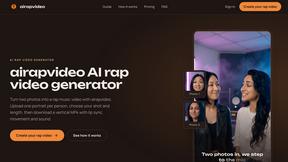
airapvideo
Create a shareable 10-second rap performance from two portraits, with generated audio and a vertical MP4 download.
GenX.art
GenX.art is a shared workspace for AI image, video, and audio creation, with model-specific controls and credit estimates for each run.
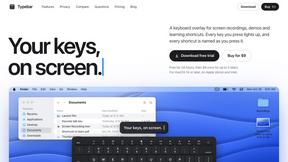
Typebar
Typebar is a Mac shortcut overlay with editable app cheat sheets, custom layers, and controls for teaching or live presentations.
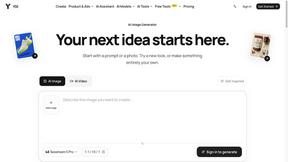
YIX
YIX creates images and short videos from text or reference photos, with tools for product scenes, portraits, photo restoration, and image enlargement.
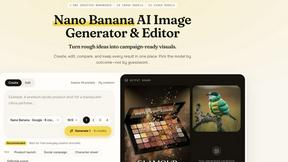
Nano AI
Create and edit images with 20 AI models, compare up to four variations, and use one credit balance for images and video.
Tesla Roadster AI
Create a fictional Roadster ramp-flip or driver meme video from a photo, choosing a template, frame, model and resolution.
RoadsterVideo
Create short fictional vehicle stunts from photos with RoadsterVideo's templates and scene-specific AI model and resolution options.
About DreamFace Alternatives
If your main need is one specific type of media, compare tools focused on that format with DreamFace's broader collection. For avatar videos, check the available templates, voices, and input options; for image or video generation, compare how each tool handles prompts, uploaded images, and editing. The provided official evidence does not name competing products.
FAQs about DreamFace Alternatives
Should I choose DreamFace for avatar videos or image editing?
Choose based on the workflow you need: DreamFace offers both, but the available template and editing options differ by tool.
What should I compare with other media generators?
Check supported inputs, output formats, editing controls, and whether the tool covers the media types you use.