

Alternatives to Seedream 4.0
Seedream 4.0 transforms image creation with AI-driven generation and editing for stunning high-definition visuals.
Explore 20 alternatives to Seedream 4.0. Compare features, pricing, and find the best fit for your needs.

PhotoGenerAI
Create images from text or edit uploaded photos in your browser, with model choices for portraits, product scenes and everyday image changes.

PhotoboothFree
PhotoboothFree creates themed photo booth strips online, with browser capture, optional uploads and watermark-free files ready to print.

MakePieces OfUs
MakePieces OfUs gives a pet photo a private virtual room, with free albums and puzzles plus optional daily stories and travel.

Vikas Editor AI
Vikas Editor AI is a browser based image and video generator with customizable portrait templates and five second photo animation for Indian creators.
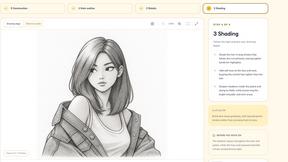
Drawcil
Drawcil creates a four-stage pencil tutorial from a photo, with a free sample and optional feedback on completed drawings.

Edit Image Text
Replace, remove, or translate text in a finished image, with comparison tools to review edits to signs, labels, and screenshots.

Beautyface
Beautyface is a prompt-based photo editor and portrait generator with reusable templates for headshots, themed shoots, and common image fixes.
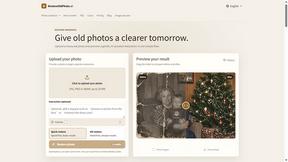
RestoreOldPhoto.ai
RestoreOldPhoto.ai repairs scratches, fading and blur in old photos, with optional colorization and quick or HD restoration modes.

RemoveObjectFromPhoto
Remove selected distractions from photos in a browser and inspect the AI-generated background before downloading the edited image.
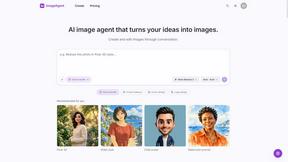
ImageAgent
ImageAgent helps creators generate and revise images in chat, using text prompts or uploaded references as the starting point for each visual.

AppIconGenerator
Turn an existing image into previewable app icons for iOS, Android, web, and Chrome, with selectable exports.
AI Age Filter
AI Age Filter makes an older-looking portrait from an adult photo using four age increments and a downloadable labelled PNG.
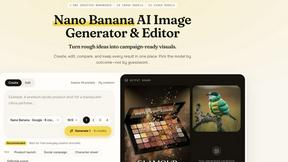
Nano AI
Create and edit images with 20 AI models, compare up to four variations, and use one credit balance for images and video.
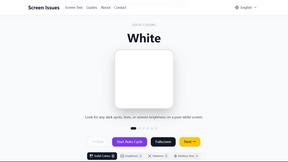
Screen Issues
Screen Issues combines a free browser display test with repair guides to help people identify dead pixels, bright spots, backlight bleed, and burn-in.

Tip Toe AI
Create a 720p Tip Toe barn-dance clip from two photos, with preset action, two aspect ratios, and no subscription.
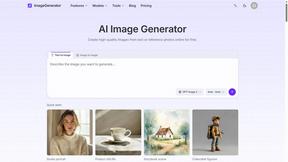
ImageGenerator
Create or transform images with AI models, then revisit prompts and results in a private library for iterative creative work.
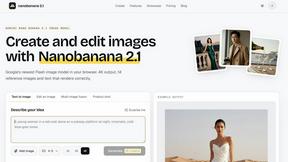
Nano Banana 2.1
Use Nano Banana 2.1 to generate and edit images in a browser, with up to 14 references and resolutions up to 4K.
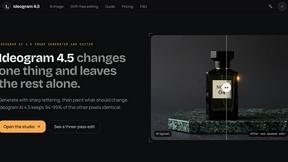
Ideogram 4.5
Ideogram 4.5 creates images with clear lettering and lets users make masked edits while Pixel Lock preserves the untouched areas.
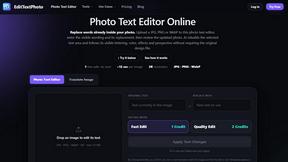
EditTextPhoto
Replace words in flattened photos with EditTextPhoto, which follows visible lettering and rebuilds the background beneath it.
About Seedream 4.0 Alternatives
Seedream 4.0 is a groundbreaking AI-powered image generator and editor that seamlessly blends the processes of image creation and modification. This innovative tool caters to a diverse range of users, from creative professionals to everyday hobbyists, providing unparalleled capabilities in generating stunning 4K visuals. As users explore their creative possibilities, many may seek alternatives to Seedream 4.0 for various reasons, including pricing, specific feature sets, or compatibility with different platforms. When searching for an alternative, it's essential to consider factors such as ease of use, the range of creative tools offered, and the quality of output images. Users should also evaluate whether the alternative can cater to their specific needs, whether they focus on casual image editing or require advanced features for professional applications. Understanding these elements can help users find a solution that aligns with their creative aspirations and workflow.
FAQs about Seedream 4.0 Alternatives
What is Seedream 4.0?
Seedream 4.0 is a revolutionary AI image generator and editor that enables users to create and modify images effortlessly with high-quality results.
Who is Seedream 4.0 for?
Seedream 4.0 is designed for a wide range of users, including graphic designers, educators, social media managers, and anyone interested in creating stunning visuals.
Is Seedream 4.0 free?
The pricing model for Seedream 4.0 may vary, and users should check the official website for specific plans and pricing details.
What are the main features of Seedream 4.0?
Key features of Seedream 4.0 include multi-image composition, instruction-based editing, a diverse style library, and knowledge-driven generation for educational illustrations.