

Alternatives to Seedream 5.0 AI
Seedream 5.0 AI creates images up to 2K resolution, edits images with natural-language prompts, and generates short videos with Seedance 2.0.
Explore 20 alternatives to Seedream 5.0 AI. Compare features, pricing, and find the best fit for your needs.

AI Room Makeover
Explore full-room or focused furniture, color and material changes from a photo. Generations use purchased one-time credits.
FreeCreate
Explore AI video creation with text and image inputs, motion control, Genjutsu editing, and a library of preset effects.

PhotoGenerAI
Create images from text or edit uploaded photos in your browser, with model choices for portraits, product scenes and everyday image changes.

FoxyLab
FoxyLab helps product teams create videos and banner sets from chat prompts, using website context and conversational edits for campaign assets.

goshortsai
An AI video studio for turning prompts, photos, and reference footage into clips with motion controls and creative presets.
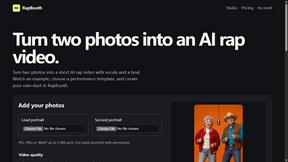
RapBooth
RapBooth turns adult portraits into short AI rap clips, with performance templates, vocals and a downloadable MP4.

StikSound
Turn video, photo or GIF media into a short sticker clip with audio, trimming and an in-browser preview.
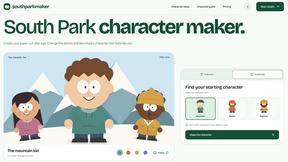
southparkmaker
Create a South Park-inspired avatar in a browser editor, customize its details, and download a 1024-pixel PNG or editable SVG.
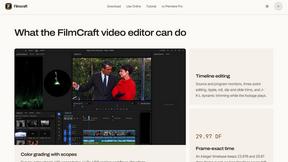
FilmCraft
FilmCraft is a free, open-source video editor for desktop and browser use, with frame-accurate timelines, color tools and native codec support.
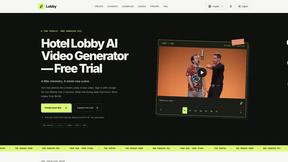
LobbyClip
LobbyClip turns two individual photos into short AI videos, with templates for people, couples and pets.

Vikas Editor AI
Vikas Editor AI is a browser based image and video generator with customizable portrait templates and five second photo animation for Indian creators.
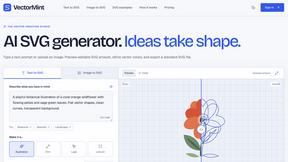
VectorMint
VectorMint turns prompts and raster images into editable SVG artwork, with previews that help users inspect paths before downloading.
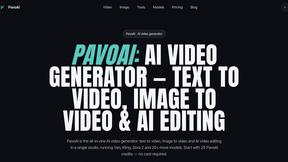
Pavo AI
Pavo AI turns written prompts into short videos and images, with four models, adjustable settings and a shared credit balance.
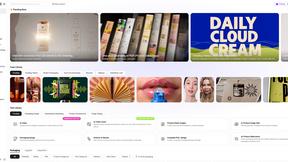
Rhinobird
Rhinobird creates product photosets, advertising visuals, reference-based videos and packaging renders for e-commerce.

AI Tiny Desk
Turn a portrait into a 19-second concert video with four casting modes, original performance audio and a silent MP4 download.
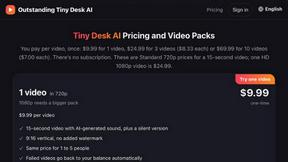
Tiny Desk AI
Turn photos of you and friends into a 15-second vertical Outstanding Tiny Desk video with AI-generated sound, ready for social sharing.

Tip Toeing in My Jordans AI
Put one or two photos into a 12-second Rumpelstiltskin tiptoe video, then export an MP4 in vertical or widescreen format.

Cardify
Convert Markdown notes into shareable knowledge cards with live theme previews and exports in PNG, SVG or PDF.
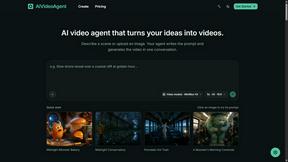
AIVideoAgent
Create short AI videos from a scene description or image, then review model, duration, resolution and estimated credit use before rendering.
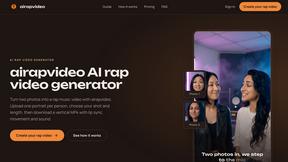
airapvideo
Create a shareable 10-second rap performance from two portraits, with generated audio and a vertical MP4 download.
About Seedream 5.0 AI Alternatives
Compare this all-in-one image and short-video workflow with dedicated image generators, manual image editors, or video tools. The key distinctions to weigh are whether you need prompt-based editing, multi-subject composition, 2K output, or longer and more controllable video production.
FAQs about Seedream 5.0 AI Alternatives
When might a dedicated image editor be a better fit?
If your work depends on precise manual adjustments or a specialized editing workflow, compare an editor designed for those tasks.
What should I compare with other video tools?
Check supported clip length, input types, audio behavior, and the controls available for the kind of video you need.