
FilexHost vs Learniverse
Side-by-side comparison to help you choose the right tool.

FilexHost
FilexHost evolves your file sharing from simple uploads to powerful, secure hosting for any project.
Last updated: February 28, 2026

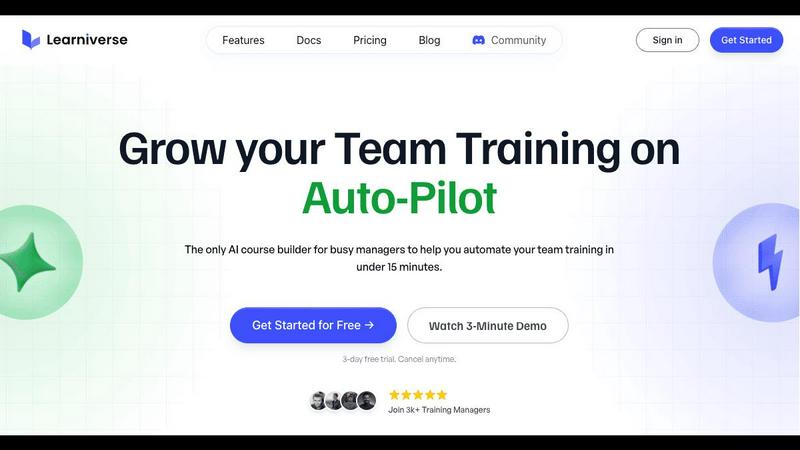
Learniverse
Learniverse evolves your scattered knowledge into automated, engaging training courses in minutes.
Last updated: February 28, 2026
Visual Comparison
FilexHost

Learniverse
Feature Comparison
FilexHost
Universal File Support & Smart Rendering
FilexHost supports an extensive range of file types including PDFs, images (JPG, PNG, HEIC), audio/video (MP4, MP3), data files (XLSX, CSV, JSON), archives (ZIP), and code. Its intelligent rendering engine automatically displays each file in its optimal format. HTML files become live websites, spreadsheets turn into interactive tables, and media files play with built-in lightweight players. This eliminates the need for recipients to have specific software, ensuring a consistent and professional viewing experience every time.
Instant Subdomains & Zero-Configuration Hosting
With FilexHost, getting a live, shareable link takes seconds. Upon upload, the platform instantly generates a unique, secure subdomain (e.g., your-file.filex.host) with zero setup required from the user. There is no command line, git, or complex configuration. Every link is automatically secured with free SSL encryption, providing a safe and trusted connection for all viewers. This feature democratizes web hosting, making it accessible to anyone regardless of technical expertise.
Granular Sharing Controls
Beyond simple links, FilexHost provides powerful controls over how your content is shared and accessed. You can set files to expire after a set duration (from 24 hours to forever), add optional password protection for privacy, and choose the view mode. You can present files with a direct, full-screen render or within a customizable download page that includes a title and description, giving you flexibility based on the context of the share.
Blazing Fast Global CDN
Every file uploaded to FilexHost is distributed via a global Content Delivery Network (CDN). This means your content is cached on servers around the world, ensuring low latency and fast loading times for your audience no matter where they are located. This performance is crucial for professional presentations, product demos, and user experiences, removing frustrating load times and keeping the focus squarely on your content.
Learniverse
AI-Powered Course Creation
This is the core engine of Learniverse's evolution. Instead of manually building slides and writing quizzes, you simply upload existing materials like PDFs, SOPs, video recordings, or documents. The AI then analyzes this content, understands the key concepts, and automatically structures it into a coherent, interactive course complete with lessons, knowledge checks, and progress tracking. This feature represents a leap from manual content assembly to intelligent, automated curriculum design, saving countless hours of effort.
Branded Academy Deployment
Learniverse understands that professional presentation builds credibility. This feature allows you to launch a fully customized training portal that reflects your company's identity. You can apply your logo, brand colors, and even use a custom domain, ensuring your team engages with a polished, cohesive learning environment that reinforces company culture, moving beyond the generic look of traditional, outdated LMS platforms.
Automated Progress & Analytics Dashboard
Progress tracking evolves from a manual spreadsheet nightmare into a clear, automated dashboard. Managers gain instant visibility into team-wide progress, completion rates, assessment scores, and areas where learners are getting stuck. This data-driven insight allows for proactive coaching and ensures training effectiveness is measurable, turning guesswork into strategic understanding of your team's development.
Integrated AI Training Assistant
Beyond initial course creation, Learniverse provides an always-available AI assistant. You can chat with it to build new modules on the fly, update existing content with new information, or transform meeting recordings into training material simply by describing what you need. This feature signifies the platform's growth into an active collaborative partner, continuously helping to refine and expand your knowledge base without constant manual intervention.
Use Cases
FilexHost
Professional Client Reporting & Deliverables
Consultants, freelancers, and agencies can use FilexHost to deliver reports, presentations, and design mockups to clients. Instead of bulky email attachments or confusing cloud storage links that require "request access," professionals can upload a file, set a password for confidentiality, and share a clean, direct link. The smart rendering ensures PDFs and spreadsheets are viewed perfectly in-browser, creating a polished and frictionless client experience.
Developer Prototyping & Static Site Hosting
Developers and designers can rapidly prototype and share landing pages, project demos, or mock API endpoints. By simply dragging and dropping an HTML file or a ZIP archive of a static site, they get an instantly live URL to share with teammates, stakeholders, or for testing. This accelerates feedback cycles and simplifies the process of showcasing work-in-progress without deploying to a production server.
Digital Product Distribution
Creators, educators, and small businesses selling digital products like e-books, guides, software, or media bundles can use FilexHost for secure distribution. The Pro plan's large file support (up to 1GB), permanent hosting, and password protection allow for creating direct, ad-free download pages. This provides a professional, branded alternative to generic file transfer services for delivering purchased goods to customers.
Friction-Free Media & Portfolio Sharing
Photographers, musicians, and artists can create instant galleries and portfolios. Upload images, audio tracks, or video reels, and FilexHost will present them with built-in viewers and players. This allows creatives to share their work via a single link in presentations, on social media, or in emails, ensuring the recipient sees a beautifully formatted presentation without needing to download files or install plugins.
Learniverse
Onboarding New Hires
Transform a disjointed onboarding process into a smooth, consistent journey. Upload all HR documents, process manuals, and product guides into Learniverse. The AI creates a structured onboarding course with quizzes, ensuring every new employee receives the same high-quality training, understands key information, and can be tracked to completion, drastically reducing time-to-productivity.
Standardizing Operational Procedures
For teams with critical SOPs scattered across drives and emails, Learniverse provides a single source of truth. Upload all procedure documents and videos; the AI consolidates them into standardized, interactive training modules. This ensures all team members follow the correct, up-to-date processes, improving quality, compliance, and reducing errors caused by outdated information.
Converting Live Sessions into Asynchronous Training
Capture the value of live events like all-hands meetings, workshop recordings, or expert presentations. Simply upload the video or audio recording to Learniverse. The AI assistant can identify key points and discussions, structuring them into digestible lessons with highlights and quizzes, allowing team members who missed the event to catch up and retaining institutional knowledge.
Maintaining Compliance & Certification Training
For industries requiring regular compliance updates or certification renewals, Learniverse automates the update cycle. When regulations change, you can update the source document or instruct the AI assistant, and the platform automatically regenerates the relevant course modules and quizzes. It then tracks and reports on mandatory completion across the organization, simplifying audit readiness.
Overview
About FilexHost
FilexHost represents the next evolution in digital file sharing, transforming a traditionally complex process into a seamless, instantaneous experience. It is a universal hosting platform designed for professionals, creators, and developers who need to share files and static websites without the friction of traditional methods. The core value proposition is profound simplicity: a "Drop & Share" workflow that eliminates servers, DNS configurations, and mandatory logins for recipients. FilexHost intelligently renders over 100 file types, from documents and spreadsheets to full HTML projects, presenting them as beautiful, interactive experiences directly in the browser. This focus on the viewer's journey ensures your work is seen exactly as intended, whether it's a client report, a product demo, or a portfolio piece. The platform grows with your needs, starting with a robust free tier for testing and quick shares, and scaling to a Pro plan for permanent, high-traffic hosting with advanced controls. FilexHost is more than a tool; it's a streamlined pathway from your desktop to your audience, built for a world that moves at the speed of an idea.
About Learniverse
Learniverse represents the next evolutionary stage in corporate training, transforming from a static repository into a dynamic, AI-powered learning ecosystem. It is a zero-effort training platform designed specifically for busy teams and training managers who are overwhelmed by the manual labor of creating, updating, and delivering consistent training. The core value proposition is profound simplicity: turning your organization's scattered, dormant knowledge—locked away in PDFs, documents, videos, and even raw ideas—into a fully functional, branded training academy in minutes. This eliminates the traditional weeks-long cycle of course design and platform setup. Learniverse automates the entire workflow, from content ingestion and interactive lesson creation to quiz generation and progress analytics. It empowers organizations to scale their training efforts seamlessly, ensuring teams have access to engaging, up-to-date knowledge without burdening managers. The platform's growth narrative is one of liberation, freeing teams from administrative chaos to focus on their real jobs and strategic growth, making effective training a natural byproduct of daily work rather than a disruptive, resource-intensive project.
Frequently Asked Questions
FilexHost FAQ
What is FilexHost?
FilexHost is an instant file hosting and sharing platform designed to simplify how individuals and professionals distribute digital content. It allows you to upload virtually any file type and instantly receive a secure, shareable web link. The platform intelligently renders files for optimal in-browser viewing, turning documents into readable pages, spreadsheets into interactive tables, and HTML files into live websites, all without requiring technical setup from the uploader or the viewer.
Is it really free?
Yes, FilexHost offers a fully-featured free plan designed for testing, prototyping, and quick sharing. The free tier includes hosting for up to 1,000 files with a maximum size of 25MB each, 1GB of total storage, and links that can be set to expire after up to 7 days. This plan is supported by ads and includes a watermark. For permanent hosting, larger files, and advanced features like analytics and password protection, users can upgrade to the Pro plan.
What file types are supported?
FilexHost supports a wide array of file formats. This includes documents (PDF, TXT, RTF), data files (XLSX, CSV, JSON), images (JPG, PNG, WEBP, HEIC, TIFF), media (MP4, MP3), archives (ZIP), and code files (HTML, CSS, JS). The platform's built-in viewers automatically detect the file type and present it with an appropriate, optimized viewer directly in the web browser for the best possible user experience.
How do I update my hosted file or site?
To update a file hosted on FilexHost, you simply need to upload the new version of the file. The platform will generate a new, unique URL for the updated upload. If you need to maintain the same link, you would use the link from a previous upload that points to the older version. For iterative work, many users leverage the free plan for rapid iterations and then use the Pro plan for the final, permanent version with a consistent URL.
Learniverse FAQ
What types of content can I upload to create a course?
Learniverse is designed to work with the knowledge you already have. You can upload a wide variety of formats including PDF documents, Word files, PowerPoint presentations, video files (like recordings of meetings or presentations), and even plain text notes or ideas. The AI is built to analyze this content and extract the key information to build structured lessons.
How does the AI ensure the courses it creates are accurate?
The AI acts as a powerful structuring and drafting assistant based on the content you provide. It organizes information and generates quizzes from the material you upload. The accuracy and final approval of the content always remain with you, the subject matter expert. You can review, edit, and refine any course the AI generates before publishing it to your team, ensuring complete control.
Can I customize the look of our training academy?
Absolutely. A key feature of Learniverse is the ability to deploy a professionally branded academy. You can customize your training portal with your company logo, brand colors, and fonts. For a fully seamless experience, you can even connect a custom domain (e.g., training.yourcompany.com) so the academy feels like a native part of your company's digital ecosystem.
Is there a way to track my team's progress and engagement?
Yes, Learniverse includes a comprehensive analytics dashboard. You can track progress at both individual and team levels, see course completion rates, review assessment scores, and identify modules where learners may be struggling or spending extra time. This provides valuable insights into training effectiveness and helps you support your team's development proactively.
Alternatives
FilexHost Alternatives
FilexHost is a streamlined file hosting and sharing platform in the productivity and management category. It simplifies the process of making files accessible online, allowing users to get a live, shareable link for any document, media file, or web project in seconds without technical setup. Users often explore alternatives to find a solution that better fits their evolving needs. This search can be driven by factors like budget, requiring a different pricing model or a more generous free tier. Others may need specific advanced features, larger file size limits, or integration with other platforms in their workflow that their current stage demands. When evaluating options, consider your growth trajectory. Look for a service that scales with your project volume and file sizes. Prioritize reliability, viewer experience, and security features that match your professional requirements, ensuring the platform supports your next stage of development without friction.
Learniverse Alternatives
Learniverse is an AI-powered Learning Management System (LMS) in the productivity and management category. It excels at transforming scattered documents and ideas into automated, branded training courses with minimal effort, making it a powerful tool for scaling internal training. Users often explore alternatives for various reasons. These can include budget constraints, the need for more specialized features, a desire for a different user interface, or requirements for deeper integrations with existing company software. The search for the right platform is a natural part of evolving a company's learning and development strategy. When evaluating alternatives, consider your organization's growth stage. Key factors include the platform's core automation capabilities, ease of content creation, scalability, analytics depth, and the ability to maintain a cohesive brand experience. The goal is to find a solution that not only meets current needs but also supports your team's future learning evolution.