
Nano Banana vs Shrinkpad
Side-by-side comparison to help you choose the right tool.
Nano Banana
Nano Banana Pro transforms text into stunning visuals with fast, smart editing and consistent branding for creative.
Last updated: February 28, 2026

Shrinkpad
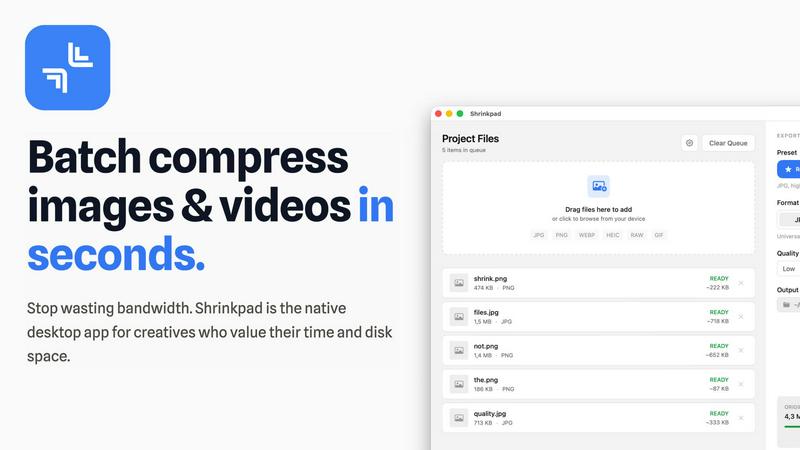
Shrinkpad quickly and effortlessly batch compresses images and videos on Mac, optimizing your assets with precision.
Last updated: February 28, 2026
Visual Comparison
Nano Banana

Shrinkpad
Feature Comparison
Nano Banana
Text to Image Generation
This feature allows users to transform written prompts into stunning visuals. With an impressive output resolution of 1K, 2K, or 4K, creators can generate images that range from realistic to highly stylized, catering to diverse artistic needs.
Semantic Editing
Nano Banana offers smart editing tools that enable users to make contextual changes without disrupting the overall composition. This includes the ability to replace objects, extend scenes, and refine details while preserving lighting and perspective, ensuring a seamless editing experience.
Multilingual Typography
With support for multiple languages, including English, Chinese, and Japanese, Nano Banana ensures that text rendered within images remains sharp and well-aligned. This feature is particularly valuable for global marketing campaigns that require accurate and consistent branding.
Consistent Characters and Branding
This feature allows users to maintain character integrity and brand elements across various images. Ideal for creating series content or cohesive marketing campaigns, it ensures that visual narratives remain consistent, enhancing brand recognition and storytelling.
Shrinkpad
Smart Compression
Shrinkpad automatically analyzes the visual complexity of each file, applying the ideal compression ratio to ensure minimal loss of quality. This feature eliminates the guesswork, allowing users to achieve the best results effortlessly.
Unlimited Batching
With the ability to process thousands of files simultaneously, Shrinkpad can handle massive queues without crashing, unlike many web-based tools. Users can batch compress images and videos together, optimizing their workflow efficiently.
One-Drop Import
Users can simply drag and drop entire folders into Shrinkpad. The application automatically detects all supported media files within the folder, streamlining the process and saving time by avoiding manual file selection.
Privacy-First Approach
Shrinkpad prioritizes user privacy by performing all processing locally on the machine. This means that no files are uploaded to the cloud, ensuring that sensitive assets remain secure and under the user's control throughout the compression process.
Use Cases
Nano Banana
Social Media Content Creation
Nano Banana is perfect for marketers looking to create eye-catching social media posts. With its fast image generation and editing capabilities, users can quickly produce high-quality visuals tailored to their audience's preferences.
E-commerce Product Displays
Businesses can leverage Nano Banana to create engaging hero shots for their products. Whether it's a new apparel line or tech gadgets, the platform generates professional-quality images that can help boost sales and attract customers.
Marketing Campaign Design
Marketers can utilize Nano Banana to design compelling marketing posters and advertisements. The tool's ability to produce consistent branding and high-resolution images makes it an invaluable asset for any promotional campaign.
Storyboarding for Visual Projects
Filmmakers and content creators can use Nano Banana to develop storyboards and visual narratives. By generating imagery that aligns with their scripts and concepts, they can visualize their projects more effectively, streamlining the creative process.
Shrinkpad
Photographers
Professional photographers can utilize Shrinkpad to batch compress large collections of images from shoots, significantly reducing file sizes for easier storage and faster uploads to galleries or websites.
Designers
Graphic designers can benefit from Shrinkpad by quickly optimizing assets exported from software like Figma or Photoshop. This allows them to maintain high visual quality while minimizing the impact on disk space and loading times.
Content Creators
Content creators, including vloggers and social media influencers, can use Shrinkpad to compress videos for faster uploads and improved website performance. This tool helps in managing large multimedia files efficiently.
Marketing Teams
Marketing teams can leverage Shrinkpad to ensure that all digital assets, from promotional videos to product images, are optimized for web use. This enhances user experience by reducing website load times and improving engagement metrics.
Overview
About Nano Banana
Nano Banana is a groundbreaking AI-powered image generator and editor that harnesses the capabilities of the Gemini 3 Pro model to produce high-quality visuals quickly and efficiently. Tailored for artists, marketers, and creatives alike, Nano Banana enables users to transform simple text prompts into visually striking images, making artistic expression more accessible than ever. The platform boasts an intuitive interface that allows for rapid image generation, while its intelligent editing features empower users to make nuanced adjustments that align with their unique vision. Whether you are creating captivating social media content, designing compelling marketing materials, or exploring new artistic ideas, Nano Banana serves as an essential tool, delivering high-resolution outputs that rival professional photography. With advanced support for various artistic styles and the ability to maintain consistency across projects, Nano Banana is poised to revolutionize how creators approach visual storytelling.
About Shrinkpad
Shrinkpad is an innovative desktop application tailored for macOS users seeking to efficiently batch compress images and videos. This powerful tool empowers photographers, designers, content creators, and anyone handling large media files to streamline their workflows. By allowing users to drop hundreds of files or entire folders, Shrinkpad simplifies the compression process, enabling significant reductions in file sizes within seconds. With a focus on privacy, all processing occurs locally on the user's device, eliminating the need for internet connections and safeguarding sensitive files. Supporting over 50 file formats, including JPG, PNG, MP4, and MOV, Shrinkpad integrates seamlessly into diverse workflows, offering both preset quality options and customizable settings for optimal results. In a world where disk space and loading times are increasingly critical, Shrinkpad becomes an indispensable asset for those looking to optimize their digital content without compromising quality.
Frequently Asked Questions
Nano Banana FAQ
What is Nano Banana?
Nano Banana is an AI-powered image generator and editor that transforms text prompts into high-quality images. It is designed for artists, marketers, and anyone needing striking visuals, with features that enhance creative expression.
How does the Gemini 3 Pro model enhance Nano Banana?
The Gemini 3 Pro model provides advanced capabilities, such as improved clarity and contextual reasoning, enabling faster production of high-quality visuals with fewer edits. It enhances the overall performance of both image generation and editing tasks.
Can I use Nano Banana for commercial projects?
Yes, Nano Banana delivers watermark-free outputs that are commercial-ready for both print and digital use. This makes it an excellent choice for businesses and creators looking to produce professional materials.
Is there a free trial available for Nano Banana?
Yes, users can try Nano Banana for free, allowing them to explore its features and capabilities without the need for a credit card. This enables potential users to evaluate the platform before committing to a paid plan.
Shrinkpad FAQ
Can I use Shrinkpad for free?
Yes, Shrinkpad offers a Free Starter plan that includes essential tools for casual use, allowing users to batch compress images with limitations on file counts and formats.
What file formats does Shrinkpad support?
Shrinkpad supports over 50 file formats, including common image formats like JPG and PNG, as well as video formats such as MP4 and MOV, ensuring versatility for various media types.
Does Shrinkpad support video compression?
Absolutely, Shrinkpad includes robust video compression features, allowing users to efficiently reduce the file sizes of videos alongside images in a single batch process.
How many files can I process at once?
With Shrinkpad, users can batch process thousands of files at once, making it a powerful tool for handling large media libraries without compromising performance.
Alternatives
Nano Banana Alternatives
Nano Banana is an innovative AI-powered image generator and editor that transforms simple text prompts into high-quality images. It belongs to the category of creative tools designed for artists, marketers, and individuals seeking visually appealing content. Users often seek alternatives to Nano Banana for various reasons, including pricing concerns, the need for specific features, or compatibility with different platforms and workflows. When selecting an alternative, it is essential to consider factors such as image quality, speed of generation, ease of use, and the ability to customize outputs to align with individual creative visions. In a dynamic creative landscape, having access to multiple tools can enhance productivity and inspire new ideas. Users may prioritize features that support their unique artistic styles or specific project requirements. As such, evaluating alternatives to Nano Banana should include an assessment of the platform's versatility, the sophistication of its editing capabilities, and the overall user experience to ensure a seamless creative process that fosters innovation and growth.
Shrinkpad Alternatives
Shrinkpad is a powerful desktop application designed specifically for macOS users, allowing them to batch compress images and videos quickly and efficiently. As an essential tool for photographers, designers, and content creators, it optimizes large media files, ensuring significant file size reductions without compromising visual quality. Users often seek alternatives to Shrinkpad for various reasons, such as pricing, feature sets, or compatibility with different operating systems. When searching for alternatives, it's important to consider several factors. Look for user-friendly interfaces, robust batch processing capabilities, customizable settings for compression, and local processing to maintain privacy. Additionally, ensure that the alternative supports a wide range of file formats to seamlessly integrate into your existing workflow.