

Anime Maker
Turn text, photos, or prompts into anime images, characters, and short videos as your creative skills evolve.
About Anime Maker
Anime Maker is an AI creative platform designed to transform text prompts and photos into high-quality anime-style images, original characters, avatars, logos, filters, and even short video clips. It serves as a focused browser-based workflow for artists, creators, game development teams, marketers, and anime fans who want to explore visual ideas quickly and efficiently. The platform supports multiple generation modes including text-to-image, photo-to-anime conversion, character creation, and image-to-video animation. Each mode is tailored to produce export-ready results that can be used in professional projects or personal creative exploration. Anime Maker provides free starter access with 10 credits for testing standard image generation after sign-up, allowing new users to experience the capabilities without upfront investment. The platform emphasizes clarity and direction in prompts, encouraging users to describe subjects, settings, styles, lighting, and composition for optimal results. Whether you are designing a cyberpunk heroine, a fantasy creature, or a cinematic landscape, Anime Maker offers a structured environment where ideas evolve from simple text into polished anime visuals. The platform also includes an extensive library of examples that users can reuse, rewrite, or combine with their own creative direction, making it a versatile tool for both beginners and experienced creators seeking to accelerate their anime art production.
Features
Text to Anime Image
This feature allows users to generate a 1024x1024 anime image directly from a text description. By specifying the subject, setting, style, lighting, and composition, users can create detailed and unique illustrations. The AI interprets the prompt and produces a single square frame that captures the intended mood and visual elements. This mode is ideal for rapid ideation and concept exploration, enabling artists to visualize scenes, characters, and environments without manual drawing. Users can refine their prompts iteratively to achieve the desired aesthetic, making it a powerful tool for both quick sketches and polished artwork.
Photo to Anime Converter
Users can upload a JPG, PNG, or WebP photo and describe the desired linework, color treatment, lighting, mood, and background. The AI then generates a newly interpreted 1024x1024 anime illustration based on the original photo, rather than applying a fixed filter or producing a pixel-for-pixel copy. This feature is perfect for transforming real-world portraits, landscapes, or objects into anime-style artwork while preserving the essence of the original subject. It offers creative flexibility for personal projects, social media content, or character design inspiration.
Anime Character Generator
This feature enables users to create original anime characters from a focused text brief covering hair, clothing, expression, color palette, role, and setting. The AI generates a unique character design that can be reused for avatars, expression studies, or future scene references. Artists and game teams can quickly prototype character concepts, iterate on visual details, and build a library of distinct personalities. The generator emphasizes clarity in input to produce strong first results that are easy to inspect, refine, and integrate into larger projects.
Image to Video Anime AI
Users can turn a character frame or scene image into a 6 to 30 second animated clip by describing one main action and one camera direction. The platform allows users to choose duration, aspect ratio, and output resolution (480p or 720p). This feature is ideal for creating short motion studies, cinematic sequences, or social media content that brings static anime images to life. By combining a reference image with a text prompt, users can control the visual direction and timing, resulting in dynamic videos that maintain the original artwork's style and atmosphere.
Use Cases
Character Design for Game Development
Game teams can use Anime Maker to rapidly prototype original characters for RPGs, visual novels, or mobile games. By describing traits like hair color, clothing style, expression, and role, developers can generate multiple character concepts in minutes. These designs can be iterated upon, combined, or used directly as concept art for further refinement. The platform accelerates the early stages of character creation, allowing teams to explore diverse visual directions before committing to final assets.
Marketing and Social Media Content Creation
Marketers and content creators can generate anime-style visuals for campaigns, brand mascots, or social media posts. Text-to-image and photo-to-anime features enable quick production of eye-catching graphics that stand out in feeds. Short video clips from the image-to-video tool can be used for promotional teasers or animated stories. This workflow reduces reliance on external illustrators and speeds up content turnaround, making it easier to maintain a consistent anime aesthetic across marketing materials.
Personal Art Projects and Fan Creations
Anime fans and hobbyists can bring their imaginative scenes and characters to life without advanced drawing skills. By crafting detailed prompts, users can generate custom illustrations for fan art, original stories, or personal portfolios. The ability to reuse and modify example prompts provides a learning curve for improving prompt writing. The platform also supports creating avatars and logos, making it a versatile tool for personal branding or creative expression.
Educational and Storyboard Visualization
Educators and storytellers can use Anime Maker to visualize scenes for lessons, presentations, or storyboards. Describing a historical event, a scientific concept, or a narrative moment in text can generate an anime-style illustration that aids comprehension and engagement. The image-to-video feature can animate key story beats, helping to convey sequence and emotion. This use case bridges the gap between textual ideas and visual communication, making abstract concepts more accessible.
Pricing
No specific pricing information is available in the provided context. The platform offers free starter access with 10 credits for testing standard image generation after sign-up. For detailed pricing plans, tiers, and costs, please visit the official Anime Maker website and refer to the Pricing section.
Frequently Asked Questions
How do I start using Anime Maker?
To begin, sign up for an account on the Anime Maker website. After registration, you will receive 10 free credits for testing standard image generation. You can then choose from the main workspace modes: text to anime image, photo to anime converter, anime character generator, or image to video anime AI. Each mode has clear input fields for your prompt or upload, and you can generate your first result immediately. Explore the example library to get inspiration for prompts and styles.
What kind of outputs can I expect from the photo to anime converter?
The photo to anime converter generates a newly interpreted 1024x1024 anime illustration based on your uploaded photo and descriptive text. It is not a simple filter or pixel-for-pixel copy. The AI analyzes the photo's composition and your instructions for linework, color treatment, lighting, mood, and background to create a unique anime-style image. This allows for creative reinterpretation while preserving the core subject and essence of the original photo.
Can I create videos longer than 30 seconds with Anime Maker?
Currently, the image to video anime AI feature supports clips between 6 and 30 seconds in duration. You can control the length within this range, along with the aspect ratio and output resolution (480p or 720p). For longer animations, you may need to generate multiple clips and combine them using external video editing software. The platform focuses on short, impactful motion studies that capture a single action and camera direction.
Is there a limit on how many images or videos I can create?
Anime Maker offers free starter access with 10 credits for testing standard image generation after sign-up. Additional usage may require purchasing credits or subscribing to a paid plan, though specific pricing details are not provided in the available context. The platform encourages users to start with the free credits to evaluate the tool before committing to further investment. Check the website's pricing section for the most current information on plans and limits.
Similar to Anime Maker
EditTextPhoto
AI-powered image text editor to edit, replace, fix, or translate text in images while preserving the original font, color, size, and style.
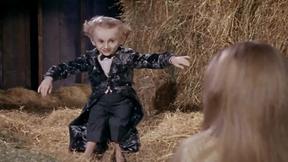
Rumpelstiltskin AI Video Generator
Make the viral Rumpelstiltskin tiptoe dance meme video from two photos
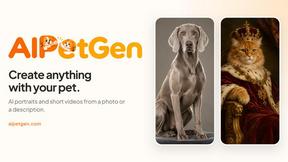
AIPetGen
AIPetGen turns a photo of your dog, cat, or other pet, or a written description, into a new picture or a short animation.

Hotel Lobby AI Video Generator
Turn two photos into a Hotel Lobby dance video in the orange A COLORS SHOW booth
Remove Text
Remove text from images online with AI
TryH3 - MiniMax H3 Video Generator
Try MiniMax Hailuo H3 video generation in the browser
Image to Layers AI
Turn any image into editable transparent PNG/PSD layers with AI