

Magic Hour
Magic Hour empowers creators to effortlessly craft stunning videos and images in seconds using advanced AI tools.

About Magic Hour
Magic Hour is an innovative, browser-based AI studio that revolutionizes the way professionals and enthusiasts create videos and images. Designed for anyone from solo creators to large marketing teams, Magic Hour simplifies the creative process by offering a consolidated suite of over 100 powerful AI tools on a single platform. With its user-friendly interface, you can generate, edit, and enhance media in mere seconds without the need for expensive equipment or complex software. Whether you are looking to transform a text prompt into a video, apply artistic styles to existing footage, or create stunning visuals for social media, Magic Hour has you covered. This all-in-one platform enables rapid iteration and consistent brand styling, ensuring that you can produce high-quality content that meets your specific needs. From AI Face Swap to professional headshot generation and video upscaling, Magic Hour empowers creators to unleash their full potential and streamline their workflows, making it accessible to everyone.
Features
AI Video Tools
Magic Hour offers a variety of AI video tools designed to cater to diverse creative needs. With features like text-to-video and video-to-video, users can effortlessly create videos from scripts or apply new styles to existing footage. This flexibility allows for efficient content generation, saving both time and resources.
AI Image Tools
The platform includes a comprehensive suite of AI image tools, such as the AI Image Editor and AI Image Generator. Users can enhance their images with text-based edits or generate unique visuals from scratch. This ensures that creators can produce high-quality, captivating images that resonate with their audience.
Lip Sync and Talking Photo
Utilize the Lip Sync and Talking Photo features to add a dynamic touch to your projects. Lip Sync allows users to synchronize audio with video, creating seamless presentations, while Talking Photo enables the transformation of still images into animated visuals, adding life to your content.
Templates and Customization
Magic Hour boasts over 10,000 customizable templates that eliminate the hassle of starting from scratch. With drag-and-drop functionality, users can easily create perfectly sized content for various channels, ensuring that their visuals are always on-brand and engagement-ready.
Use Cases
Marketing Campaigns
Marketers can leverage Magic Hour to produce engaging video ads and promotional images quickly. With tools like the AI UGC Ad Generator, they can create personalized content that drives engagement and enhances brand visibility across multiple platforms.
Social Media Content Creation
Social media managers can utilize Magic Hour to generate a constant stream of visually appealing content. From eye-catching videos to striking images, the platform allows for rapid iterations and variations, ensuring that the content remains fresh and relevant to audiences.
Training and Educational Materials
Educators and trainers can create informative video content and visual aids for their learners. With features like text-to-video and AI headshot generation, they can enhance their teaching materials, making learning more interactive and visually stimulating.
Personal Projects and Creative Exploration
Individual creators can explore their artistic ideas without the constraints of traditional tools. Whether it's creating cinematic 4K scenes or experimenting with styles through video-to-video features, Magic Hour empowers users to express themselves creatively with ease.
Frequently Asked Questions
What types of media can I create with Magic Hour?
With Magic Hour, you can create a wide range of media, including videos, images, and audio content. The platform supports various formats and styles, allowing for diverse creative outputs tailored to your needs.
Do I need any technical skills to use Magic Hour?
No, Magic Hour is designed to be user-friendly and accessible to everyone, regardless of technical expertise. Its intuitive interface and guided tools make it easy to start creating stunning visuals immediately.
Is there a limit to the number of projects I can create?
Magic Hour does not impose strict limits on the number of projects you can create. Users can experiment freely and produce as many variations as needed, fostering creativity and innovation.
Can I use Magic Hour for commercial purposes?
Yes, Magic Hour is suitable for commercial use. Creators can produce high-quality content for marketing, advertising, and other business needs, ensuring that they meet professional standards without the burden of additional costs.
Similar to Magic Hour
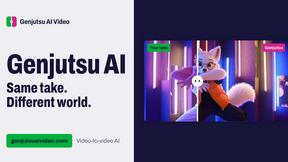
Genjutsu AI Video Editor
AI video-to-video editor for swapping people, outfits, products, and scenes or restyling existing clips.
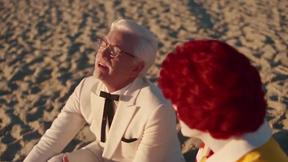
Raindance AI Video Generator
Turn two photos into the Raindance AI pier video with the soundtrack included
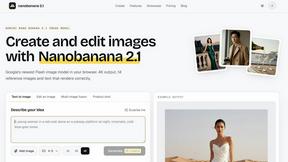
nanobanana 21
Fast, simple image studio powered by Nano Banana 2.1: accurate details, readable text, consistent characters, up to 14 reference images.
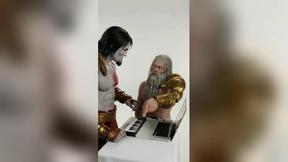
DanseAI - Alors on Danse AI Video
Make the Alors on Danse AI meme video from two photos, soundtrack included
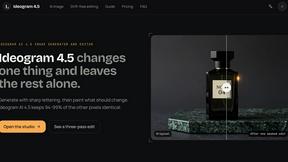
Ideogram AI 4.5
AI image generation and editing with precise typography, native 2K output, and localized edits.
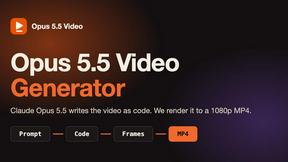
Opus 5.5 Video Generator
Turn a prompt into a 1080p motion-graphics MP4 planned and coded by Claude Opus 5.5
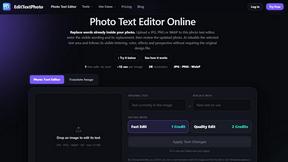
EditTextPhoto
AI-powered image text editor to edit, replace, fix, or translate text in images while preserving the original font, color, size, and style.

Rumpelstiltskin AI Video Generator
Make the viral Rumpelstiltskin tiptoe dance meme video from two photos