

MeetingMind
MeetingMind automatically records and summarizes your Zoom meetings so you never miss a detail.

About MeetingMind
MeetingMind represents the next evolutionary step in professional meeting management, transforming passive listening into active, actionable intelligence. Designed specifically for the modern, distributed workforce, this macOS application is an AI-powered meeting recorder that automates the entire capture and synthesis process. It is built for professionals, teams, and leaders who rely on Zoom for critical discussions and can no longer afford to lose details in the shuffle of back-to-back calls. Its core value proposition is a seamless, privacy-first workflow: the software automatically detects and records your meetings, generates intelligent transcripts and summaries, and delivers everything in a searchable format—all without your data ever leaving the security of your local machine. This allows users to progress from merely attending meetings to truly mastering them, freeing cognitive load to engage deeply in conversation while MeetingMind handles the archival and insight generation. It’s more than a recorder; it’s a partner in your growth journey, ensuring every discussion contributes to a tangible trail of knowledge and clear next steps.
Features
Automatic Zoom Detection
MeetingMind eliminates the foundational friction of meeting capture by intelligently detecting when you join a Zoom meeting. This zero-click initiation ensures you never forget to hit record, capturing every meeting from the very first minute. It operates silently in the background, allowing you to focus entirely on the conversation without administrative interruptions, marking a significant progression from manual, error-prone processes to a fully automated workflow.
Local AI Processing & Privacy
This feature is the bedrock of trust and security. All audio processing, transcription, and AI analysis occur locally on your Mac. Your sensitive meeting conversations are never uploaded to the cloud, giving you complete data sovereignty. You can choose between a local Ollama model or a cloud-based OpenRouter for summaries, offering flexibility without compromising core privacy principles for those who prefer local-only operation.
Intelligent Transcription & AI Summaries
MeetingMind evolves raw audio into structured knowledge. It provides real-time, accurate transcriptions and, post-meeting, delivers concise AI-generated summaries that distill hours of discussion into key points, decisions, and action items. This transforms the meeting from a transient event into a permanent, searchable knowledge asset, accelerating your team's ability to recall information and execute on decisions.
Markdown Export & Menu Bar Utility
The utility of captured meetings is realized through organized output. All transcripts and summaries are automatically saved as well-formatted Markdown files, ready for integration into your note-taking apps, wikis, or project management tools. The application itself is a discreet menu bar utility, always ready for action but invisible when not in use, embodying a philosophy of powerful, non-intrusive assistance.
Use Cases
Daily Stand-ups and Team Syncs
For agile teams conducting daily stand-ups, the free 60-minute daily limit is perfect. MeetingMind automatically captures quick updates, transcribes action items, and generates a shared summary. This ensures accountability and clarity, allowing the team to progress rapidly without misalignment, turning brief syncs into a reliable record of progress and blockers.
Client Discovery and Sales Calls
During critical client interactions, focusing on the conversation is paramount. MeetingMind records the dialogue in full, allowing sales and account managers to be fully present. Post-call, the AI summary highlights client needs, pain points, and agreed next steps, providing a flawless handoff to internal teams and ensuring no opportunity is lost in translation.
Brainstorming and Strategy Sessions
Creative and strategic meetings are often dense with ideas. MeetingMind captures this fertile chaos and provides structure afterward. The transcript serves as an idea log, while the AI helps identify themes and potential action plans, ensuring innovative concepts are not forgotten but rather cultivated into the next stage of a project's evolution.
Compliance and Legal Consultations
For professionals in regulated industries or during sensitive legal discussions, the local processing feature is indispensable. MeetingMind creates a verifiable, confidential record of discussions entirely on-device, supporting compliance needs without the risk associated with cloud-based services, providing peace of mind and a secure audit trail.
Frequently Asked Questions
How does the free 60 minutes per day work?
The free tier is designed to support your growth from casual to power user. It provides 60 minutes of total recording time per calendar day, perfect for daily stand-ups or a couple of short meetings. This allows you to fully experience the automated workflow and AI insights. If your needs evolve and you require more time, you can seamlessly upgrade to the Unlimited version for a one-time purchase.
Is my meeting data private and secure?
Absolutely. Privacy is the core architectural principle of MeetingMind. All audio processing, from recording to transcription and AI summarization, happens locally on your Mac. Your meeting data never leaves your device to be sent to our or any third-party servers, unless you optionally choose the cloud-based OpenRouter AI model. You maintain complete control and ownership of your information at every stage.
What is included in the one-time Unlimited purchase?
The Unlimited version is a lifetime license that represents the final stage in your meeting mastery toolkit. It removes the 60-minute daily recording limit, granting you unlimited recording time. It includes all features from the free tier—automatic detection, local processing, AI summaries, and Markdown export—and comes with a promise of lifetime application updates, all without any recurring subscription fees.
Do I need to inform participants I am recording?
Yes, unequivocally. MeetingMind is a tool to assist you, but you are solely responsible for complying with all applicable laws and regulations regarding the recording of conversations. These laws vary by region and often require the consent of all parties. Always disclose that you are recording a meeting and obtain necessary consent before starting. A disclosure notice is prominently featured within the app to remind users of this critical responsibility.
Similar to MeetingMind
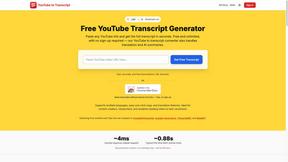
GetYouTubeTranscript
Free YouTube transcripts on the web, a Chrome extension, and an API + MCP server so AI assistants can read YouTube.
Egmatic
No-code 2D game editor: visual node logic, drag-and-drop scenes, live preview. Exports to Windows, macOS, Linux, Android, iOS, Web.
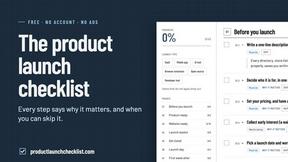
Product Launch Checklist
A free launch checklist for SaaS, apps, AI tools and more. Every step says why it matters and when you can skip it.
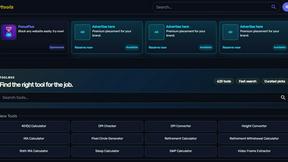
Kody Tools
Free collection of online developer utilities, code formatters, and digital converters designed to streamline your daily workflow.


Forms Plugin
The #1 Native Form Builder Plugin for Framer - No Code, No Embeds, No External Platforms.
