

Meme Picture
Meme Picture evolves your selfies and pet photos into shareable classic memes in seconds with free daily AI generations and no login required.
tool Details
Explore More
Alternatives
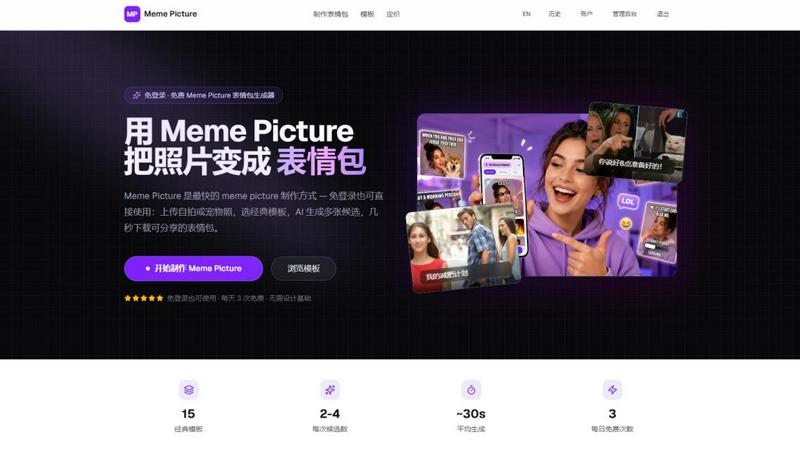
About Meme Picture
Meme Picture is a free, AI-powered meme generator designed for creators who need share-ready jokes in seconds. The product eliminates the friction of traditional image editing by allowing users to upload a selfie, pet photo, or any snapshot, choose from 15 classic meme templates, and let artificial intelligence handle the rest. The AI places the subject into the chosen meme layout, applies stylization options, and returns multiple candidates per run so the user can select the funniest result. This tool is built for anyone who wants to participate in internet culture without learning design software or spending time on manual editing. The main value proposition is speed and simplicity: no login is required to start, and the entire workflow from upload to download takes approximately 30 seconds. Free users receive daily generations with watermarked output, while signing in unlocks history saving and higher limits. The product also offers Pro subscriptions for unlimited use, no watermark, HD export, and GIF meme creation, as well as one-time permanent generation packs for occasional users. Meme Picture prioritizes privacy by deleting original uploads immediately after generation, ensuring users can create without concern. The output is PNG-ready for direct sharing on WhatsApp, iMessage, Discord, Telegram, and WeChat, making it a versatile tool for group chats and social media.
Features
15 Classic Meme Templates
Meme Picture provides a curated selection of 15 hand-picked, iconic meme formats that internet users instantly recognize. These include Distracted Boyfriend, Woman Yelling at Cat, Drake Hotline Bling, Surprised Pikachu, Doge, Grumpy Cat, This Is Fine, Change My Mind, One Does Not Simply, Success Kid, Hide the Pain Harold, Stonks, Expanding Brain, Two Buttons, and Unsettled Tom. Each template maintains the original layout and structure that makes the meme funny, so the user simply needs to add their own photo. The AI automatically places the face or subject into the correct position within the template, eliminating guesswork and manual alignment. Users can browse templates by category including Reaction, Comparison, Animals, and Classic, making it easy to find the perfect format for any joke or situation. This selection covers the most popular and versatile meme formats used across social media, group chats, and online communities.
AI-Powered Stylization Options
Beyond simple face placement, Meme Picture offers four distinct visual styles that transform the uploaded photo to match the meme aesthetic. Users can choose from Cartoon, Pixel Art, Hand-drawn, and Realistic stylization, each applying a unique artistic filter that makes the final image cohesive and visually appealing. The Cartoon style gives the photo a playful, animated look that fits well with humorous content. Pixel Art adds a retro gaming aesthetic that resonates with nostalgic internet culture. Hand-drawn creates a sketch-like appearance that mimics original meme art. Realistic keeps the photo natural while still integrating it seamlessly into the template. This feature allows users to match the style of their meme to the tone of their joke or the preferences of their audience, all without opening a separate editing application. The AI handles the entire transformation, ensuring consistent quality across all styles.
Multi-Candidate Generation
Each generation run produces between two and four meme candidates, giving users multiple options to choose from without additional effort. This feature significantly increases the chances of getting a perfect result on the first attempt. The AI generates variations in face placement, expression matching, and overall composition, so users can compare and select the funniest or most natural-looking version. This is particularly valuable when working with non-ideal photos where the AI might need to make creative decisions about cropping or positioning. The multi-candidate approach saves time by eliminating the need for manual adjustments or repeated generations. Users can quickly scan the options, pick their favorite, and download it for sharing. This feature addresses the common frustration of getting one mediocre result and having to start over, making the creative process more efficient and enjoyable.
Privacy-First Upload System
Meme Picture implements a strict privacy policy that deletes all original uploaded photos immediately after the generation process is complete. This means the user's personal images, selfies, or pet photos are never stored, sold, or used for training purposes. Only the finished meme images are retained, and only for signed-in users who choose to save their history. This privacy-first approach is critical for users who want to create memes with personal photos but are concerned about data security or image misuse. The system works transparently: upload a photo, generate memes, download the results, and the original file is gone. This feature builds trust and allows users to experiment with any photo without long-term privacy implications. It also means users do not need to worry about their images being repurposed or appearing in unexpected places, making Meme Picture a safe choice for personal and sensitive content.
Use Cases
Creating Reaction Memes for Group Chats
Group chats on platforms like WhatsApp, iMessage, Discord, and Telegram thrive on quick, relatable reactions. Meme Picture enables users to turn a selfie or pet photo into a reaction meme that perfectly captures their response to a conversation. For example, a user can upload a photo of themselves looking shocked, select the Surprised Pikachu template, and generate a meme that says "When I see the group chat has 100 new messages." The process takes seconds, and the output is immediately ready to share. This use case is particularly valuable for users who want to participate in ongoing conversations with original content rather than relying on generic, pre-made memes. The daily free generations ensure that even casual users can create fresh reactions regularly without any financial commitment. The multi-candidate feature also means users can choose the most expressive or funny version of their reaction, enhancing the impact of their response in the chat.
Making Pet Memes for Social Media
Pet owners frequently seek to share their animals' funny expressions or behaviors in a relatable, shareable format. Meme Picture allows users to upload a photo of their dog, cat, or other pet and insert it into templates like Doge, Grumpy Cat, or Woman Yelling at Cat. The AI stylization options, particularly Cartoon and Hand-drawn, work well with pet photos to create charming, viral-ready content. Users can add custom captions that reflect their pet's personality or a funny situation, such as "My diet" with a photo of a dog begging for food. The output is optimized for sharing on Instagram, Twitter, Facebook, or TikTok, where pet content consistently performs well. The privacy-first approach is especially reassuring for pet owners who want to share their animal's image without worrying about long-term data storage or misuse. The one-time generation packs are ideal for users who only need occasional pet memes and do not want a subscription.
Crafting Custom Memes for Workplace Communication
Professional environments increasingly use humor to build team culture and lighten communication. Meme Picture enables employees to create custom memes for Slack channels, Microsoft Teams, or internal newsletters without needing design skills. A team member can upload a photo from a team event, choose the Distracted Boyfriend template, and create a meme about project priorities or deadline humor. The realistic stylization option works well for professional contexts where cartoonish effects might feel inappropriate. The no-login requirement means users can quickly generate a meme during a meeting or while working without creating an account. The HD export available with Pro subscriptions ensures the meme looks crisp when displayed on larger screens or printed for office use. This use case transforms meme creation from a casual activity into a legitimate tool for internal communication and team bonding.
Generating Memes for Content Creation and Marketing
Social media managers, content creators, and small business owners can use Meme Picture to produce timely, relevant memes for their audiences. The 15 classic templates cover the most recognizable formats that resonate with online communities, ensuring the content feels authentic rather than forced. Creators can upload their own photos, product images, or brand assets and integrate them into popular meme formats to increase engagement. The daily free generations allow for testing and experimentation without financial risk, while the Pro subscription provides unlimited capacity for high-volume content schedules. The GIF meme capability in Pro is particularly valuable for platforms like Twitter and TikTok where animated content drives higher interaction. The PNG export ensures compatibility across all social platforms, and the fast generation time means creators can respond to trending topics quickly. Meme Picture removes the technical barrier to meme creation, allowing creators to focus on the joke and timing rather than the editing process.
Frequently Asked Questions
Do I need to create an account to use Meme Picture?
No, you do not need to create an account or log in to use Meme Picture. You can upload a photo, select a template, generate memes, and download the results entirely without signing in. Free users receive three generations per day with watermarked output. If you choose to sign in, you can save your generation history and access higher limits. This no-login approach makes Meme Picture accessible for quick, spontaneous use while still offering account benefits for regular users.
What happens to my uploaded photos after generation?
Meme Picture deletes your original uploaded photo immediately after the generation process is complete. The system does not store, sell, or use your photos for training purposes. Only the finished meme images are retained, and this only happens for signed-in users who save their history. This privacy-first policy ensures that your personal images, selfies, or pet photos are not kept on the server longer than necessary. You can generate memes with confidence knowing your original files are not being stored or misused.
What file formats and sizes are supported for uploads?
Meme Picture accepts JPEG, PNG, and WebP file formats for uploads. The maximum file size is 4MB, and larger photos are automatically compressed to meet this limit. For best results, use a clear, well-lit photo with the subject's face or pet visible. The AI works best with front-facing portraits and photos where the subject is the main focus. You can also try sample photos provided on the platform to test the generator before uploading your own images.
Can I use Meme Picture for commercial purposes?
Yes, you can use memes created with Meme Picture for commercial purposes, including social media marketing, advertising, and content creation. The Pro subscription removes watermarks and provides HD export, making the output suitable for professional use. However, you should ensure that the photos you upload are your own or that you have the rights to use them. The meme templates themselves are classic internet formats that are widely used, but you are responsible for the content of your captions and any third-party materials you include.
Similar to Meme Picture
ImageGenerator
Create and edit AI images online with multiple models, text-to-image, image-to-image, background removal, and upscaling.
nanobanana 21
Fast, simple image studio powered by Nano Banana 2.1: accurate details, readable text, consistent characters, up to 14 reference images.
Ideogram AI 4.5
AI image generation and editing with precise typography, native 2K output, and localized edits.
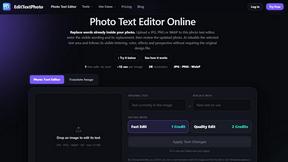
EditTextPhoto
AI-powered image text editor to edit, replace, fix, or translate text in images while preserving the original font, color, size, and style.
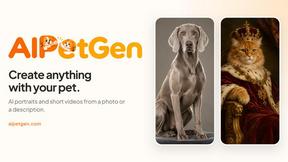
AIPetGen
AIPetGen turns a photo of your dog, cat, or other pet, or a written description, into a new picture or a short animation.
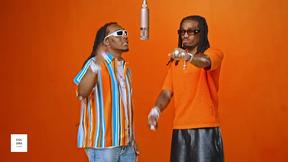
Hotel Lobby AI Video Generator
Turn two photos into a Hotel Lobby dance video in the orange A COLORS SHOW booth

Remove Text
Remove text from images online with AI
TryH3 - MiniMax H3 Video Generator
Try MiniMax Hailuo H3 video generation in the browser