tool Details
Explore More
Alternatives

About Push My App
Push My App is a comprehensive, all-in-one platform designed specifically for indie developers and small studios who want to ship their iOS and Android apps to the App Store and Google Play Store without the traditional launch-week grind. Instead of spending days manually preparing metadata, resizing screenshots, translating listings, and worrying about rejection reasons, developers can now complete the entire submission process in a single afternoon. The platform combines AI-powered tools with direct submission capabilities to eliminate the repetitive, error-prone tasks that slow down releases. At its core, Push My App writes search-optimized app names, keywords, descriptions, and release notes using advanced ASO algorithms that generate high-performing metadata in seconds. It also features a Pre-Flight Rejection Scanner that checks your build and listing against over 80 known Apple and Google rejection reasons before you ever hit submit, saving you from the heartbreak of a rejection notice. The screenshot resizer automatically generates every required device size from a single upload, while the app translator converts your full listing into 14 languages with keywords re-optimized per locale. You can drop your .ipa, .apk, or .aab file directly into the platform, which extracts the bundle ID, version, and icon, validates compliance, and submits directly to App Store Connect and Google Play in one click. Push My App is built for developers who would rather be coding than wrestling with store listings, and it helps you ship your next release up to five times faster than traditional manual methods.
Features
AI-Generated ASO Metadata
Push My App uses advanced artificial intelligence to generate your entire app store metadata in seconds. This includes your app name, subtitle, keywords, description, and release notes, all optimized for discoverability on both the App Store and Google Play. The AI scores each element against ASO best practices, giving you a keyword score out of 100 and suggesting up to eight additional keyword opportunities. You can see real-time character counts for titles and descriptions, ensuring you stay within store limits while maximizing search visibility. This feature alone turns what used to take two to three hours of manual research and writing into a five-minute approval workflow.
Pre-Flight Rejection Scanner
Before you submit your app to Apple or Google, Push My App runs a comprehensive scan of both your binary file and your store listing against more than 80 known rejection reasons. The scanner checks for common issues like missing privacy manifests, incorrect bundle identifiers, problematic permissions, and metadata violations that have historically caused apps to be rejected. Each potential blocker is flagged with a clear explanation and a suggested fix, so you can address problems before they cause delays. The scanner provides a readiness score for both the App Store and Play Store, giving you confidence that your submission will pass review on the first attempt.
Screenshot Resizer and Device Frames
Upload a single set of iPhone screenshots, and Push My App automatically generates every required device size for both the App Store and Google Play. This includes all iPhone and iPad sizes for iOS, plus Android phone and tablet dimensions for the Play Store. The platform applies device frames and dynamic marketing text overlays to make your screenshots look professional and consistent across all form factors. You can preview how your screenshots will appear in each store, and any changes you make to the original set are instantly propagated to all resized versions. This eliminates the tedious, hour-long process of manually resizing and reframing screenshots for each device requirement.
Direct Submission with Pre-Submission Validation
Push My App enables you to submit your app directly to App Store Connect and Google Play Console with a single click. When you drop your .ipa, .apk, or .aab file into the platform, it automatically extracts the bundle ID, version number, and app icon, then validates compliance with store requirements before initiating the upload. The submission process includes pre-submission validation that checks for missing fields, incorrect file formats, and other common errors that would cause the upload to fail. Once submitted, the platform tracks the status of your submission automatically, so you always know whether your app is pending review, approved, or rejected. This feature consolidates what traditionally requires logging into two separate consoles and navigating multiple screens into a streamlined, one-dashboard workflow.
Use Cases
Solo Indie Developer Launching Their First App
A solo developer who has spent months building their first app can use Push My App to handle the entire store listing process without prior experience. The AI generates professional metadata optimized for search, the rejection scanner catches common first-time mistakes, and the direct submission feature eliminates the confusion of navigating App Store Connect and Google Play Console. Instead of spending a week learning submission procedures and risking rejection, the developer can complete everything in an afternoon and focus on what matters most: improving their app based on user feedback.
Small Studio Managing Multiple App Versions
A small studio with several apps in their portfolio needs to manage version updates across both iOS and Android simultaneously. Push My App provides a command center where all app versions, metadata, and submission statuses are displayed side by side. The studio can generate release notes with AI, scan each build for rejection risks, and submit updates to both stores from a single dashboard. The automatic version history tracking replaces the need for spreadsheets, and the diff preview against the last submission ensures consistency across updates. This saves the studio hours of repetitive work for each release cycle.
Freelance Developer Submitting for Multiple Clients
A freelance app developer who builds apps for various clients can use Push My App to streamline the submission process for each project. The platform allows the developer to switch between different app profiles quickly, each with its own metadata, screenshots, and submission history. The AI translation feature is particularly valuable when clients want their apps available in multiple languages, as it re-optimizes keywords per locale to maintain discoverability. The rejection scanner provides an extra layer of quality assurance, ensuring that each client's app meets store requirements before submission, which builds trust and reduces revision cycles.
Development Team Using CI/CD Pipelines
A development team that integrates continuous integration and continuous deployment pipelines with tools like Xcode, Android Studio, Expo, Fastlane, and GitHub Actions can use Push My App as the final step in their automation workflow. After the build is complete, the team can drop the binary into Push My App for metadata generation, screenshot resizing, and rejection scanning before initiating the direct submission. This creates a seamless handoff from development to deployment, reducing the manual overhead of store submissions. The platform's API-friendly design allows teams to incorporate store submission into their existing automation without disrupting their established workflows.
Frequently Asked Questions
Can I try Push My App without providing a credit card?
Yes, Push My App offers a free Starter plan that requires no credit card. You can explore the platform and test its core features without any financial commitment. Additionally, there is a 30-day free trial of the Growth plan, which unlocks more advanced features like unlimited translations and priority support. If you are not ready to sign up at all, you can also try several free tools on the Push My App website that do not require an account.
How does the Pre-Flight Rejection Scanner work?
The Pre-Flight Rejection Scanner analyzes both your app binary file (the .ipa, .apk, or .aab) and your store listing metadata against a database of over 80 known rejection reasons from Apple and Google. It checks for issues such as missing privacy manifests, incorrect bundle identifiers, problematic permission requests, metadata violations, and other common pitfalls that have historically caused app rejections. The scanner provides a readiness score for each store and flags any potential blockers with specific explanations and suggested fixes, so you can resolve issues before submitting.
Does Push My App support both iOS and Android submissions?
Yes, Push My App is designed to handle submissions for both iOS (App Store) and Android (Google Play Store) from a single dashboard. You can manage your app profiles for both platforms side by side, generate metadata optimized for each store's requirements, resize screenshots for all device sizes on both platforms, and submit directly to App Store Connect and Google Play Console. The platform supports .ipa files for iOS and .apk or .aab files for Android.
How many languages can I translate my app listing into?
Push My App allows you to translate your full app store listing into 14 languages, including English, Spanish, German, French, Japanese, Portuguese, and eight additional languages. Importantly, the translation is not a direct word-for-word conversion. The platform re-optimizes your keywords for each locale to ensure that your app remains discoverable in search results across different regions. This feature is particularly valuable for developers looking to expand their app's reach to international markets without hiring professional translators for each language.
Similar to Push My App


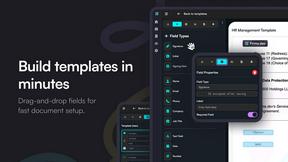
Firma.dev
Pay-as-you-go e-signature API and no-code sending. €0.049 per envelope, no monthly minimums, legally valid in 55+ countries.