
Sketch To
Sketch To transforms your images into stunning sketches with AI, catering to both hobbyists and professionals alike.
tool Details
Explore More
Alternatives
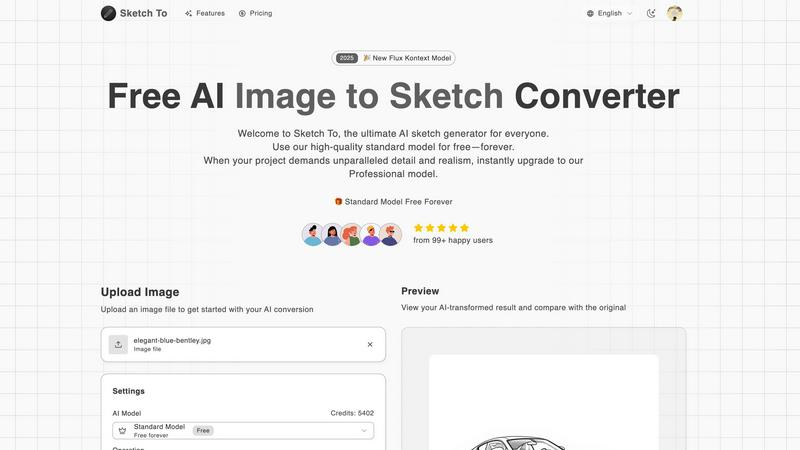
About Sketch To
Sketch To represents a groundbreaking advancement in the realm of creative AI tools, providing an intuitive platform that connects the world of imagination with tangible artistic outputs. This web-based AI solution caters to a diverse audience ranging from budding hobbyists to seasoned professionals, enabling users to transform their creative visions into stunning visual representations. At its core, Sketch To specializes in a unique dual-direction transformation: it can convert photographs into intricate artistic sketches and, conversely, breathe life into simple sketches by generating photorealistic images. With a community of over 500,000 users, Sketch To is designed to be accessible and progression-friendly, allowing newcomers to embark on their artistic journey with a robust, free Standard Model that offers trial credits for exploration. As users advance their skills and require more sophisticated results, they can easily transition to the Professional Model, which unlocks unparalleled detail and realism. This tiered approach ensures that Sketch To evolves alongside its users, supporting their creative growth from initial sketches to polished masterpieces without the burden of complex software or restrictive subscriptions.
Features
Image to Sketch Conversion
Sketch To provides an advanced AI-powered feature that allows users to convert images into beautiful pencil sketches. This tool is designed for artists and designers, enabling them to create artistic interpretations of their photographs effortlessly and with stunning detail. The process is quick and user-friendly, making it perfect for anyone looking to add an artistic touch to their visual projects.
Sketch to Image AI
One of the standout features of Sketch To is its ability to transform sketches into photorealistic images, particularly when utilizing the Professional Model. This feature empowers artists to elevate their hand-drawn sketches into lifelike representations, enhancing their work with incredible detail and texture. This transformation is ideal for professional projects, ensuring that artists can achieve the highest quality results.
Trial Credits Model
New users of Sketch To are welcomed with trial credits, allowing them to explore the platform's capabilities without any financial commitment. The Standard Model is equipped with these credits, making it an excellent choice for hobbyists and casual creators who want to experiment and learn the nuances of digital art. This introductory model fosters a supportive environment for creativity and growth.
Instant Processing
Sketch To prides itself on its powerful AI processing engine, which delivers instant results. Users can upload their images or sketches and receive their transformed creations in just seconds. This feature is crucial for those who need quick turnaround times for projects, whether for social media, presentations, or artistic showcases.
Use Cases
Creative Social Media Posts
Artists and content creators can utilize Sketch To to generate eye-catching social media posts that stand out. By transforming photos into artistic sketches or enhancing sketches into polished images, users can create unique content that engages their audience and showcases their artistic flair.
Educational Projects
Students and educators can leverage Sketch To for school projects that require visual components. Whether creating artistic representations of historical events or illustrating concepts in a visually appealing manner, the tool allows for creativity while ensuring high-quality outputs that enhance learning materials.
Professional Design Work
Graphic designers and professionals can use Sketch To to produce commercial-grade assets. The Professional Model provides the level of detail and realism needed for high-stakes projects, enabling designers to deliver exceptional work that meets client expectations and industry standards.
Personal Artistic Development
For hobbyists and aspiring artists, Sketch To serves as a valuable tool for personal growth in digital art. Users can experiment with different styles and techniques, learning through trial and error while enjoying the creative process. The platform supports artistic exploration, helping individuals develop their unique artistic voice.
Frequently Asked Questions
What kind of images can I convert with Sketch To?
Sketch To supports various image formats, allowing users to upload photos and sketches for conversion. This flexibility ensures that you can work with the files you already have, making the creative process seamless.
How does the trial credits model work?
New users receive trial credits upon signing up, which they can use to explore the features of the Standard Model. This allows you to test the platform's capabilities without any initial investment, making it accessible for everyone.
Is the Professional Model worth the upgrade?
Yes, the Professional Model unlocks advanced features, including photorealistic sketch transformations, which are crucial for commercial work and professional projects. If you need high-quality results with exceptional detail, upgrading is highly beneficial.
Can I use Sketch To for commercial projects?
Absolutely! Sketch To's Professional Model is designed specifically for commercial use, providing the quality and detail necessary for professional projects. You can confidently create assets for your clients or businesses using this tool.
Similar to Sketch To
Qwen Image Edit
Prompt-based Qwen Image editing and generation for backgrounds, text, products, posters, outpainting, and creative styles.
IsThisAIImage
Free AI image checker: upload a photo for AI-generated and deepfake scores, a clear verdict, and optional generator hints.
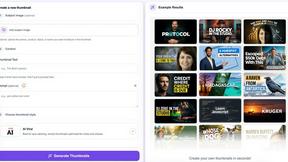
StopScroll
StopScroll is an AI thumbnail maker that generates YouTube thumbnail concepts from a URL, title, or prompt.


CompressFast
CompressFast evolves your workflow from clunky uploads to lightning-fast, private batch compression directly in your browser.
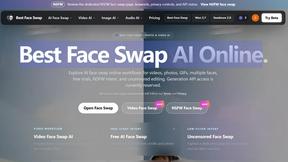
Best Face Swap
Best Face Swap evolves from simple edits to advanced, frame-consistent AI face swapping for photos and videos.
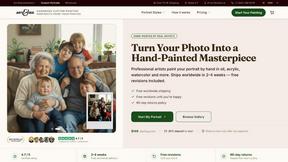
Art & See Custom Oil Painting Portraits
Transform cherished photos into heirloom-quality custom oil portraits that capture your loved ones' essence through masterful artistry.

Nano Banana
Nano Banana evolves your creative process, letting you generate and edit stunning images through simple conversation with its advanced AI.