Tool.Video
Tool.Video transforms your video creation process with AI-driven storyboarding, generation, soundtracks, and thumbnails.
tool Details
Explore More
Alternatives

About Tool.Video
Tool.Video signifies a transformative leap in AI-driven content creation, merging disparate tools into a cohesive platform tailored for creators, marketers, and developers. This all-in-one solution harnesses the power of advanced generative AI models for video, imagery, and audio, facilitating a seamless workflow from concept inception to final production. By consolidating functionalities that previously required navigating multiple subscriptions and interfaces, Tool.Video enhances efficiency while empowering users to unleash their creative potential. With remarkable technologies like Sora 2 for hyper-realistic video generation, Nano Banana Pro for stunning imagery, and Suno 5 for professional audio, the platform allows for the effortless transformation of simple text prompts into captivating multimedia content. This unified approach not only saves precious time but also elevates the quality of output, enabling users to scale their creative endeavors alongside the swift progression of AI capabilities.
Features
AI Video Generation
Tool.Video's AI video generation leverages the advanced Sora 2 model to transform text prompts into stunning videos with realistic motion and captivating visuals. This feature simplifies the video creation process, allowing users to generate professional-grade content effortlessly.
AI Image Generation
With Nano Banana Pro, Tool.Video provides high-quality image generation capabilities. Users can create unique visuals through both text-to-image and image-to-image modes, making it incredibly easy to obtain the striking imagery needed to enhance their projects.
AI Music Creation
The Suno 5 integration allows Tool.Video users to generate professional audio tracks, including melodies, lyrics, and full arrangements in various genres. This feature is ideal for adding custom soundtracks to videos, enriching the overall viewing experience.
Video Utilities
Tool.Video also includes essential utilities such as a video thumbnail generator, watermark adder, and video trimmer. These tools enhance the video production process by providing additional functionalities that ensure high-quality outcomes.
Use Cases
Content Creation for Social Media
Marketers and social media managers can utilize Tool.Video to create engaging video content and eye-catching thumbnails quickly. This streamlines their workflow and enhances the effectiveness of their social media campaigns.
Educational Video Production
Educators can harness Tool.Video to produce informative and visually appealing educational videos. By transforming lesson content into dynamic video formats, they can increase student engagement and retention.
Advertising and Promotional Material
Businesses can generate professional-quality advertisements and promotional videos in minutes. The AI TVC Generator allows for the rapid creation of compelling marketing materials that can attract more customers.
Creative Storytelling
Writers and content creators can use Tool.Video to visually narrate stories through video. By generating storyboards and accompanying videos, they can bring their narratives to life in a captivating manner.
Frequently Asked Questions
What types of media can I create with Tool.Video?
With Tool.Video, users can create a wide range of media, including videos, images, and music. The platform integrates advanced AI models to support various forms of content creation.
Is Tool.Video user-friendly for beginners?
Yes, Tool.Video is designed with an intuitive interface that simplifies the content creation process. Users of all skill levels can navigate the platform and produce high-quality media without extensive training.
Can I use Tool.Video for commercial purposes?
Absolutely. Tool.Video offers professional-grade outputs that can be used for commercial purposes, including advertisements, promotional videos, and more, making it suitable for businesses and marketers.
Are there any subscription plans available for Tool.Video?
Currently, the specific pricing and subscription plans for Tool.Video have not been detailed. However, the platform is designed to provide value by consolidating multiple tools into one unified service.
Similar to Tool.Video

Hotel Lobby AI
A simple two-person AI video concept set in a warm orange recording booth, featuring two performers sharing one microphone in a natural call-and-respo
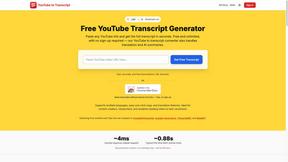
GetYouTubeTranscript
Free YouTube transcripts on the web, a Chrome extension, and an API + MCP server so AI assistants can read YouTube.
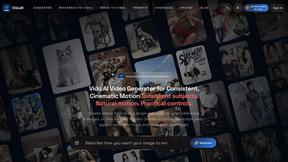
ViduAI
Create consistent ViduAI videos from text, images, references, or first-and-last frames with Vidu Q3 workflows.
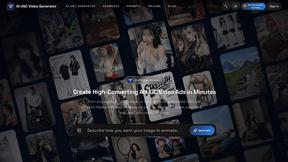
AI UGC Video Generator
Create ready-to-test AI UGC video ads from product URLs, images, or scripts with lifelike creators, voices, captions, and calls to action.
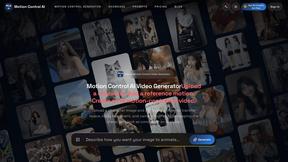
Motion Control AI
Create motion-controlled character videos by transferring dance, gestures, timing, and camera rhythm from a reference video to a character image.
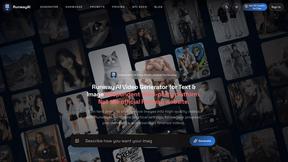
RunwayAI
Independent AI video generator for creating videos from text prompts or reference images with task tracking, previews, downloads, and API resources.