
Updaytr
Updaytr transforms team updates into organized automated reports, streamlining communication and saving time.
About Updaytr
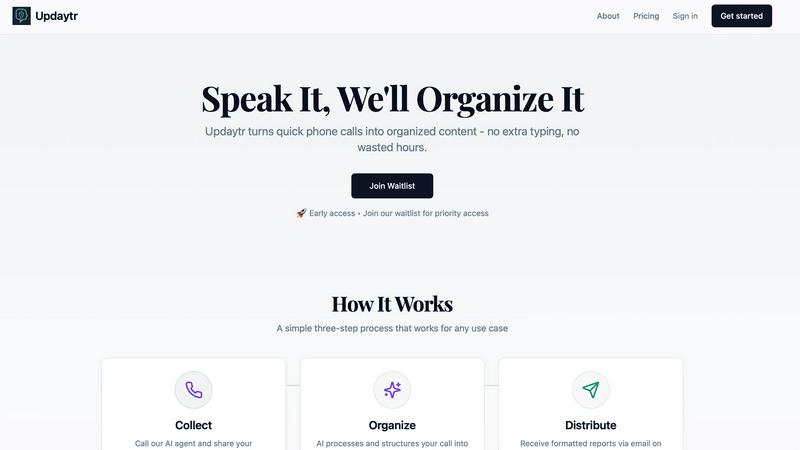
Updaytr is a revolutionary tool designed to enhance team communication and productivity by transforming the traditional phone call into a streamlined process for generating organized, actionable content. It is particularly beneficial for individuals and teams operating in field-based or mobile roles, who often grapple with the inefficiencies of manual reporting, cumbersome applications, and ineffective status meetings. Updaytr’s primary value proposition lies in its profound simplicity: users can call a dedicated number and discuss their work naturally, while Updaytr's advanced AI technology takes care of the rest. This includes intelligent structuring of conversations, contextual memory from previous calls, and automatic formatting of information into professional reports. These reports are conveniently sent via email to designated stakeholders based on their preferred schedule—be it immediately, daily, or weekly. By transforming chaotic verbal updates into well-organized documentation, Updaytr allows teams to concentrate on their essential tasks while keeping leaders fully informed. This evolution from scattered information to centralized intelligence is as effortless as having a conversation.
Features
Effortless Call-In Updates
Updaytr allows team members to call in updates quickly and efficiently. In just two minutes, they can share their status, eliminating the need for lengthy status meetings and freeing up time for productive work.
Intelligent Report Generation
The AI not only transcribes calls but also organizes the information by project, client, or team. This smart organization ensures that stakeholders receive clear and structured reports, making it easy for them to digest the information.
Customizable Delivery Schedules
With Updaytr, managers can set their preferences for receiving reports. Whether they need updates immediately, daily, or weekly, the system ensures timely delivery, keeping everyone informed without the hassle of manual follow-ups.
Automatic Tagging and Routing
The AI automatically tags updates and routes them to the appropriate recipients. This feature enhances communication efficiency, ensuring that relevant updates reach the right people without unnecessary delays.
Use Cases
Construction Project Management
Construction crews can utilize Updaytr to provide real-time project status updates. By calling in their progress, they can streamline communication and ensure that project managers are always informed about ongoing developments.
Sales Team Coordination
Sales representatives can report client visit outcomes and deal progress through Updaytr. This allows for quicker adjustments to sales strategies and ensures that all team members and stakeholders stay aligned on client interactions.
Field Service Reporting
Service technicians can call in updates regarding job completions and equipment status. This immediate reporting reduces administrative overhead and helps managers maintain an accurate overview of service operations.
Personal Productivity Tracking
Individuals can leverage Updaytr for personal productivity by calling in daily activities and goals. This practice promotes accountability and helps users keep track of their personal projects without the need for cumbersome tracking tools.
Frequently Asked Questions
How does Updaytr improve team communication?
Updaytr improves communication by allowing team members to share updates via phone calls, which the AI then organizes into structured reports. This eliminates lengthy meetings and ensures that everyone stays informed.
Is Updaytr suitable for remote teams?
Yes, Updaytr is especially beneficial for remote and mobile teams, as it allows members to provide updates from anywhere, ensuring that important information is shared regardless of location.
Can I customize who receives reports?
Absolutely! Updaytr enables you to customize the delivery of reports to specific stakeholders, ensuring that the right people receive the information they need when they need it.
Is my data secure with Updaytr?
Updaytr prioritizes security and compliance. However, it is important to note that it is not currently HIPAA compliant and should not be used for transmitting protected health information (PHI).
Similar to Updaytr

Egmatic
No-code 2D game editor: visual node logic, drag-and-drop scenes, live preview. Exports to Windows, macOS, Linux, Android, iOS, Web.

Product Launch Checklist
A free launch checklist for SaaS, apps, AI tools and more. Every step says why it matters and when you can skip it.
Kody Tools
Free collection of online developer utilities, code formatters, and digital converters designed to streamline your daily workflow.
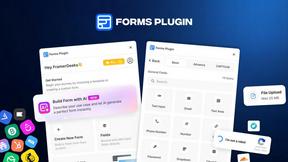
Forms Plugin
The #1 Native Form Builder Plugin for Framer - No Code, No Embeds, No External Platforms.



benchmark.directory
AI tools written up by the people who paid for them. Pricing, integrations, data policy and the limit we hit in a week of use.