

UseSkill
UseSkill automates tasks across 100+ apps in 30 seconds, transforming your workflow with pre-built AI solutions.
tool Details
Explore More
Alternatives

About UseSkill
UseSkill represents a significant advancement in workplace AI, transitioning from traditional chat interfaces to a sophisticated, results-oriented platform. Designed specifically for professionals and teams that have outgrown the limitations of general-purpose AI models, UseSkill provides an AI skills library that enhances productivity and streamlines workflows. The platform’s core value is its ability to drastically improve efficiency, transforming complex tasks that once required extensive time and effort into simple, one-click solutions that yield results in just 30 seconds. UseSkill caters to a diverse range of teams, including sales, support, engineering, data, and marketing, by offering expert-crafted "skills" that integrate seamlessly with over 100 essential tools like Salesforce, Gmail, and Slack. By implementing secure OAuth 2.0 connections, users can unlock a permanent repository of automations, enabling teams to focus on strategic work instead of managing AI interactions. With over 50,000 skills executed weekly by thousands of users, UseSkill is the clear pathway to harnessing AI capabilities across a company's tech stack without the burden of technical complexities.
Features
Pre-built AI Skills Library
UseSkill offers a comprehensive library of pre-built AI workflows, designed to automate various tasks across multiple applications. This means users can access expert-crafted skills that simplify complex processes, all while ensuring consistent and reliable output.
Seamless Integration with 100+ Tools
With over 100 integrations available, including major platforms like Salesforce, Slack, and Jira, UseSkill allows users to connect their tools with just one click. This eliminates the need for extensive technical setup, making it easy for teams to get started and maximize productivity.
One-click Workflows
UseSkill revolutionizes task completion with one-click workflows that transform time-intensive processes into streamlined actions. Users can achieve organized results in approximately 30 seconds, freeing up valuable time for more strategic initiatives and reducing cognitive load.
Enterprise-grade Security
The platform emphasizes data security by utilizing OAuth 2.0 for all integrations, ensuring that users' passwords remain secure and that their data is not stored after processing. This commitment to privacy allows companies to confidently use UseSkill without concerns over data breaches or misuse.
Use Cases
Sales Team Automation
Sales teams can utilize UseSkill to automate lead enrichment, synchronize customer relationship management (CRM) systems like Salesforce and HubSpot, and generate personalized outreach messages. This allows sales professionals to focus on closing deals rather than managing data manually.
Inbox Triage and Management
UseSkill provides skills to help users efficiently triage their inboxes, sort important messages, and automate responses. This feature ensures that no critical communication slips through the cracks while saving time typically spent on email management.
Data Cleaning and Analysis
Data teams can leverage UseSkill to clean messy datasets, perform complex analyses, and visualize data trends. This capability enhances data accuracy and allows teams to make informed decisions rapidly without getting bogged down in manual processes.
DevOps and Project Management
Engineering and DevOps teams benefit from UseSkill by automating tasks such as syncing project management tools like Jira and coordinating development workflows. This streamlining reduces the friction in collaboration, allowing teams to focus on delivering high-quality products faster.
Frequently Asked Questions
How does UseSkill improve efficiency?
UseSkill enhances efficiency by transforming complex tasks into simple, one-click workflows that deliver results in about 30 seconds, significantly reducing the time needed for manual inputs and context-switching.
What types of integrations does UseSkill support?
UseSkill supports over 100 integrations with essential tools such as Salesforce, Gmail, Slack, Snowflake, and Jira. This wide array of integrations allows users to automate tasks across their entire tech stack seamlessly.
Is my data secure when using UseSkill?
Yes, UseSkill prioritizes data security by employing OAuth 2.0 for all connections. Users' passwords are never stored, and their data is only processed during skill execution, ensuring privacy and security.
Can I try UseSkill for free?
Absolutely! UseSkill offers a free trial that allows users to explore its features and capabilities without the need for a credit card. This gives potential users the opportunity to see how it can benefit their teams before committing.
Similar to UseSkill

@fuck.it - email with attitude
Private email. Pure. Secure. Exclusive. No ads, no tracking, no data selling. GDPR compliant, EU-hosted.
Verla AI
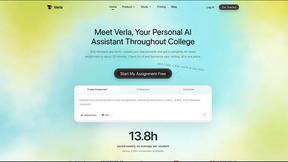
Verla is an AI academic assistant for university and college students, combining AI essay writing, academic research, AI detection, AI humanization
Novastart
Apps and files on an infinite canvas where people and AI agents work together.

Egmatic
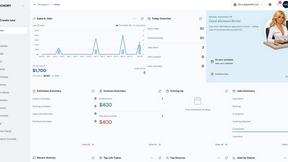
No-code 2D game editor: visual node logic, drag-and-drop scenes, live preview. Exports to Windows, macOS, Linux, Android, iOS, Web.
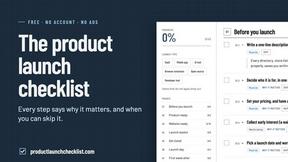
Product Launch Checklist
A free launch checklist for SaaS, apps, AI tools and more. Every step says why it matters and when you can skip it.
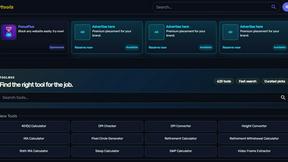
Kody Tools
Free collection of online developer utilities, code formatters, and digital converters designed to streamline your daily workflow.