

YouTube to Transcript
Instantly convert any YouTube video into accurate transcripts for free, with no signup and translations in over 100.
tool Details

About YouTube to Transcript
YouTube to Transcript is an innovative and essential online tool that transforms YouTube videos into easily readable text. Designed for a diverse audience, including content creators, students, researchers, and professionals, this tool addresses the growing need for accessible and accurate transcription services. By simply pasting the URL of any YouTube video, users can generate high-quality transcripts in seconds without any hidden fees or complicated signup processes. The platform's advanced capabilities allow for instant extraction of subtitles and transcripts, making it an invaluable resource for anyone looking to repurpose video content, enhance their learning experience, or conduct in-depth research. With support for over 125 languages, YouTube to Transcript stands out as a versatile solution that promotes inclusivity and accessibility in content consumption.
Features
Completely Free
YouTube to Transcript is entirely free to use, making it an attractive option for users who need reliable transcription without financial barriers. There are no hidden costs or premium subscription tiers, allowing everyone to access its powerful features without worry.
Multi-language Support
This tool boasts translation capabilities for over 125 languages, enabling users from diverse linguistic backgrounds to transcribe and understand video content that would otherwise be inaccessible. This feature helps bridge language gaps and promotes global communication.
Unlimited Usage
With YouTube to Transcript, users can generate an unlimited number of transcripts without any restrictions on video duration. Whether it’s a short clip or a lengthy lecture, the tool can handle it all, providing flexibility for various transcription needs.
Clean Formatting
The transcripts generated by this tool come with clean formatting, making them suitable for multiple applications such as SEO optimization, note-taking, and content repurposing. Users can either copy the text directly to their clipboard or download it as a TXT file for convenience.
Use Cases
For Content Creators
Content creators can leverage YouTube to Transcript to extract and repurpose video content into blog posts, articles, or social media snippets. This tool simplifies content creation by providing accurate transcripts quickly.
For Students
Students can benefit immensely from this tool by converting lecture videos or educational content into text. This makes it easier to study and reference important information without the need to rewatch lengthy videos.
For Researchers
Researchers often need to analyze video material for qualitative studies. YouTube to Transcript allows them to convert interviews, documentaries, or relevant talks into text, facilitating easier analysis and citation.
For Accessibility
Individuals with hearing impairments can use YouTube to Transcript to gain access to video content that lacks subtitles. By generating transcripts, this tool ensures that valuable information is available to everyone, promoting inclusivity.
Frequently Asked Questions
Is YouTube to Transcript free to use?
Yes, YouTube to Transcript is completely free to use. There are no hidden fees or subscription costs, allowing users to access the service without any financial commitments.
How do I get a transcript of a YouTube video?
To obtain a transcript, simply copy the URL of the YouTube video you wish to transcribe and paste it into the input field on the YouTube to Transcript website. Click the generate button, and the transcript will be created automatically.
How long does it take to generate the transcript?
The transcript generation process is incredibly fast and typically takes only a few seconds. Users can expect to receive their transcripts almost instantly after submitting the video URL.
Can I download the transcript?
Yes, after the transcript is generated, users have the option to either copy the text to their clipboard or download it as a TXT file for later use. This ensures convenience and flexibility in how the information is stored and accessed.
Similar to YouTube to Transcript
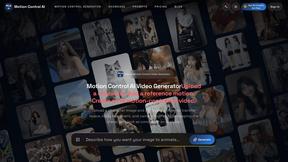
Motion Control AI
Create motion-controlled character videos by transferring dance, gestures, timing, and camera rhythm from a reference video to a character image.

RunwayAI
Independent AI video generator for creating videos from text prompts or reference images with task tracking, previews, downloads, and API resources.


CloutStack
Curated directory of tools for influencers engaged with the creator economy