

Alternatives to Easymotion - AI Motion Graphic Generator
Easymotion evolves your static ideas into professional motion graphics and map animations in minutes, not hours.
Explore 20 alternatives to Easymotion - AI Motion Graphic Generator. Compare features, pricing, and find the best fit for your needs.

RemoveObjectFromPhoto
Remove unwanted objects, people, and text from photos with AI for clean, natural-looking results in seconds.
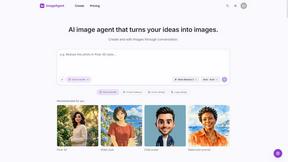
ImageAgent
Create and edit AI images through conversation, using text or reference images and refining results in chat.


GenX
All-in-one AI workspace to generate images, videos, and audio with multiple leading AI models.
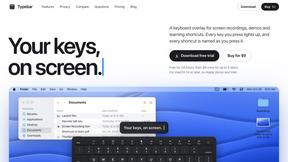
Typebar
Every key you press lights up on an on-screen keyboard, and each shortcut is named as you press it.

Bloom
An adaptive AI tutor that turns topics or your materials into courses, lessons, and answers tailored to how you learn.

AppIconGenerator
Generate iOS and Android app icons from any image and export all platform sizes for free.

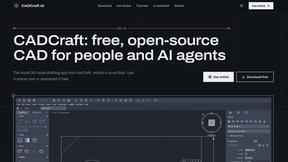
CADCraft
Free open-source 2D CAD in Rust with precision drafting, automation, and DWG/DXF/PDF/SVG/PNG support.
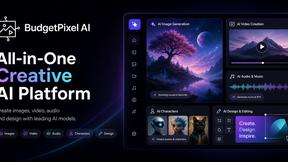
Budgetpixel AI
Create AI images, videos, music, and designs in one workspace with multiple models, powerful editing tools, and API access.

Nano AI
Create and edit AI images, generate videos, and compare models in one creative workbench.

ogimagegenerator.dev
Paste a URL and AI designs on-brand Open Graph images from your page's colours, fonts and logo. Free, no sign-up.

Screen Issues
Free Online Screen Test Tool - Instantly diagnose dead pixels, lines, color issues, and flickering. Multiple test modes, no download needed.



Play Jean Phil
Play Jean Phil is a Jean Phil AI video generator. Upload one photo of a person or a pet and get a vertical 9:16 MP4.

Gas Station Dance AI Generator
Browser-based AI generator that recreates the viral gas station dance video from 1-3 photos as a 15-second clip.

Unforgettable Car AI
Unforgettable Car AI makes the 15-second Unforgettable car trend video from one selfie, with a preset or your own car photo.

Ozil Goal AI
Ozil Goal AI turns one photo into an AI remake of Mesut Özil's famous 2016 chip-and-dribble goal against Ludogorets

Tip Toe AI
Upload a Dancer photo and a Partner photo and get your own AI Tip Toe barn-dance video. Free 5s preview, 12s HD from $4.90. No subscription.
About Easymotion - AI Motion Graphic Generator Alternatives
The journey of content creation often begins with a static idea—a vision that needs motion to truly resonate. Easymotion, an AI motion graphic generator and map animation platform, sits at the intersection of AI Assistants, Content Creation, Design Tools, and Video, acting as a bridge between a simple concept and a polished, animated narrative. It empowers creators, editors, founders, and marketers to transform prompts, images, or data into dynamic videos without the steep learning curve of traditional timeline editing, making professional-grade motion accessible directly in the browser. As your creative needs evolve, you may find yourself exploring other tools for various reasons. Perhaps your projects demand a specific pricing model that aligns with a fluctuating workflow, or you require deeper integration with a particular ecosystem of design software. Some users seek a wider array of complex 3D capabilities, while others prioritize a unique collaboration feature for larger teams. When evaluating your next step in this growth stage, focus on the core narrative of your content: does the tool accelerate your path from idea to final export? Look for platforms that offer intuitive AI editing, flexible export formats for different social and presentation contexts, and a library of templates that can be customized to maintain brand consistency as your storytelling evolves.
FAQs about Easymotion - AI Motion Graphic Generator Alternatives
What is Easymotion - AI Motion Graphic Generator?
Easymotion is an AI-powered platform designed to generate motion graphics and map animations directly in the browser. It helps content creators, editors, founders, and marketers turn ideas, files, and static visuals into polished animated videos without relying on complex timeline editing. The platform supports a variety of formats including SaaS product promos, flowcharts, animated charts, and geographic storytelling visuals with location pins and flight routes.
Who is Easymotion - AI Motion Graphic Generator for?
Easymotion is built for content creators, editors, founders, and marketers who need a faster way to produce motion graphics and reusable video assets. It is ideal for professionals who want to create animated videos for social content, product marketing, presentations, and client deliverables without mastering traditional animation software. The tool is accessible to users at any skill level, from beginners exploring visual storytelling to experienced teams looking to streamline their production workflow.
Is Easymotion - AI Motion Graphic Generator free?
The provided content does not specify a free tier or pricing structure for Easymotion. However, as a browser-based tool designed for professional use, it likely operates on a subscription or usage-based model to support its AI generation capabilities and premium template library. Users should check the official Easymotion website for the most current information on free trials, pricing plans, and available features.
What are the main features of Easymotion - AI Motion Graphic Generator?
Key features include AI-driven motion graphics generation from prompts, images, spreadsheets, and PDFs, as well as a specialized map animation maker for geographic content. Users can edit their animations by chatting with AI to adjust colors, pacing, labels, layout, and visual style. The platform offers a premium template library and supports exports in MP4 and MOV formats, including videos with transparent backgrounds, for various aspect ratios like 16:9, 9:16, 1:1, and 4:5.