

Alternatives to Muse AI Video Generator
Turn any text or photo into share-ready videos and images in seconds with Muse AI's free, all-in-one creative tool.
Explore 20 alternatives to Muse AI Video Generator. Compare features, pricing, and find the best fit for your needs.

RemoveObjectFromPhoto
Remove unwanted objects, people, and text from photos with AI for clean, natural-looking results in seconds.
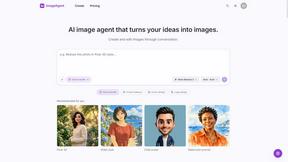
ImageAgent
Create and edit AI images through conversation, using text or reference images and refining results in chat.
GenX
All-in-one AI workspace to generate images, videos, and audio with multiple leading AI models.

AppIconGenerator
Generate iOS and Android app icons from any image and export all platform sizes for free.
AiAgeFilter
Free AI age filter: upload an adult portrait, add 10-40 years, meet your older self. No app needed.

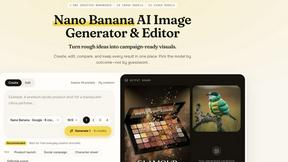
Nano AI
Create and edit AI images, generate videos, and compare models in one creative workbench.
ImageGenerator
Create and edit AI images online with multiple models, text-to-image, image-to-image, background removal, and upscaling.
nanobanana 21
Fast, simple image studio powered by Nano Banana 2.1: accurate details, readable text, consistent characters, up to 14 reference images.
Ideogram AI 4.5
AI image generation and editing with precise typography, native 2K output, and localized edits.
EditTextPhoto
AI-powered image text editor to edit, replace, fix, or translate text in images while preserving the original font, color, size, and style.
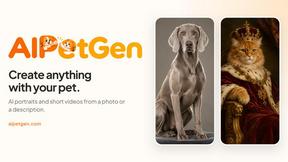
AIPetGen
AIPetGen turns a photo of your dog, cat, or other pet, or a written description, into a new picture or a short animation.


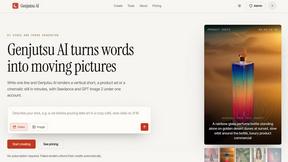
Genjutsu AI
Genjutsu AI turns ideas into cinematic videos, product ads, social shorts, and quality images in minutes. Built for TikTok, Reels, Shorts.
AI Album Cover Maker
Create release-ready album covers from a prompt or photo. Generate, refine, and export art for singles, EPs, mixtapes, and playlists.
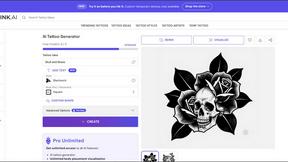
Qwen Image Edit
Prompt-based Qwen Image editing and generation for backgrounds, text, products, posters, outpainting, and creative styles.
About Muse AI Video Generator Alternatives
Muse AI Video Generator has emerged as a notable entry in the image generation category, offering a free platform that transforms text prompts or personal photos into dynamic short videos in a matter of seconds. As a tool designed for speed and accessibility, it sits at the intersection of AI image creation and motion graphics, allowing users to see their static concepts evolve into lively clips almost instantly. However, as the AI landscape matures, users often begin to seek alternatives for a variety of growth-oriented reasons. They may find that their creative journey requires higher resolution outputs for professional projects, more granular control over motion styles, or a broader ecosystem that integrates seamlessly with existing video editing workflows. Others might be looking for features like longer video durations, advanced camera movement options, or specific stylistic filters that a free tool may not prioritize. When evaluating an alternative, it is crucial to focus on your own stage of creative evolution. Begin by assessing the core purpose of your project: are you rapidly prototyping ideas, or are you producing final assets for commercial use? This will dictate your needs regarding resolution, rendering speed, and output quality. Next, consider the user interface and learning curve, as a tool that grows with you should offer both simple presets for quick results and deep customization for complex projects. Finally, look for a platform that supports your future growth, such as one that offers batch processing, API access for automation, or community templates that can inspire new directions. The right alternative is not just a substitute but a catalyst for your next creative breakthrough.
FAQs about Muse AI Video Generator Alternatives
What is Muse AI Video Generator?
Muse AI Video Generator is a free AI-powered tool that falls under the image generation category, specifically designed to bring static prompts or personal photos to life as moving videos. It allows users to input a text description or upload an image, and in a matter of seconds, the AI generates a short video clip based on that input. This tool focuses on speed and accessibility, making it easy for anyone to create dynamic visual content without needing complex video editing skills.
Who is Muse AI Video Generator for?
Muse AI Video Generator is designed for a broad audience, including content creators, social media managers, marketers, and hobbyists who want to quickly animate ideas or photos. It is particularly useful for those in the early stages of video production who need rapid visual prototypes or engaging short-form content for platforms like social media. Because it is free and requires no technical expertise, it is also an excellent starting point for beginners exploring the intersection of AI and video creation.
Is Muse AI Video Generator free?
Yes, based on the provided product description, Muse AI Video Generator is offered as a free AI video and image generator. The service is designed to be accessible without upfront costs, allowing users to generate videos from text or photos quickly. However, as with many free tools, there may be limitations on video length, resolution, or daily usage quotas to manage server resources.
What are the main features of Muse AI Video Generator?
The primary feature of Muse AI Video Generator is its ability to perform text-to-video generation in just seconds, as highlighted by its tagline. It also functions as an image-to-video generator, allowing users to upload their own photos and animate them. The tool is categorized under image generation, indicating it focuses on creating visual content from prompts, with a strong emphasis on speed and ease of use for rapid creative output.