

Alternatives to ProcessSpy
ProcessSpy evolves your Mac monitoring into a professional tool with advanced filtering, real-time insights, and deep system integration.
Explore 20 alternatives to ProcessSpy. Compare features, pricing, and find the best fit for your needs.

Enlisted
Search 20,000+ open-source and SaaS tools by the job you need done or the app you want to replace.

Egmatic
No-code 2D game editor: visual node logic, drag-and-drop scenes, live preview. Exports to Windows, macOS, Linux, Android, iOS, Web.

Product Launch Checklist
A free launch checklist for SaaS, apps, AI tools and more. Every step says why it matters and when you can skip it.

layahost
Moderation, routing, intent and scoring for any text over one Jev-compatible API, hosted in the EU.

laya.tools
Free directory of 950+ projects built on Laya, the open-source model that turns text into typed decisions. Ports, SDKs, agents and demos.

Forms Plugin
The #1 Native Form Builder Plugin for Framer - No Code, No Embeds, No External Platforms.

AkraLabs
Where modern software products get discovered, launched, and distributed. Explore verified AI tools, SaaS startups, and developer software.




AppBanana
10,000+ Apps Approved, Yours Next With 10,000+ successful apps, we know exactly what Google wants, and how to get yours approved.


Firma.dev
Pay-as-you-go e-signature API and no-code sending. €0.049 per envelope, no monthly minimums, legally valid in 55+ countries.

BeatAPI
Async AI video workflow API for music videos, ecommerce ads, editable storyboards, webhooks, and hosted outputs.

Ornold
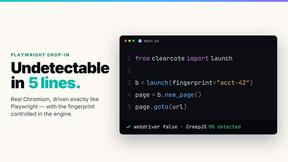
Ornold MCP lets AI agents control Chromium and antidetect browsers: click, type, read screens, record workflows, replay profiles without scripts.

AIQualityHQ
AIQualityHQ checks your AI prompts for structure, safety, and privacy in milliseconds, delivering instant scores and fixes.

RedLinz
RedLinz turns screenshots into AI prompts by letting you circle and annotate exactly what you want an LLM to change.

About ProcessSpy Alternatives
ProcessSpy is an advanced process monitoring tool for macOS, squarely positioned within the developer and power user toolkit category. It serves as a native Mac counterpart to the renowned Sysinternals Process Explorer for Windows, offering deep system visibility beyond what the standard Activity Monitor provides. This allows users to visualize intricate process hierarchies, inspect open files and sockets, and manage applications at a granular level, making it an essential utility for debugging, security auditing, and system optimization. Users often explore alternatives to ProcessSpy for several common reasons. Some may seek a different pricing model, such as a free or open-source solution, while others might require specific features not present in one tool, like network monitoring or real-time performance graphing. Platform needs also drive the search, as some developers work across macOS, Windows, and Linux and desire a consistent toolset. When evaluating alternatives, it's crucial to consider the depth of process detail offered, the intuitiveness of the user interface for your workflow, the tool's system resource footprint, and its ability to handle advanced tasks like force-quitting unresponsive processes or analyzing launch agents.
FAQs about ProcessSpy Alternatives
What is ProcessSpy?
ProcessSpy is an advanced process monitoring and exploration application designed specifically for macOS. It acts as the native Mac alternative to the Windows Sysinternals Process Explorer, providing a much deeper look into system activity than the built-in Activity Monitor. The tool visualizes process trees, reveals hidden dependencies, and allows for detailed inspection of running applications. It is engineered for developers, system administrators, and power users who need granular control and insight over their Mac's operations.
Who is ProcessSpy for?
ProcessSpy is primarily built for developers, IT professionals, system administrators, and advanced Mac power users. It is ideal for anyone who needs to debug application behavior, analyze software conflicts, audit system security by viewing open files and environment variables, or manage resource-intensive processes. If your work involves understanding why an application is hanging, identifying background processes, or simply gaining a professional-level view of your macOS system, ProcessSpy provides the necessary toolkit.
What are the main features of ProcessSpy?
The core features of ProcessSpy focus on deep system introspection and control. It excels at visualizing hierarchical process trees, showing parent-child relationships between applications and services. Users can inspect detailed attributes of any process, including its open files, network sockets, and environment variables. A key capability is its advanced process termination function, which can force-quit stubborn or frozen applications that resist standard methods. Together, these features reveal what the standard Activity Monitor hides, offering unparalleled transparency.
Why choose ProcessSpy over the built-in Activity Monitor?
You would choose ProcessSpy when the standard Activity Monitor lacks the detail or control you require for advanced tasks. While Activity Monitor shows basic resource usage, ProcessSpy reveals the underlying structure and dependencies of your system. It allows you to see the complete process tree, examine exactly which files a program has open, and view environment variables—critical information for debugging and security. Furthermore, its robust process termination is often more effective at closing unresponsive applications that Activity Monitor cannot handle.