

Alternatives to RoomCreator
Transform any photo into stunning room designs in seconds with RoomCreator, making home visualization easy and skill-free for everyone.
Explore 20 alternatives to RoomCreator. Compare features, pricing, and find the best fit for your needs.

ButterShare
Realtime peer-to-peer file transfer in the browser. Send files directly between devices, no account and no upload to a server.


Todowing
Chrome extension that nests sub-tasks inline in Todoist's Today, Upcoming, Filter and Label views, with a focus timer and themes.

Foreman
See every app and what it's using in plain English, and end or slow down the one that's hogging your Mac.
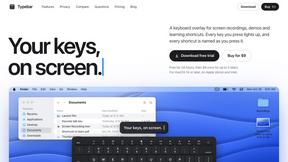
Typebar
Every key you press lights up on an on-screen keyboard, and each shortcut is named as you press it.

Notchpals
Little characters peek out of your Mac's notch to remind you to drink water, eat, sit up and get to bed. Quiet during calls. $4.99 once.

LightScreen
Free light screen tool online. Turn any display into a flashlight, ambient light, or solid-color screen. No download or sign-up.

CADCraft
Free open-source 2D CAD in Rust with precision drafting, automation, and DWG/DXF/PDF/SVG/PNG support.


Everywhere
Fast file search for the Mac. Results as you type, files inside Mail and Photos, works with Wi-Fi off. $19 once.

Basalt
Eighteen PDF tools in one native Mac window: merge, split, compress, OCR, Bates numbering, forms, signing and redaction. Offline. $29 once.

Voice Keyboard Pro
Hold a key, say what you mean, let go. Clean, punctuated text lands at the cursor in any app on your Mac or iPhone.

Mainspring
Mainspring turns the settings macOS hides into 90+ one-click, fully reversible power-ups for Finder, Dock, screenshots and more. $29 once.

Crumb
A Mac menu bar app for a full disk. See what is using your space, read whether it comes back on its own, and remove only what you tick.

Woodpecker
Make your Mac sound like a real mechanical keyboard. Every key plays its own recording, 22 switches, quiet on calls. $4.99 once.
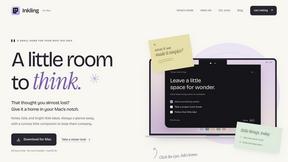
Inkling
Catch a thought without leaving what you are doing. Notes, checklists and a little companion in your Mac's notch. $12 once.

Manatee
A Mac app that opens damaged video, PDFs, archives and documents and writes out everything it can still read. $9 once, no uploads.

Screen Issues
Free Online Screen Test Tool - Instantly diagnose dead pixels, lines, color issues, and flickering. Multiple test modes, no download needed.
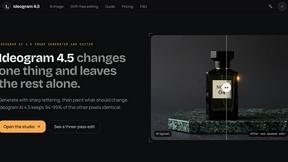
Ideogram AI 4.5
AI image generation and editing with precise typography, native 2K output, and localized edits.

About RoomCreator Alternatives
RoomCreator is a revolutionary AI-driven room design tool that simplifies the renovation and decoration process for homeowners and DIY enthusiasts. By allowing users to upload a photo of their space, RoomCreator generates stunning redesigns within seconds, making it an ideal solution for those without design expertise. This platform falls under the software category, focusing on enhancing interior spaces through advanced technology. Despite its many strengths, users often seek alternatives to RoomCreator for various reasons, including pricing concerns, the need for specific features, or compatibility with different platforms. When searching for an alternative, it is vital to consider the range of functionalities offered, such as the ability to create personalized designs, the quality of 3D visualizations, and user-friendliness. Additionally, evaluating customer support and community engagement can provide insights into the overall value of the alternative tool.
FAQs about RoomCreator Alternatives
What is RoomCreator?
RoomCreator is an innovative AI room design tool that enables users to upload a photo of their space and receive stunning redesigns in just 10 seconds. It is designed for homeowners and DIY enthusiasts who want to visualize potential renovations without needing specialized design skills. This tool offers realistic 3D previews, allowing users to see how changes will look in their environment.
Who is RoomCreator for?
RoomCreator is ideal for homeowners, interior design beginners, and DIY lovers looking to renovate or beautify their spaces. Whether you're planning a complete makeover or just need to test new ideas, this tool provides an accessible way to explore design options. Its ease of use makes it suitable for anyone, regardless of their experience level.
Is RoomCreator free?
RoomCreator offers a free trial period that allows users to experience its features without any financial commitment. After the trial, users may have the option to subscribe to a paid plan for additional features or enhanced capabilities. This allows individuals to test the tool's effectiveness before deciding on a long-term investment.
What are the main features of RoomCreator?
RoomCreator boasts several compelling features, including AI room design from a single photo in just 10 seconds, smart layout suggestions, and instant updates to wall colors and furniture arrangements. Users can redesign specific areas like kitchens and bedrooms or visualize exterior paint colors. The realistic 3D previews enhance user experience, allowing for side-by-side comparisons of before-and-after scenarios.