
Cool PFP vs SparkPix
Side-by-side comparison to help you choose the right tool.

Elevate your online identity with a vast, evolving library of free HD profile pictures for every social platform.
Last updated: February 28, 2026

SparkPix
AI photo editor online. Edit photos by typing — remove backgrounds, enhance images, restore old photos & convert to anime or art styles.
Visual Comparison
Cool PFP
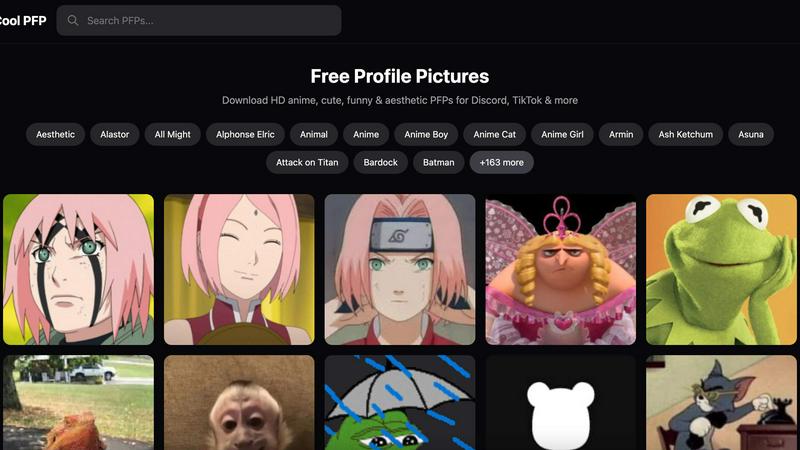
SparkPix

Overview
About Cool PFP
Cool PFP represents a significant evolution in how individuals curate their digital identity. It began as a simple idea: to provide a centralized, high-quality resource for profile pictures, eliminating the frustrating hunt across disparate, low-resolution sources. The platform has matured into a comprehensive ecosystem for personal branding, serving as the foundational tool for anyone looking to progress their online presence from generic to exceptional. It is designed for a wide spectrum of users, from casual social media enthusiasts and gamers seeking to express their fandom, to streamers and content creators building a recognizable visual brand. The core value proposition is its commitment to frictionless, high-quality access. By offering an extensive, ever-growing library of HD images across countless popular categories—all completely free and requiring no sign-up—Cool PFP empowers users to instantly level up their persona on platforms like Discord, TikTok, Instagram, and Twitter. It transforms the often-overlooked profile picture from an afterthought into a strategic asset for making a powerful and lasting first impression in the digital world.
About SparkPix
SparkPix.ai — AI Photo Editor
Edit photos by typing what you want. No Photoshop skills needed. Free to start.
KEY FEATURES
AI Photo Editor — Type instructions like "remove background" or "restore this old photo" and AI applies edits in under 30 seconds.
Background Remover — One-click background removal for portraits, product photos, and complex scenes.
Unblur Image — Fix motion blur, out-of-focus shots, and compression artifacts with AI deblurring.
Photo Restoration — Repair old, faded, scratched, or damaged photos. Ideal for family archives.
Photo Enhancer — Sharpen, enhance colors, reduce noise, and upscale to HD in one step.
Style Transfer — Convert photos to anime, oil painting, watercolor, pencil sketch, and 15+ artistic styles.
AI Image Generator — Generate images from text prompts at 1K, 2K, and 4K resolution.
Object Remover — Remove unwanted objects, people, or watermarks using simple text commands.
PRICING
Free — 5 credits, no credit card required. Plans from $9.99 for 350 credits.
PLATFORM
Web-based. Works on desktop, iPhone, and Android. No download required.