
Dreamflow vs TemplateFox
Side-by-side comparison to help you choose the right tool.

Dreamflow
Dreamflow evolves your app idea into a production-ready mobile application using AI and seamless visual editing.
Last updated: March 1, 2026

TemplateFox
TemplateFox evolves your document workflow from design to mass PDF generation with simple automation.
Last updated: February 28, 2026
Visual Comparison
Dreamflow
TemplateFox

Feature Comparison
Dreamflow
Tri-Surface Editing
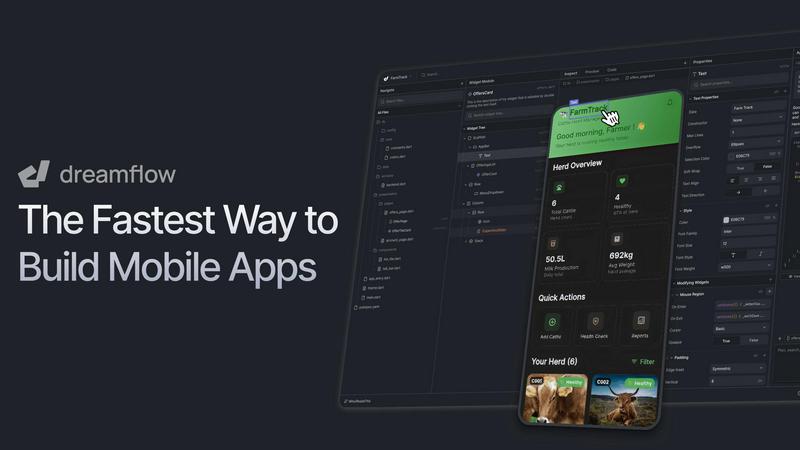
Dreamflow's core innovation is its synchronized tri-surface environment. You can fluidly switch between Agentic (AI prompts), Visual (drag-and-drop canvas), and Code (full Flutter/Dart) interfaces. Whether you start by describing a feature to the AI, arranging components visually, or writing a function, all modifications are instantly mirrored across every other surface. This eliminates the disconnect between prototyping and development, allowing your project to evolve naturally without starting over or managing separate files.
AI-Powered, Context-Aware Generation
The platform features a smart, agentic AI that understands app development patterns and best practices. It goes beyond simple code generation by comprehending the context of your entire project. You can prompt it to scaffold complex features, refactor existing code, or generate responsive layouts, and it will do so in a way that integrates cohesively with your app's architecture, dramatically accelerating the initial build and iterative refinement phases.
Build for Any Screen & One-Click Deploy
Powered by Flutter, Dreamflow enables you to build truly responsive applications that adapt flawlessly to every device size, from smartphones to tablets. Once your app is ready, deployment is streamlined to an unprecedented degree. With just a few clicks, you can publish your production-ready application directly to the Apple App Store, Google Play Store, and as a web app, managing multi-platform releases from a single, unified codebase.
Integrated Backend & Full-Stack Scalability
Dreamflow removes backend complexity by offering seamless, out-of-the-box integration with leading platforms like Firebase and Supabase. This allows you to build full-stack applications with authentication, real-time databases, and cloud functions from day one. You can focus on crafting the user experience while the platform handles the infrastructure, ensuring your app is built on a foundation that can scale with your user growth and evolving needs.
TemplateFox
Intuitive Drag-and-Drop Editor
TemplateFox's visual editor is the cornerstone of its no-code philosophy, allowing anyone to design professional PDF templates without writing a single line of HTML or CSS. Users can intuitively place text boxes, images, tables, and barcodes, customizing every component's properties like borders, colors, and positioning through a dedicated panel. This feature democratizes document creation, turning a complex technical task into a simple design exercise accessible to team members across all departments.
Dynamic Data Binding & Expressions
Go beyond simple text replacement. TemplateFox allows for deep integration of dynamic data using expressions. You can inject variables for names, addresses, prices, and more, and use over 100 built-in functions to format dates, calculate totals, round numbers, or create conditional logic. This ensures your generated PDFs are not just filled with data, but are intelligently adapted and calculated on the fly based on your input.
Smart Tables & Automatic Layouts
Create tables that intelligently adapt to your dataset. Whether you have 3 line items or 300, TemplateFox's tables will expand automatically, handling row breaks and spanning multiple pages seamlessly while maintaining headers and footers. This eliminates the manual reformatting nightmare typically associated with variable-length data, ensuring reports and invoices always look perfectly structured.
Built-in Barcodes & QR Codes
Generate scanner-ready barcodes and QR codes directly within your templates, powered dynamically by your data. Supports popular formats like Code128, EAN-13, and QR codes. This is essential for automating shipping labels, asset tracking sheets, or event tickets, where each document requires a unique, machine-readable identifier generated instantly during the PDF creation process.
Use Cases
Dreamflow
Rapid MVP Validation for Entrepreneurs
Solo founders and startup teams can use Dreamflow to transform a raw idea into a functional, testable mobile app in a matter of hours, not months. By prompting the AI with a concept and visually refining the UI, they can create a polished Minimum Viable Product to gather user feedback, validate market fit, and pitch to investors with a tangible prototype, significantly de-risking the early stages of product development.
Enhanced Development for Professional Agencies
Development agencies and freelance developers can leverage Dreamflow to drastically improve project throughput and client collaboration. They can quickly scaffold client projects using AI, demonstrate live prototypes on the visual canvas for immediate feedback, and then dive into the code for complex customizations. This hybrid workflow reduces project timelines, improves client satisfaction, and allows agencies to take on more work with confidence.
Educational Tool for Aspiring Developers
Students and aspiring developers learning mobile development can use Dreamflow as an interactive educational platform. They can start by visually building an interface to understand UI/UX principles, then switch to the code view to see the generated Flutter/Dart code, learning industry-standard practices. Conversely, they can write code and see its visual outcome instantly, bridging the gap between theory and practical application.
Enterprise Application Modernization
Large organizations seeking to modernize internal tools or customer-facing applications can utilize Dreamflow's Pro and Enterprise tiers. Teams can collaborate using version control (Git), maintain production workflows, and build responsive apps that work across all employee devices. The platform's ability to integrate with existing backend systems and ensure code exportability provides the control and scalability required for enterprise-grade development.
TemplateFox
E-commerce Order Fulfillment
Automate the entire post-purchase documentation workflow. Connect TemplateFox to your e-commerce platform via Zapier or Make to automatically generate and send personalized packing slips, shipping labels with tracking barcodes, and professional invoices the moment an order is marked as fulfilled. This streamlines operations, reduces errors, and delivers a polished unboxing experience to customers.
Automated Certificate Generation
Ideal for educational institutions, online course platforms, and corporate training programs. Use dynamic data to populate participant names, course titles, dates, and unique certificate IDs. Generate and distribute hundreds of personalized certificates of completion or achievement in seconds, either via email or through a dedicated portal, saving countless hours of manual design and data entry.
Business Reporting & Invoicing
For startups, freelancers, and agencies, TemplateFox automates the creation of client-facing documents. Design a master invoice or report template with your branding, and then automatically populate it with project details, hourly breakdowns, and totals pulled from your CRM or time-tracking software. Ensure brand consistency and get paid faster with professional, automatically generated documents.
Logistics & Asset Tracking
Create dynamic shipping manifests, warehouse picking lists, and asset identification sheets. Utilize the built-in barcode and QR code generation to produce labels for inventory items, pallets, or shipments. By integrating with logistics databases, you can ensure every printed document contains the correct, up-to-date information and scannable codes, improving accuracy and operational speed.
Pricing Comparison
Dreamflow
Dreamflow offers simple, transparent pricing tiers designed to scale with your project's needs. You can start for free and upgrade as your application grows.
Free Plan ($0/month): Ideal for exploration and experimentation. Includes private projects with visual and code editing, managed backend integrations (Firebase/Supabase), 1-click web deployment, and a one-time starter pack of 10 AI credits.
Hobby Plan ($20/month): For building and launching complete applications. Includes everything in Free, plus 1-click deployment to the Apple App Store and Google Play Store, full Flutter code export, the ability to run apps on local simulators & real devices, and 100 AI credits per month.
Pro Plan ($90/month): Tailored for maintaining a production-ready workflow. Includes everything in Hobby, plus version control with Git integration, priority access to premium AI models, and 500 AI credits per month. This is the most popular plan for serious developers and small teams.
Enterprise Plan (Custom Pricing): For teams using Dreamflow as a core development platform. Includes dedicated support, onboarding engagement, advanced access controls, the ability to bring your own AI models, SLA & uptime guarantees, and private cloud deployment options.
TemplateFox
TemplateFox offers a transparent, tiered pricing model designed to scale with your business. You can begin your journey with a generous free plan that includes 60 PDF generations per month. Paid plans start with the Starter tier, which increases the monthly generation limit and adds features like custom fonts and priority support. The Professional and Business tiers offer progressively higher volumes, team collaboration features, and advanced security options, catering to individual professionals, growing teams, and large enterprises requiring high-volume, automated document workflows. All paid plans are billed monthly or annually, with detailed pricing available on the TemplateFox website.
Overview
About Dreamflow
Dreamflow represents the next evolutionary leap in mobile app development, a platform engineered for builders who refuse to be constrained by traditional tools. It is a tri-surface environment that seamlessly unites AI-powered ideation, visual design, and direct code editing into a single, synchronized workflow. This unique approach empowers developers and entrepreneurs to start their journey from any point: describe an idea in natural language to an intelligent AI agent, visually craft the UI on a responsive canvas, or dive directly into clean, exportable Flutter code. Every change made in one surface is instantly reflected across all others, ensuring consistency and eliminating friction. Built by the team behind FlutterFlow and trusted by over 2 million builders, Dreamflow is designed for any stage of growth—from the solo founder validating a concept to the enterprise team scaling a production application. It provides the speed to launch, the flexibility to create without limits, and the confidence to deploy robust, multi-platform apps to the App Store, Google Play, and the web. Dreamflow is more than a tool; it's the future where creative vision and technical execution evolve together in perfect harmony.
About TemplateFox
TemplateFox represents the next evolutionary step in business document automation, transforming the tedious task of PDF generation into a strategic, scalable asset. It is a powerful SaaS platform that empowers users to design professional PDF templates with a visual, drag-and-drop editor and then generate thousands of unique documents dynamically via a robust API or popular no-code integrations. The core value proposition is profound simplicity meeting enterprise-grade power: you design once and generate thousands, eliminating repetitive manual work. This tool is crafted for a wide spectrum of users, from indie hackers and startups seeking to automate their first invoices, to growing e-commerce stores managing packing slips, and large enterprises in logistics or education requiring high-volume, reliable certificate or report generation. By offering lightning-fast generation (1-3 seconds), dynamic data binding, and a generous free tier, TemplateFox lowers the barrier to professional documentation, allowing businesses to focus on growth and core operations while ensuring every customer-facing document is polished, consistent, and automatically tailored with relevant data.
Frequently Asked Questions
Dreamflow FAQ
Who is Dreamflow designed for?
Dreamflow is designed for a wide spectrum of builders, from non-technical entrepreneurs and solo developers to professional agencies and enterprise teams. Its tri-surface approach meets users at their individual skill level and preference, whether they want to start with AI prompts, visual design, or direct coding. Anyone looking to build and deploy high-quality, production-ready mobile and web applications with speed and flexibility will find it invaluable.
How does the AI integration work?
Dreamflow's AI is deeply integrated into the platform and is context-aware. It understands your project's structure, design system, and existing code. You interact with it through natural language prompts in the Agentic surface to generate features, modify layouts, or write logic. It applies Flutter best practices and ensures its output syncs perfectly with the visual canvas and code editor, acting as a collaborative partner in the development process.
Can I export and own the code from my project?
Yes, absolutely. One of Dreamflow's foundational principles is giving developers full control. Starting from the Hobby plan, you can export your entire project as a clean, standard Flutter codebase. This means you can take your app, open it in Android Studio, VS Code, or any other IDE, and continue development, add custom packages, or host it on your own infrastructure without any platform lock-in.
What backend services does Dreamflow support?
Dreamflow provides managed, out-of-the-box integration with two powerful backend platforms: Firebase (by Google) and Supabase (an open-source Firebase alternative). These integrations handle essential services like user authentication, real-time and traditional databases, cloud storage, and serverless functions, allowing you to build sophisticated, scalable full-stack applications without managing server infrastructure.
TemplateFox FAQ
Do I need coding skills to use TemplateFox?
No, you do not need any coding skills. TemplateFox is built as a no-code solution at its core. The primary method of creating templates is through the intuitive visual, drag-and-drop WYSIWYG editor. You can design, bind data, and publish templates entirely through the user interface. Coding is only necessary if you wish to use the advanced API directly for custom integrations.
How does the free plan work?
The free plan is a full-featured starting tier that allows you to explore the platform's capabilities. It includes 60 free PDF generations per month (as per the latest website context), access to the template editor, and core features like dynamic data and barcodes. You can start building and testing your automated workflows without providing a credit card, making it risk-free to evaluate if TemplateFox fits your needs.
What integrations does TemplateFox support?
TemplateFox offers robust integration options for both no-code and developer-led workflows. For no-code automation, it provides direct integrations with platforms like Zapier, Make (Integromat), Airtable, Bubble, and FlutterFlow. For developers and full-scale automation, a powerful REST API is available with comprehensive documentation, allowing for custom integration into any application or backend system.
Can I use my own branding on the PDFs?
Absolutely. TemplateFox gives you complete design control. You can upload your company logo, set brand colors and fonts, and design the layout from scratch or customize one of the many professional sample templates. Headers and footers with your branding can be set to appear automatically on every page, ensuring every generated document aligns perfectly with your corporate identity.
Alternatives
Dreamflow Alternatives
Dreamflow is a modern mobile app development platform that leverages AI and a tri-surface editor to streamline the creation of production-ready applications. It falls into the category of rapid application development tools, designed to accelerate the journey from idea to deployment across iOS, Android, and web. Users often explore alternatives for various reasons, such as specific budget constraints, a need for different technology stacks beyond Flutter, or a desire for features tailored to niche workflows. The search for the right tool is a natural part of a developer's evolution, as project requirements and team dynamics grow and change. When evaluating other platforms, consider your project's core needs: the required platform targets, the level of coding control versus visual abstraction you prefer, and how the tool integrates with your existing development lifecycle. The goal is to find a solution that matches your current growth stage while supporting your future ambitions.
TemplateFox Alternatives
TemplateFox is a productivity and management tool that automates the creation of professional PDFs from dynamic data. It serves businesses seeking to streamline document workflows like invoices, reports, and certificates through an intuitive, no-code template editor and a powerful API. Users often explore alternatives at different stages of their growth. A startup might prioritize a different pricing model or a free tier structure, while a scaling enterprise may require advanced features, specific platform integrations, or different compliance standards that better fit their evolved tech stack. When evaluating other solutions, consider your core needs: the ease of the design experience, the robustness of data handling and automation, the quality of the final PDF output, and how the tool's scalability aligns with your business trajectory. The right fit supports your current stage while enabling future evolution.