
Hush Touch | Voice-to-Text for MacOS vs Prompt Builder
Side-by-side comparison to help you choose the right tool.

Hush Touch | Voice-to-Text for MacOS
Hush Touch evolves your Mac dictation with smarter, on-device voice-to-text that learns your vocabulary.
Last updated: February 28, 2026

Prompt Builder
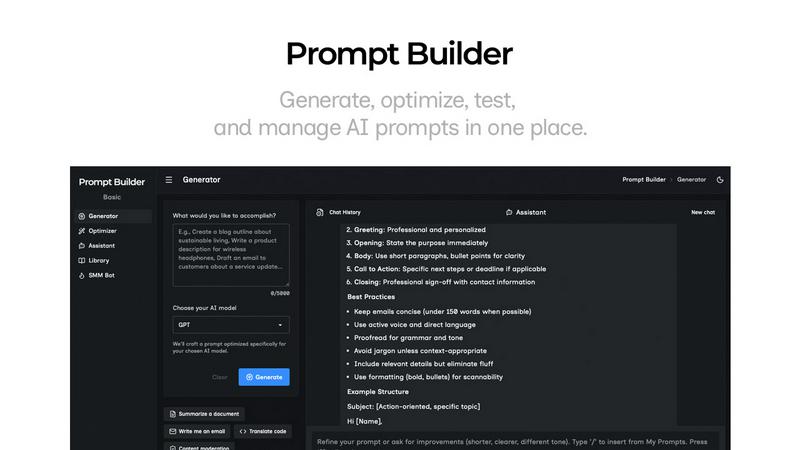
Generate, optimize, test, and manage AI prompts in one place. Turn an idea into a ready-to-use prompt in seconds.
Visual Comparison
Hush Touch | Voice-to-Text for MacOS

Prompt Builder
Overview
About Hush Touch | Voice-to-Text for MacOS
Hush Touch represents the next stage in the evolution of personal computing: a move away from cloud-dependent services towards powerful, private, and intelligent on-device tools. It is a sophisticated voice-to-text application built exclusively for macOS, designed to transform spoken word into polished written text with remarkable accuracy and speed. At its core, Hush Touch is for anyone who writes—be it emails, messages, notes, documents, or code—and seeks a more natural, efficient, and hands-free workflow. Its primary value proposition is a powerful trifecta: superior AI-driven transcription that learns and adapts to you, complete privacy through 100% on-device processing, and a simple, one-time payment that liberates users from subscription fatigue. By intelligently blending two native Apple transcription engines and applying a final Apple Intelligence pass, Hush Touch delivers cleaner text, learns your unique vocabulary, and removes verbal filler words, all while operating entirely offline. This isn't just another dictation tool; it's a commitment to building a smarter, more private, and more autonomous way of working that grows alongside you.
About Prompt Builder
Prompt Builder is a prompt engineering workspace for writing, testing, and saving prompts. Describe the task in plain English, and it helps you create a prompt that matches the model you choose. Start with a draft, refine it in chat, save or pin versions, then run them when you are ready. It works with GPT, Claude, Gemini, Llama, Mistral, DeepSeek, Grok, Perplexity, and more. You also get an Optimizer, an assistant for quick tests, and a library of reusable prompts and templates from the community. Turn an idea into a ready-to-use prompt in seconds. Refine it in chat, save it to your Library, and run it anytime.