
Img Editor vs Imgezy
Side-by-side comparison to help you choose the right tool.

Img Editor
Effortlessly create stunning AI-generated images from your ideas in seconds with Img Editor's advanced technology.
Last updated: February 28, 2026

Imgezy
Imgezy is an AI photo editor that transforms images by removing objects and changing backgrounds effortlessly.
Last updated: February 28, 2026
Visual Comparison
Img Editor

Imgezy
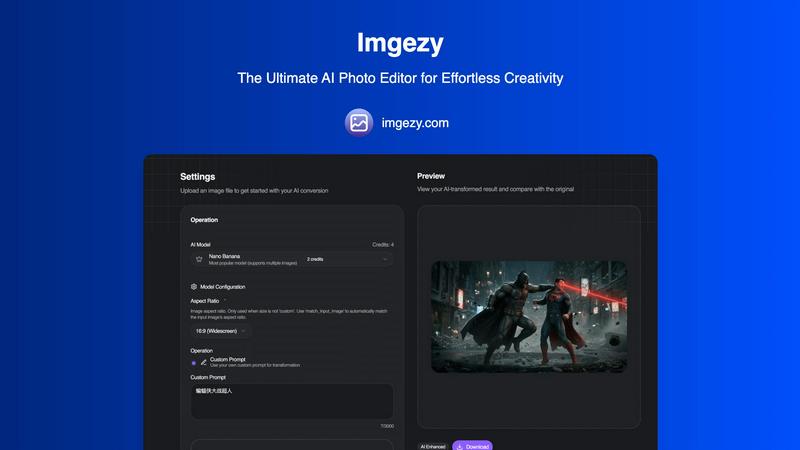
Feature Comparison
Img Editor
Text to Image Generation
This feature allows users to input descriptive prompts and generate high-quality images based on their text. The advanced AI understands context and nuance, transforming words into visually appealing art that reflects the user's vision.
Image Editing Capabilities
Img Editor offers robust image editing tools that enable users to refine and enhance their generated images. Users can adjust colors, apply filters, and modify image attributes, ensuring that the final product meets their specific aesthetic requirements.
Prompt Generator
The Prompt Generator feature assists users in formulating effective prompts for image creation. By providing examples and suggestions, it helps users articulate their ideas more clearly, leading to more successful image outcomes and a more satisfying creative experience.
Community Engagement
Img Editor promotes user interaction through community features. Users can submit their creations to the gallery for review, participate in discussions, and earn bonus generations, fostering a collaborative environment where creativity thrives and inspiration is shared.
Imgezy
Object Removal
Imgezy's object removal feature allows users to eliminate unwanted elements from their photos seamlessly. Whether it's distracting tourists, power lines, or photobombers, the AI intelligently identifies and removes these objects while reconstructing the background with pixel-perfect accuracy. This ensures that your images look clean and professional without any noticeable traces of the edits.
Background Replacement
With Imgezy, changing the background of your images has never been easier. Users can replace backgrounds instantly, choosing from solid colors to breathtaking landscapes. This feature allows for creative freedom, enabling users to transform the context of their photos dramatically and enhance the overall aesthetic.
Photo Enhancement
Imgezy offers automatic photo enhancement capabilities that improve the overall quality of your images. The AI enhances colors, adjusts lighting, and sharpens details, ensuring that your photos pop with vibrancy. This feature is perfect for anyone looking to elevate their images without extensive manual adjustments.
Batch Processing
For users working on large projects, Imgezy provides a batch processing feature that allows you to edit multiple photos simultaneously. This saves significant time and effort, making it an essential tool for professionals who need to manage high volumes of images efficiently.
Use Cases
Img Editor
Marketing Campaigns
Businesses can utilize Img Editor to create unique and eye-catching visuals for their marketing campaigns. Whether for social media ads or website graphics, the platform enables marketers to generate diverse images that capture attention and convey brand messages effectively.
Social Media Content Creation
Content creators can leverage Img Editor to produce high-quality images tailored for various social media platforms. With the ability to generate 10 images daily, users can maintain a consistent and engaging visual presence, enhancing their online identity.
Artistic Projects
Artists can explore their creativity through Img Editor by generating digital artwork or concept visuals. The platform allows for experimentation with different styles and themes, enabling artists to push the boundaries of their imagination.
Educational Resources
Educators and students can use Img Editor to create engaging visuals for presentations, reports, or educational materials. The generated images can illustrate complex concepts and make learning more dynamic and visually stimulating.
Imgezy
Social Media Content Creation
Imgezy is ideal for social media influencers and content creators looking to enhance their visual presence. With its quick editing capabilities, users can produce eye-catching images that attract more engagement and followers, making their profiles stand out.
E-commerce Product Photography
Online retailers can leverage Imgezy to enhance product images for their catalogs. By removing distracting backgrounds and improving image quality, e-commerce businesses can present their products in the best light, ultimately boosting sales and conversions.
Personal Photo Editing
For individuals wanting to enhance their personal photos, Imgezy makes it easy to edit vacation snapshots, family portraits, and more. Users can quickly remove unwanted objects or change backgrounds to create memorable keepsakes without the need for advanced editing skills.
Marketing and Advertising
Imgezy serves as a powerful tool for marketers who need to create compelling visuals for campaigns. With the ability to produce high-quality images quickly, marketers can save time and resources while ensuring that their promotional materials are visually appealing and effective.
Overview
About Img Editor
Img Editor is a groundbreaking free AI image generation platform that empowers users to create stunning visuals with ease and efficiency. Tailored for artists, marketers, designers, and hobbyists, Img Editor leverages the latest advancements in artificial intelligence to facilitate high-quality image creation at no cost. This user-friendly platform democratizes creativity, allowing individuals from all backgrounds to transform their ideas into captivating images effortlessly. Users can generate up to 10 images daily for free and actively participate in the community to earn unlimited bonus generations. With Img Editor, artistic expression is limitless, making it an invaluable resource for professionals looking to enhance their projects with visually striking content. The platform not only simplifies the creative process but also fosters a vibrant community that shares and collaborates on visual projects, nurturing a culture of innovation and support among users.
About Imgezy
Imgezy is the ultimate AI-powered photo editing tool that revolutionizes how users approach image enhancement. Whether you are an amateur enthusiast or a seasoned professional, Imgezy simplifies the photo editing journey, empowering you to create stunning visuals with just a few clicks. Its intuitive interface allows users to edit images using plain language commands, making it accessible for everyone, regardless of their design experience. The main value proposition of Imgezy lies in its ability to deliver professional-quality edits in mere seconds, eliminating the complexities often associated with traditional photo editing software. Trusted by over 200,000 users worldwide, Imgezy leverages advanced AI technology to perform tasks like object removal and background changes effortlessly. This innovative tool is designed to cater to a wide array of applications, from enhancing personal photos for social media to preparing high-quality images for commercial use. With Imgezy, everyone can unleash their creativity and achieve remarkable results.
Frequently Asked Questions
Img Editor FAQ
How does Img Editor generate images?
Img Editor uses advanced AI algorithms to convert user-provided text prompts into images. The AI interprets the input, considering context and creativity, to produce unique visuals.
Is Img Editor really free to use?
Yes, Img Editor is a free platform that allows users to create up to 10 images daily without any cost. Additionally, users can earn unlimited bonus generations by participating in community activities.
Can I edit the images I generate?
Absolutely. Img Editor includes a suite of editing tools that allows users to refine and enhance their generated images, making adjustments to colors, filters, and other attributes as needed.
What kind of images can I create with Img Editor?
Users can create a wide range of images, from realistic landscapes to abstract art, based on their textual descriptions. The flexibility of the platform caters to various creative needs, making it suitable for artists, marketers, and more.
Imgezy FAQ
What types of images can I edit with Imgezy?
Imgezy supports all major image formats, including JPG, PNG, and WebP, allowing users to edit a wide variety of photos.
How long does it take to edit an image?
Imgezy's AI processes edits in seconds, enabling users to receive professional-quality results almost instantly without the need for extensive manual work.
Is there a limit to how many images I can edit?
The number of images you can edit depends on the plan you choose. Imgezy offers various subscription tiers that provide different credit limits for editing images.
Do I need any design skills to use Imgezy?
No, Imgezy is designed for users of all skill levels. You can edit your photos using simple language commands, making it accessible even for those without any design experience.
Alternatives
Img Editor Alternatives
Img Editor is a groundbreaking platform that falls within the image and photo category, specifically leveraging advanced AI technology to generate stunning visuals. Users can effortlessly transform their imaginative concepts into breathtaking images in mere seconds, making it a versatile tool for artists, marketers, designers, and casual enthusiasts alike. However, as users explore the vast landscape of visual creation, they often seek alternatives to Img Editor due to varying needs—such as pricing structures, specific features, or compatibility with different platforms. When searching for an alternative, it's essential to consider factors like ease of use, the range of features offered, and whether the platform aligns with your creative objectives. Additionally, community support and engagement opportunities can enhance the experience, providing inspiration and collaboration that fuels artistic growth.
Imgezy Alternatives
Imgezy is an innovative AI-powered photo editing tool that allows users to enhance their images with ease. It caters to a wide range of users, from casual photographers to professional creatives, by simplifying complex editing tasks and making them accessible through plain language commands. Despite its advanced features, users often seek alternatives for various reasons, including pricing considerations, specific feature requirements, or compatibility with different platforms. When searching for an alternative to Imgezy, it is essential to identify what features are most important to you, such as object removal capabilities, background editing options, or user interface design. Additionally, consider whether the tool fits your budget and meets your specific editing needs, ensuring it aligns with your creative goals.