
MultiMMR vs Oneprofile
Side-by-side comparison to help you choose the right tool.

MultiMMR
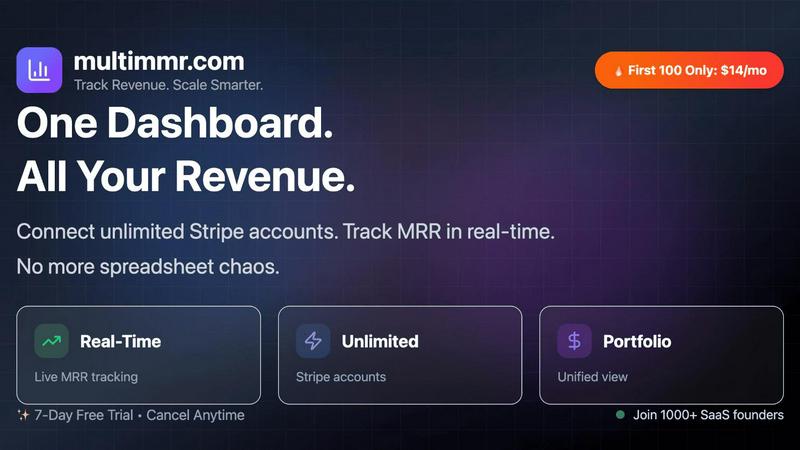
Track your SaaS revenue effortlessly with MultiMMR for real-time insights across all your Stripe accounts.
Last updated: March 3, 2026

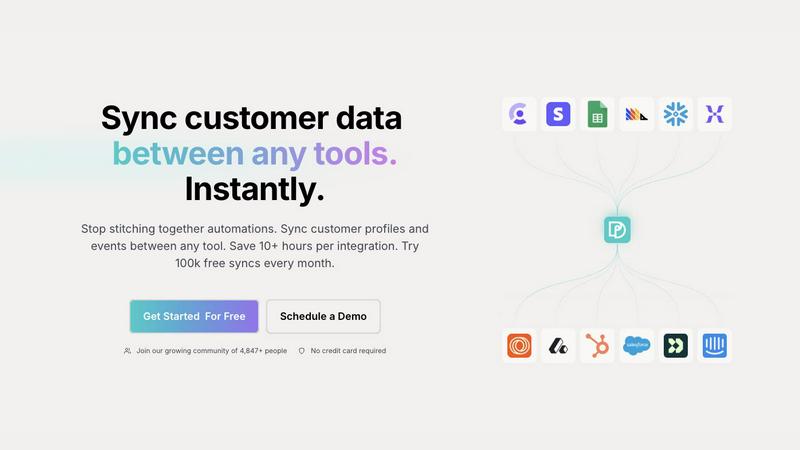
Oneprofile seamlessly syncs customer profiles and events across tools, saving you time and ensuring data consistency.
Last updated: February 28, 2026
Visual Comparison
MultiMMR
Oneprofile
Feature Comparison
MultiMMR
Real-Time Tracking
MultiMMR offers real-time tracking of user activity, allowing businesses to monitor performance instantly. This feature enables smarter decision-making by providing up-to-the-minute insights that help teams react promptly to emerging trends.
All-in-One View
With MultiMMR, all your analytics are conveniently housed in one location. No more switching between multiple tools; everything you need to understand your revenue performance is seamlessly integrated into one user-friendly interface.
Actionable Insights
MultiMMR focuses on delivering actionable insights that matter most for sustainable business growth. Users can track crucial metrics that influence their revenue, enabling them to make data-driven decisions that align with their business goals.
Smart Alerts
Stay ahead of the curve with MultiMMR's smart alerts feature, which sends instant notifications on significant changes such as drops or spikes in Monthly Recurring Revenue (MRR). This ensures that users can act quickly to mitigate risks or seize opportunities.
Oneprofile
Unified Customer Profiles
Oneprofile excels in creating a unified view of customer data by syncing profiles and events across all tools used within a business. This feature ensures that every department is referencing the same customer information, eliminating discrepancies and fostering better collaboration.
Identity Resolution
With Oneprofile, organizations can effectively manage customer identities across various platforms. This feature prevents data duplication and drift, ensuring that changes in customer profiles are accurately reflected in all systems without confusion.
Smart Field Mapping
Oneprofile offers smart field mapping capabilities, allowing users to define how data moves between different systems. Whether mapping fields automatically or manually, businesses can customize data flow to match their specific operational needs.
Custom Sync Schedules
Businesses can optimize their operations with Oneprofile's custom sync schedules. This feature allows users to set specific intervals for data synchronization, ensuring that customer information is always current and relevant, enhancing overall efficiency.
Use Cases
MultiMMR
Startup Financial Management
For startups, MultiMMR serves as an essential tool for managing their financial analytics. By providing real-time insights and a comprehensive view of revenue streams, startups can make informed decisions that foster growth and sustainability.
Scaling Enterprises
Established enterprises benefit from MultiMMR's ability to centralize financial data from multiple Stripe accounts. This unified approach allows companies to easily track performance metrics across various revenue segments, ensuring a cohesive strategy during expansion.
Performance Analysis
MultiMMR is invaluable for performance analysis, enabling businesses to identify trends and patterns in user activity. By monitoring these metrics in real-time, teams can adapt their strategies to better meet customer needs and enhance overall satisfaction.
Goal Tracking
Organizations can leverage MultiMMR to set and monitor their MRR goals. With daily growth metrics and visual indicators of progress, teams can stay motivated and focused on reaching their financial objectives.
Oneprofile
Marketing Automation
Marketing teams can leverage Oneprofile to maintain consistent customer profiles across email marketing platforms and CRMs. By ensuring that all tools reference the same data, campaigns can be personalized effectively, leading to higher engagement rates.
Customer Support Optimization
Customer support teams benefit from Oneprofile by accessing up-to-date customer information from their support systems. This enables agents to provide tailored assistance based on the latest data, improving customer satisfaction and reducing resolution times.
Sales Alignment
Sales teams can utilize Oneprofile to ensure they are working with the most current customer profiles. By syncing data between CRMs and sales enablement tools, teams can engage with prospects and customers more effectively, increasing conversion rates.
Analytics Consistency
Data analysts can rely on Oneprofile for accurate reporting and insights by pulling in consistent customer data from various sources. This feature helps in making informed strategic decisions based on reliable analytics, driving business growth.
Overview
About MultiMMR
MultiMMR is an innovative revenue tracking software tailored specifically for Software as a Service (SaaS) businesses that aim to optimize their financial analytics. By enabling users to connect multiple Stripe accounts, MultiMMR provides a centralized platform that alleviates the hassle of managing various spreadsheets and disparate tools. Its primary value proposition is the delivery of real-time metrics and exhaustive insights that empower businesses to make swift, informed decisions. MultiMMR is designed to cater to a broad range of users, from startups testing their initial market strategies to established enterprises scaling their operations. By consolidating all revenue data into a single intuitive dashboard, MultiMMR allows businesses to focus on growth without getting bogged down by cumbersome reporting processes. With aesthetically pleasing, actionable charts and advanced analytics readily available, users can navigate their financial landscape with ease and confidence.
About Oneprofile
Oneprofile is a cutting-edge synchronization tool designed to unify customer profiles and events across various platforms employed by businesses. In a world where customer data is scattered across multiple systems, Oneprofile serves as the central hub that maintains a single, consistent view of every customer. This product is particularly valuable for businesses that rely on CRMs, marketing tools, analytics platforms, and customer support systems, ensuring that any change in customer data is reflected instantly across all systems. By eliminating the need for manual data pipelines and reducing the risks associated with broken integrations, Oneprofile streamlines operations and empowers teams with accurate, up-to-date information. Businesses can save time and resources, allowing them to focus on growth and improving customer experiences. With Oneprofile, companies enjoy seamless data flow, making informed decisions backed by reliable insights.
Frequently Asked Questions
MultiMMR FAQ
What types of businesses can benefit from MultiMMR?
MultiMMR is designed for SaaS businesses of all sizes, from startups to established enterprises. Its features cater to anyone looking to streamline their revenue tracking and financial analytics.
How secure is the data within MultiMMR?
Data security is a top priority for MultiMMR. The platform employs advanced security measures and strong encryption protocols to ensure that your analytics are protected at all times.
Can I connect multiple Stripe accounts to MultiMMR?
Yes, MultiMMR allows users to connect unlimited Stripe accounts. This feature is particularly beneficial for businesses managing multiple revenue streams, providing a unified view of all financial data.
Is there a free trial available for MultiMMR?
Absolutely! MultiMMR offers a 7-day free trial, allowing users to explore its features and understand how it can enhance their revenue tracking before making a commitment.
Oneprofile FAQ
How does Oneprofile ensure data consistency across tools?
Oneprofile employs a robust synchronization process that updates customer profiles and events in real-time across all connected systems. This ensures that any change in customer data is instantly reflected everywhere.
Can I customize how data flows between my systems?
Yes, Oneprofile allows users to define how data moves between systems by mapping fields automatically or manually, controlling sync direction, and specifying how updates propagate across platforms.
What types of tools can Oneprofile integrate with?
Oneprofile can integrate with a wide range of tools, including CRMs, marketing platforms, analytics tools, and customer support systems. This versatility makes it suitable for various business needs.
Is there a trial period for Oneprofile?
Yes, Oneprofile offers a free tier that includes 100,000 syncs every month, allowing businesses to test its capabilities without any financial commitment.
Alternatives
MultiMMR Alternatives
MultiMMR is an innovative revenue tracking software tailored for SaaS businesses, enabling seamless management of financial analytics through the integration of multiple Stripe accounts. This tool belongs to the analytics and data category, offering users a centralized platform for real-time insights and comprehensive metrics that simplify decision-making processes. Users often seek alternatives to MultiMMR for various reasons, including pricing considerations, specific feature sets, or different platform requirements. When evaluating potential alternatives, it is crucial to assess how well the product aligns with your unique business needs, including ease of use, scalability, and the ability to provide actionable insights that drive growth.
Oneprofile Alternatives
Oneprofile is a comprehensive tool designed to sync customer profiles and events across various platforms, ensuring that all systems within a company maintain a unified view of customer data. It falls under the Analytics & Data category, serving as a bridge between CRMs, analytics, support, and marketing tools. By automatically updating customer information in real-time, Oneprofile eliminates the need for manual data entry and broken integrations, allowing businesses to focus on growth. However, users often seek alternatives to Oneprofile for various reasons, including pricing structures, specific feature requirements, or compatibility with existing platforms. When considering alternatives, it’s essential to evaluate how well the options integrate with your current systems, the flexibility of their features, and the overall cost-effectiveness. Prioritizing seamless data synchronization and user-friendly interfaces can significantly enhance your company's operational efficiency and data accuracy.