
Oneprofile vs Playwriter
Side-by-side comparison to help you choose the right tool.

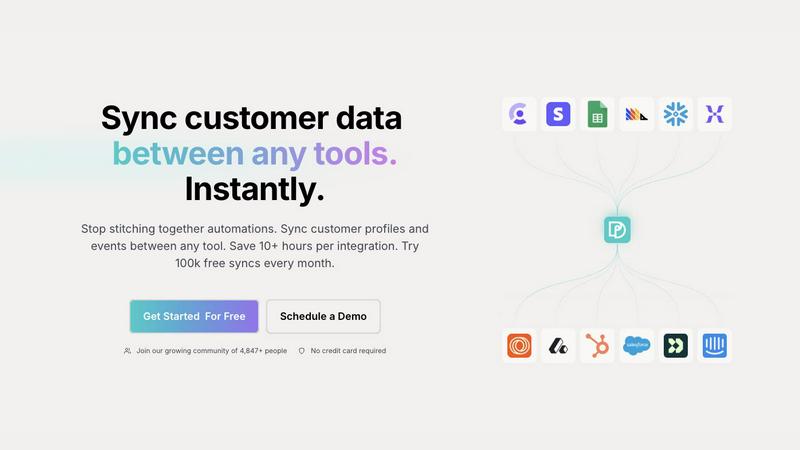
Oneprofile seamlessly syncs customer profiles and events across tools, saving you time and ensuring data consistency.
Last updated: February 28, 2026

Playwriter
Playwriter empowers agents to control their existing Chrome browser with full Playwright capabilities without the limitations of headless instances.
Last updated: March 18, 2026
Visual Comparison
Oneprofile
Playwriter

Feature Comparison
Oneprofile
Unified Customer Profiles
Oneprofile excels in creating a unified view of customer data by syncing profiles and events across all tools used within a business. This feature ensures that every department is referencing the same customer information, eliminating discrepancies and fostering better collaboration.
Identity Resolution
With Oneprofile, organizations can effectively manage customer identities across various platforms. This feature prevents data duplication and drift, ensuring that changes in customer profiles are accurately reflected in all systems without confusion.
Smart Field Mapping
Oneprofile offers smart field mapping capabilities, allowing users to define how data moves between different systems. Whether mapping fields automatically or manually, businesses can customize data flow to match their specific operational needs.
Custom Sync Schedules
Businesses can optimize their operations with Oneprofile's custom sync schedules. This feature allows users to set specific intervals for data synchronization, ensuring that customer information is always current and relevant, enhancing overall efficiency.
Playwriter
Real Browser Interaction
Playwriter provides AI agents with access to your existing Chrome session, including all extensions, logins, and cookies. This eliminates the need for starting a fresh browser instance, which often leads to bot detection and a loss of context.
Full Playwright API Access
With Playwriter, agents gain the complete Playwright API through a single execute tool. This means no wrappers or schema bloat—just streamlined access to any Playwright code, allowing for low context usage and increased automation proficiency.
Collaboration in Real Time
Playwriter enables real-time collaboration between users and agents. As the agent performs tasks in your browser, you can monitor its actions live, intervene when necessary, and solve challenges like captchas or consent walls together.
Advanced Debugging and Snapshots
The integrated debugger allows users to set breakpoints and perform live code editing. Coupled with accessibility snapshots that are significantly smaller in size compared to traditional screenshots, this feature enhances both performance monitoring and troubleshooting.
Use Cases
Oneprofile
Marketing Automation
Marketing teams can leverage Oneprofile to maintain consistent customer profiles across email marketing platforms and CRMs. By ensuring that all tools reference the same data, campaigns can be personalized effectively, leading to higher engagement rates.
Customer Support Optimization
Customer support teams benefit from Oneprofile by accessing up-to-date customer information from their support systems. This enables agents to provide tailored assistance based on the latest data, improving customer satisfaction and reducing resolution times.
Sales Alignment
Sales teams can utilize Oneprofile to ensure they are working with the most current customer profiles. By syncing data between CRMs and sales enablement tools, teams can engage with prospects and customers more effectively, increasing conversion rates.
Analytics Consistency
Data analysts can rely on Oneprofile for accurate reporting and insights by pulling in consistent customer data from various sources. This feature helps in making informed strategic decisions based on reliable analytics, driving business growth.
Playwriter
Automated Web Testing
Quality assurance teams can utilize Playwriter to automate testing processes by allowing agents to interact with web applications as real users would, ensuring a higher level of test coverage and accuracy.
Data Collection and Analysis
Data analysts can leverage Playwriter to automate the extraction of data from web pages, streamlining the process of gathering insights and reducing the manual effort involved in data collection.
Customer Support Automation
Support teams can use Playwriter to automate routine inquiries and responses, allowing agents to handle multiple customer interactions simultaneously while freeing up human agents for more complex tasks.
Collaborative Development
Developers can work alongside Playwriter agents to simulate user interactions during the development phase, quickly identifying bugs and improving the overall quality of the application before deployment.
Overview
About Oneprofile
Oneprofile is a cutting-edge synchronization tool designed to unify customer profiles and events across various platforms employed by businesses. In a world where customer data is scattered across multiple systems, Oneprofile serves as the central hub that maintains a single, consistent view of every customer. This product is particularly valuable for businesses that rely on CRMs, marketing tools, analytics platforms, and customer support systems, ensuring that any change in customer data is reflected instantly across all systems. By eliminating the need for manual data pipelines and reducing the risks associated with broken integrations, Oneprofile streamlines operations and empowers teams with accurate, up-to-date information. Businesses can save time and resources, allowing them to focus on growth and improving customer experiences. With Oneprofile, companies enjoy seamless data flow, making informed decisions backed by reliable insights.
About Playwriter
Playwriter is a revolutionary tool designed to enhance the capabilities of AI agents by providing them with real-time access to your actual browser session. Unlike traditional AI agents that either operate in isolated environments or face immediate bot detection, Playwriter allows agents to leverage your logged-in sessions, extensions, and cookies seamlessly. This powerful Chrome extension, combined with a full automation API, enables agents to interact with the web just as a human would, thereby improving their efficiency and effectiveness. Whether you are a developer looking to automate repetitive tasks, a QA engineer needing to test web applications, or a data analyst gathering insights, Playwriter is tailored to meet your needs. Its open-source, MIT licensed framework ensures that you have complete control over your automation processes, making it a valuable asset in any tech stack.
Frequently Asked Questions
Oneprofile FAQ
How does Oneprofile ensure data consistency across tools?
Oneprofile employs a robust synchronization process that updates customer profiles and events in real-time across all connected systems. This ensures that any change in customer data is instantly reflected everywhere.
Can I customize how data flows between my systems?
Yes, Oneprofile allows users to define how data moves between systems by mapping fields automatically or manually, controlling sync direction, and specifying how updates propagate across platforms.
What types of tools can Oneprofile integrate with?
Oneprofile can integrate with a wide range of tools, including CRMs, marketing platforms, analytics tools, and customer support systems. This versatility makes it suitable for various business needs.
Is there a trial period for Oneprofile?
Yes, Oneprofile offers a free tier that includes 100,000 syncs every month, allowing businesses to test its capabilities without any financial commitment.
Playwriter FAQ
How does Playwriter ensure security during sessions?
Playwriter operates entirely on your local machine through a WebSocket relay, ensuring that no data leaves your environment. Security is maintained by connecting directly to your existing browser session.
What happens if the agent encounters a captcha?
Playwriter is designed for collaboration. When the agent reaches a captcha, you can step in and solve it manually, allowing the agent to continue its tasks without interruption.
Can multiple agents work simultaneously with Playwriter?
Yes, Playwriter supports multiplexed sessions, allowing multiple agents or CLI instances to operate within the same browser session at the same time, enhancing productivity and efficiency.
Is Playwriter compatible with other MCP clients?
Absolutely! Playwriter works seamlessly with various MCP clients such as Cursor, Claude, and VS Code, providing flexibility and integration with your existing tools and workflows.
Alternatives
Oneprofile Alternatives
Oneprofile is a comprehensive tool designed to sync customer profiles and events across various platforms, ensuring that all systems within a company maintain a unified view of customer data. It falls under the Analytics & Data category, serving as a bridge between CRMs, analytics, support, and marketing tools. By automatically updating customer information in real-time, Oneprofile eliminates the need for manual data entry and broken integrations, allowing businesses to focus on growth. However, users often seek alternatives to Oneprofile for various reasons, including pricing structures, specific feature requirements, or compatibility with existing platforms. When considering alternatives, it’s essential to evaluate how well the options integrate with your current systems, the flexibility of their features, and the overall cost-effectiveness. Prioritizing seamless data synchronization and user-friendly interfaces can significantly enhance your company's operational efficiency and data accuracy.
Playwriter Alternatives
Playwriter is an innovative tool that allows users to control Chrome through AI, either via CLI or MCP. It belongs to the automation category and is designed to enhance browser interactions for AI agents, providing a more authentic browsing experience by utilizing the user's actual browser session. This unique capability sets it apart from traditional automation tools, which often lack access to browser extensions, logins, and face instant bot detection. Users often seek alternatives to Playwriter for various reasons, including budget constraints, feature requirements, or the need for specific platform compatibility. When searching for an alternative, it is essential to consider factors such as the breadth of features offered, ease of integration with existing tools, and overall cost versus value. Prioritizing these elements can help users find a solution that aligns with their specific needs and enhances their automation capabilities.