
Img Editor vs Sketch To
Side-by-side comparison to help you choose the right tool.

Img Editor
Effortlessly create stunning AI-generated images from your ideas in seconds with Img Editor's advanced technology.
Last updated: February 28, 2026
Sketch To
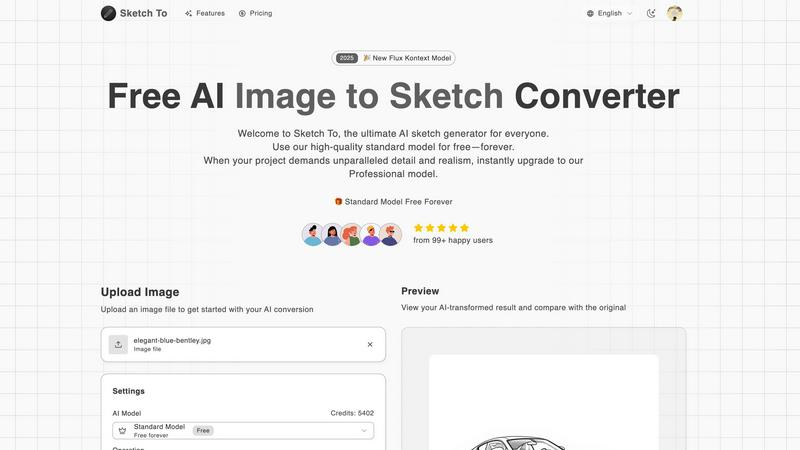
Sketch To transforms your images into stunning sketches with AI, catering to both hobbyists and professionals alike.
Last updated: February 28, 2026
Visual Comparison
Img Editor

Sketch To
Feature Comparison
Img Editor
Text to Image Generation
This feature allows users to input descriptive prompts and generate high-quality images based on their text. The advanced AI understands context and nuance, transforming words into visually appealing art that reflects the user's vision.
Image Editing Capabilities
Img Editor offers robust image editing tools that enable users to refine and enhance their generated images. Users can adjust colors, apply filters, and modify image attributes, ensuring that the final product meets their specific aesthetic requirements.
Prompt Generator
The Prompt Generator feature assists users in formulating effective prompts for image creation. By providing examples and suggestions, it helps users articulate their ideas more clearly, leading to more successful image outcomes and a more satisfying creative experience.
Community Engagement
Img Editor promotes user interaction through community features. Users can submit their creations to the gallery for review, participate in discussions, and earn bonus generations, fostering a collaborative environment where creativity thrives and inspiration is shared.
Sketch To
Image to Sketch Conversion
Sketch To provides an advanced AI-powered feature that allows users to convert images into beautiful pencil sketches. This tool is designed for artists and designers, enabling them to create artistic interpretations of their photographs effortlessly and with stunning detail. The process is quick and user-friendly, making it perfect for anyone looking to add an artistic touch to their visual projects.
Sketch to Image AI
One of the standout features of Sketch To is its ability to transform sketches into photorealistic images, particularly when utilizing the Professional Model. This feature empowers artists to elevate their hand-drawn sketches into lifelike representations, enhancing their work with incredible detail and texture. This transformation is ideal for professional projects, ensuring that artists can achieve the highest quality results.
Trial Credits Model
New users of Sketch To are welcomed with trial credits, allowing them to explore the platform's capabilities without any financial commitment. The Standard Model is equipped with these credits, making it an excellent choice for hobbyists and casual creators who want to experiment and learn the nuances of digital art. This introductory model fosters a supportive environment for creativity and growth.
Instant Processing
Sketch To prides itself on its powerful AI processing engine, which delivers instant results. Users can upload their images or sketches and receive their transformed creations in just seconds. This feature is crucial for those who need quick turnaround times for projects, whether for social media, presentations, or artistic showcases.
Use Cases
Img Editor
Marketing Campaigns
Businesses can utilize Img Editor to create unique and eye-catching visuals for their marketing campaigns. Whether for social media ads or website graphics, the platform enables marketers to generate diverse images that capture attention and convey brand messages effectively.
Social Media Content Creation
Content creators can leverage Img Editor to produce high-quality images tailored for various social media platforms. With the ability to generate 10 images daily, users can maintain a consistent and engaging visual presence, enhancing their online identity.
Artistic Projects
Artists can explore their creativity through Img Editor by generating digital artwork or concept visuals. The platform allows for experimentation with different styles and themes, enabling artists to push the boundaries of their imagination.
Educational Resources
Educators and students can use Img Editor to create engaging visuals for presentations, reports, or educational materials. The generated images can illustrate complex concepts and make learning more dynamic and visually stimulating.
Sketch To
Creative Social Media Posts
Artists and content creators can utilize Sketch To to generate eye-catching social media posts that stand out. By transforming photos into artistic sketches or enhancing sketches into polished images, users can create unique content that engages their audience and showcases their artistic flair.
Educational Projects
Students and educators can leverage Sketch To for school projects that require visual components. Whether creating artistic representations of historical events or illustrating concepts in a visually appealing manner, the tool allows for creativity while ensuring high-quality outputs that enhance learning materials.
Professional Design Work
Graphic designers and professionals can use Sketch To to produce commercial-grade assets. The Professional Model provides the level of detail and realism needed for high-stakes projects, enabling designers to deliver exceptional work that meets client expectations and industry standards.
Personal Artistic Development
For hobbyists and aspiring artists, Sketch To serves as a valuable tool for personal growth in digital art. Users can experiment with different styles and techniques, learning through trial and error while enjoying the creative process. The platform supports artistic exploration, helping individuals develop their unique artistic voice.
Overview
About Img Editor
Img Editor is a groundbreaking free AI image generation platform that empowers users to create stunning visuals with ease and efficiency. Tailored for artists, marketers, designers, and hobbyists, Img Editor leverages the latest advancements in artificial intelligence to facilitate high-quality image creation at no cost. This user-friendly platform democratizes creativity, allowing individuals from all backgrounds to transform their ideas into captivating images effortlessly. Users can generate up to 10 images daily for free and actively participate in the community to earn unlimited bonus generations. With Img Editor, artistic expression is limitless, making it an invaluable resource for professionals looking to enhance their projects with visually striking content. The platform not only simplifies the creative process but also fosters a vibrant community that shares and collaborates on visual projects, nurturing a culture of innovation and support among users.
About Sketch To
Sketch To represents a groundbreaking advancement in the realm of creative AI tools, providing an intuitive platform that connects the world of imagination with tangible artistic outputs. This web-based AI solution caters to a diverse audience ranging from budding hobbyists to seasoned professionals, enabling users to transform their creative visions into stunning visual representations. At its core, Sketch To specializes in a unique dual-direction transformation: it can convert photographs into intricate artistic sketches and, conversely, breathe life into simple sketches by generating photorealistic images. With a community of over 500,000 users, Sketch To is designed to be accessible and progression-friendly, allowing newcomers to embark on their artistic journey with a robust, free Standard Model that offers trial credits for exploration. As users advance their skills and require more sophisticated results, they can easily transition to the Professional Model, which unlocks unparalleled detail and realism. This tiered approach ensures that Sketch To evolves alongside its users, supporting their creative growth from initial sketches to polished masterpieces without the burden of complex software or restrictive subscriptions.
Frequently Asked Questions
Img Editor FAQ
How does Img Editor generate images?
Img Editor uses advanced AI algorithms to convert user-provided text prompts into images. The AI interprets the input, considering context and creativity, to produce unique visuals.
Is Img Editor really free to use?
Yes, Img Editor is a free platform that allows users to create up to 10 images daily without any cost. Additionally, users can earn unlimited bonus generations by participating in community activities.
Can I edit the images I generate?
Absolutely. Img Editor includes a suite of editing tools that allows users to refine and enhance their generated images, making adjustments to colors, filters, and other attributes as needed.
What kind of images can I create with Img Editor?
Users can create a wide range of images, from realistic landscapes to abstract art, based on their textual descriptions. The flexibility of the platform caters to various creative needs, making it suitable for artists, marketers, and more.
Sketch To FAQ
What kind of images can I convert with Sketch To?
Sketch To supports various image formats, allowing users to upload photos and sketches for conversion. This flexibility ensures that you can work with the files you already have, making the creative process seamless.
How does the trial credits model work?
New users receive trial credits upon signing up, which they can use to explore the features of the Standard Model. This allows you to test the platform's capabilities without any initial investment, making it accessible for everyone.
Is the Professional Model worth the upgrade?
Yes, the Professional Model unlocks advanced features, including photorealistic sketch transformations, which are crucial for commercial work and professional projects. If you need high-quality results with exceptional detail, upgrading is highly beneficial.
Can I use Sketch To for commercial projects?
Absolutely! Sketch To's Professional Model is designed specifically for commercial use, providing the quality and detail necessary for professional projects. You can confidently create assets for your clients or businesses using this tool.
Alternatives
Img Editor Alternatives
Img Editor is a groundbreaking platform that falls within the image and photo category, specifically leveraging advanced AI technology to generate stunning visuals. Users can effortlessly transform their imaginative concepts into breathtaking images in mere seconds, making it a versatile tool for artists, marketers, designers, and casual enthusiasts alike. However, as users explore the vast landscape of visual creation, they often seek alternatives to Img Editor due to varying needs—such as pricing structures, specific features, or compatibility with different platforms. When searching for an alternative, it's essential to consider factors like ease of use, the range of features offered, and whether the platform aligns with your creative objectives. Additionally, community support and engagement opportunities can enhance the experience, providing inspiration and collaboration that fuels artistic growth.
Sketch To Alternatives
Sketch To is an innovative web-based AI platform that specializes in transforming images into professional sketches and vice versa. It caters to a diverse user base ranging from hobbyists to professional artists, making it a versatile tool in the creative AI category. Users often seek alternatives to Sketch To for various reasons, including pricing structures, specific feature sets, or compatibility with different devices and operating systems. When searching for an alternative, it's essential to consider factors such as ease of use, the quality of output, and whether the platform supports the creative process at various skill levels. Additionally, potential users should evaluate the flexibility of pricing models, availability of free trials, and the community support surrounding the platform. A tool's ability to adapt to the evolving needs of artists—whether they are just starting or looking to enhance their professional portfolio—can be a critical element in making the right choice. The right alternative should not only meet immediate creative needs but also encourage growth and exploration in the artistic journey.