

CheckoutReceipt
CheckoutReceipt evolves from simple receipt creation into professional documentation with 100+ templates and instant PNG or PDF downloads.
tool Details
Explore More
Alternatives
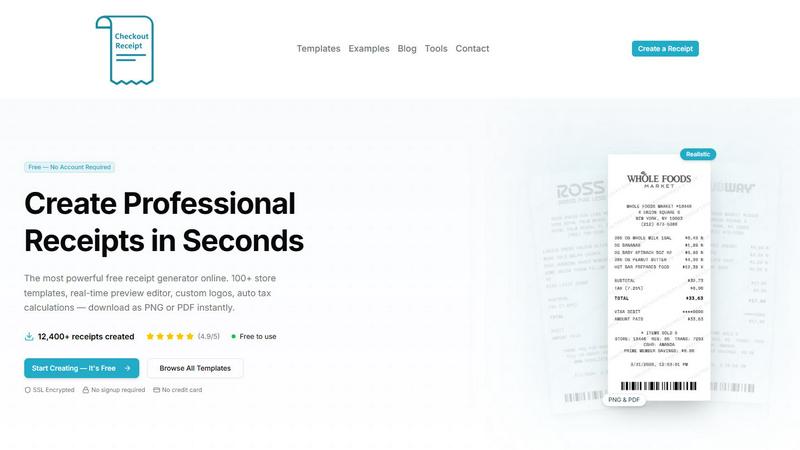
About CheckoutReceipt
CheckoutReceipt is the most powerful free online receipt generator and maker available, designed to create professional, realistic receipts in under 60 seconds. This browser-based tool eliminates the need for software installations, account creations, or credit card information, making it instantly accessible to anyone with an internet connection. At its core, CheckoutReceipt provides over 100 customizable store templates spanning retail giants like Target and Walmart, restaurants like Subway and Dunkin, service providers, automotive shops, healthcare facilities, and dozens more categories. The platform serves a diverse audience including business owners needing expense documentation, creative professionals working on projects, educators teaching financial literacy, and individuals managing personal records. The main value proposition lies in its combination of speed, realism, and comprehensiveness. Users can edit every detail from store names and addresses to line items, prices, tax rates, payment methods, and custom messages. A real-time live preview shows changes instantly, while features like custom logo uploads, auto barcode generation, multiple font choices, and paper textures ensure receipts look authentic. Downloads are available as high-resolution PNG or PDF files optimized for both print and digital use. CheckoutReceipt prioritizes privacy and security by processing everything locally in the user's browser with no data stored on servers. With over 12,400 receipts created and a 4.9 out of 5 rating, the platform has earned trust from professionals worldwide. Importantly, CheckoutReceipt is intended strictly for legitimate business, creative, and educational purposes, with clear terms prohibiting fraudulent use.
Features
100+ Store-Specific Receipt Templates
Browse an extensive library of over 100 templates meticulously designed to match the exact formats of popular retailers, restaurants, and service providers. Each template captures the authentic look and feel of real receipts from stores like Target with its REDcard format, Walmart Supercenter and Neighborhood Market variations, Home Depot for home improvement, Whole Foods for organic groceries, Subway for restaurant receipts, and dozens more. This variety ensures you find the perfect starting point for any receipt need, from automotive services to healthcare to entertainment.
Real-Time Live Preview Editor
Experience complete control with a live editor that displays every change instantly as you type. The preview window shows exactly what your downloaded receipt will look like, eliminating guesswork and reducing errors. Adjust store information, add or remove line items, modify prices and tax rates, and see the results immediately. This dynamic feedback loop accelerates the creation process and ensures professional results every time, making it easy to achieve the exact look and information you need.
Custom Logo Upload and Auto Barcode Generation
Upload your business logo or select from built-in store logos with adjustable sizing and positioning for perfect placement. Complement your branding with automatically generated realistic barcodes that use customizable numbers for authentic-looking receipts. The barcode generation adds a layer of realism that distinguishes CheckoutReceipt from basic receipt makers, making your receipts suitable for professional documentation, creative projects, or educational demonstrations.
Fonts, Paper Textures, and Drag-and-Drop Editor
Choose from multiple font styles including thermal, clean, and typewriter options to match the receipt's intended origin. Apply realistic paper textures such as aged, worn, or creased effects that add authenticity to thermal paper receipts. The drag-and-drop editor provides full modular control over your receipt layout, allowing you to reorder, add, or remove any section. This flexibility ensures every receipt meets your exact specifications, whether for a modern retail store or a vintage-style establishment.
Use Cases
Business Expense Documentation and Reimbursement
Small business owners and freelancers can generate accurate receipts for expenses that lack proper documentation, such as cash purchases or lost originals. This use case helps maintain clean financial records for tax purposes, reimbursement claims, and budget tracking. The ability to customize every detail ensures receipts match actual transactions, while professional formatting makes them acceptable for accounting software and auditor reviews. The process takes under 60 seconds, saving hours of manual receipt creation.
Creative Projects and Content Production
Filmmakers, photographers, graphic designers, and content creators use CheckoutReceipt to generate realistic receipts for movie props, product photography, social media content, and marketing materials. The extensive template library allows creators to match specific store formats for authentic-looking scenes. Custom logos, barcodes, and paper textures add production value that makes receipts appear genuine on screen or in print. This eliminates the need for expensive prop purchases or time-consuming manual creation.
Educational Demonstrations and Financial Literacy
Teachers, professors, and trainers incorporate CheckoutReceipt into lessons about budgeting, expense tracking, retail operations, and financial management. Students can create sample receipts to practice calculating taxes, understanding pricing structures, or analyzing spending patterns. The tool provides a safe, controlled environment for learning without using real financial data. Educators appreciate the no-signup requirement, allowing students to access the tool instantly during class without privacy concerns.
Personal Record Keeping and Budget Management
Individuals use CheckoutReceipt to document major purchases, create rent receipts for landlords, generate donation receipts for tax deductions, or maintain organized records of service payments. The tool helps users track spending across categories like groceries, utilities, healthcare, and entertainment. With PNG and PDF export options, receipts can be stored digitally or printed for physical filing. The customizable templates ensure personal records look professional and contain all necessary information for future reference.
Frequently Asked Questions
Is CheckoutReceipt really free to use with no signup required?
Yes, CheckoutReceipt is completely free with no account creation or credit card required. You can access all 100+ templates, use the full editor with real-time preview, upload custom logos, generate barcodes, and download your receipts as PNG or PDF files without paying anything. The service is supported through its commitment to providing accessible tools for legitimate business, creative, and educational purposes. There are no hidden fees, trial periods, or feature limitations based on account status.
What types of receipts can I create with CheckoutReceipt?
You can create receipts across six major categories: Automotive (oil changes, mechanic services, gas stations), Hospitality and Travel (hotels, taxis, airlines, shipping), Food and Dining (restaurants, fast food, cafes, bars, catering), Health and Personal Care (medical, veterinary, salons, gyms), Financial and Administrative (rent, donations, sales, expenses, cash), Retail (grocery, pharmacy, electronics, clothing, hardware), Professional Services (plumbing, electricians, cleaning, lawn care, moving), Bills and Utilities (phone, internet, utility bills), and Entertainment (movies, events, concerts). Each category includes multiple store-specific templates.
How does CheckoutReceipt ensure privacy and security?
CheckoutReceipt processes everything locally within your browser, meaning no receipt data is ever transmitted to or stored on external servers. The platform uses SSL encryption for the connection, and no account is required, so there is no personal information to compromise. This browser-based architecture ensures your receipts, logos, and customizations remain private and secure. The service also explicitly prohibits using the tool for fraudulent purposes, as outlined in its Terms of Service.
Can I download receipts in both PNG and PDF formats?
Yes, CheckoutReceipt supports high-resolution downloads in both PNG and PDF formats. PNG files are ideal for digital use, such as inserting into emails, documents, or websites, and maintain crisp text at any size. PDF files are optimized for printing and professional documentation, preserving the exact layout, fonts, and paper textures. Both formats ensure your receipt looks exactly as it appeared in the live preview editor, making them suitable for business records, creative projects, and educational materials.
Similar to CheckoutReceipt
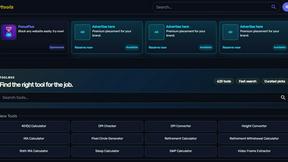
Kody Tools
Free collection of online developer utilities, code formatters, and digital converters designed to streamline your daily workflow.
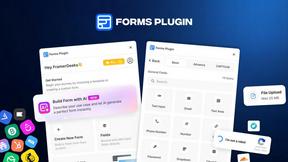
Forms Plugin
The #1 Native Form Builder Plugin for Framer - No Code, No Embeds, No External Platforms.



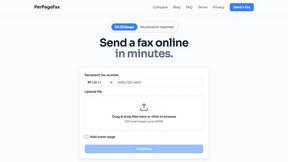
PerPageFax
PerPageFax lets you send a fax online from any browser for a flat $0.50 per page — no account, no subscription, no fax machine.

