

CompressFast
CompressFast evolves your workflow from clunky uploads to lightning-fast, private batch compression directly in your browser.
tool Details
Explore More
Alternatives

About CompressFast
CompressFast is a privacy-first online image compression tool that redefines how you optimize images by processing everything locally in your browser. Unlike traditional cloud-based services that require uploading your files to remote servers, CompressFast ensures your images never leave your device. You can even disconnect your internet after loading the page and it still works seamlessly. This tool is designed for web developers, photographers, designers, e-commerce managers, and anyone who needs to reduce image file sizes quickly without compromising privacy or security. Its main value proposition is delivering powerful compression, resizing, and conversion capabilities directly in your browser, with no signup, no ads, and no hidden costs. CompressFast supports eight input formats, including PNG, JPEG, WebP, AVIF, GIF, BMP, SVG, and HEIC, and allows output to PNG, JPEG, WebP, or AVIF. With batch processing of up to 30 images at once (500 with Pro), quality and speed sliders, target file size mode, EXIF metadata removal, watermarking, and ZIP batch downloads, it is a complete image optimization suite that grows with your needs. It is 100% free for essential use, with a one-time Pro upgrade for advanced features.
Features
Batch Compression with Scalable Limits
CompressFast allows you to compress up to 30 images simultaneously in the free version, with the Pro tier expanding this limit to 500 images per batch. This feature is designed for users who need to process large volumes of images efficiently, whether for website optimization, social media content, or archiving. The batch upload supports drag-and-drop, click-to-browse, and even Ctrl+V paste from your clipboard, making it incredibly fast to get started. Each image is processed locally, ensuring that even with dozens of files, your privacy remains intact and no data is ever transmitted to a server.
Quality and Speed Sliders with Live Preview
Fine-tune your compression with intuitive quality and speed sliders that provide a live size preview as you adjust settings. This real-time feedback allows you to see exactly how much file size reduction you achieve before finalizing, helping you balance visual quality and performance. The quality slider controls the level of compression, while the speed slider optimizes processing time for your workflow. This feature is ideal for users who need precise control over output, such as when preparing images for websites where loading speed is critical, or for print where maximum quality is required.
Target File Size Mode
Set a specific KB limit for your output image, and CompressFast automatically adjusts the compression parameters to hit that target. This feature is a game-changer for users who need images to fit within strict file size constraints, such as email attachments, online forms, or platform-specific upload limits. The algorithm intelligently balances quality and compression ratio, iterating locally until the desired size is achieved. You no longer need to guess and check multiple compression levels; simply input your target, and the tool handles the rest, saving you time and frustration.
One-Click EXIF and GPS Metadata Removal
Protect your privacy with a single click that strips all EXIF and GPS metadata from your images. This feature is essential for photographers, social media managers, and anyone sharing images online who wants to prevent location data, camera settings, and personal information from being embedded in the file. Unlike other tools that require manual removal or additional software, CompressFast integrates this directly into the compression workflow. It ensures that every image you output is clean of sensitive metadata, giving you peace of mind when sharing files publicly or with clients.
Use Cases
Web Developer Optimizing Site Performance
A web developer building a content-heavy site needs to compress dozens of images to reduce page load times without sacrificing visual quality. Using CompressFast, they can batch upload up to 30 images, apply quality sliders for fine control, and use the target file size mode to ensure each image meets specific KB limits for optimal loading. The privacy-first local processing means no sensitive client images are uploaded to external servers, and the ZIP batch download allows for easy integration into the project. This workflow accelerates development cycles and improves user experience.
Photographer Sharing High-Resolution Portfolios
A photographer wants to share a portfolio of high-resolution images with a client but needs to reduce file sizes for email attachment limits. With CompressFast, they can resize images using common presets, remove EXIF metadata to protect camera settings and location data, and compress each file to a manageable size. The ability to output to WebP or JPEG ensures compatibility across devices, while the watermarking feature allows them to add a subtle logo for brand protection. All processing happens locally, preserving the integrity of their original files.
E-commerce Manager Handling Product Images
An e-commerce manager must compress hundreds of product images daily to meet platform requirements for fast loading and consistent file sizes. CompressFast enables batch processing of up to 500 images with the Pro tier, using the target file size mode to standardize outputs. The tool supports HEIC and AVIF formats, common for modern product photography, and the one-click metadata removal ensures no accidental GPS data from studio photos is shared. The ZIP batch download streamlines uploading to the store’s backend, saving hours of manual work.
Social Media Content Creator Streamlining Workflow
A social media content creator frequently prepares images for multiple platforms with different size and format requirements. CompressFast allows them to paste images directly from their clipboard, apply resizing presets for Instagram, Twitter, or LinkedIn, and compress to WebP for optimal web sharing. The live size preview helps them gauge file sizes instantly, while the watermark feature adds a brand logo with 9-grid positioning. The local processing ensures sensitive content, like unreleased products, never leaves their computer, maintaining confidentiality.
Pricing
CompressFast is 100% free for its core features, including batch compression of up to 30 images, quality and speed sliders, target file size mode, metadata removal, watermarking, resizing, and ZIP batch download. There is no signup required and no ads. For users who need higher volume and advanced features, the Pro tier is available as a one-time purchase of $24.99 (not a subscription). Pro unlocks batch processing of up to 500 images, custom presets, AVIF output format, and priority email support. This is a lifetime license with no recurring costs, offering a scalable upgrade path from the free version.
Frequently Asked Questions
How does CompressFast ensure my images are never uploaded to a server?
CompressFast processes all images entirely within your browser using JavaScript. When you load the page, the compression algorithms are downloaded to your device, and every operation—from reading the file to compressing and outputting—happens locally. Your images are never sent to any external server, and you can even disconnect your internet after the page loads and the tool will continue to work. This ensures complete privacy and data security.
What is the difference between the free version and Pro?
The free version allows batch compression of up to 30 images at once, with support for all input formats and output to PNG, JPEG, and WebP. Pro is a one-time purchase of $24.99 (not a subscription) that unlocks batch processing of up to 500 images, custom presets, AVIF output format, and priority email support. Pro is a lifetime license with no recurring fees, making it ideal for power users who need higher volume and advanced features.
Can I compress images from my clipboard or use sample images?
Yes, CompressFast supports Ctrl+V paste from your clipboard, allowing you to quickly compress screenshots or copied images without saving them to a file first. For testing purposes, the tool also provides sample images, including a photo, screenshot, logo, and gradient, so you can explore the features before using your own files. This flexibility makes it easy to start compressing immediately.
What image formats are supported for input and output?
CompressFast accepts eight input formats: PNG, JPEG, WebP, AVIF, GIF, BMP, SVG, and HEIC. For output, you can choose from PNG, JPEG, WebP, or AVIF (AVIF requires Pro). This wide format support ensures compatibility with modern and legacy image types, making it a versatile tool for various workflows from web development to photography.
Similar to CompressFast

Qwen Image Edit
Prompt-based Qwen Image editing and generation for backgrounds, text, products, posters, outpainting, and creative styles.

IsThisAIImage
Free AI image checker: upload a photo for AI-generated and deepfake scores, a clear verdict, and optional generator hints.
StopScroll
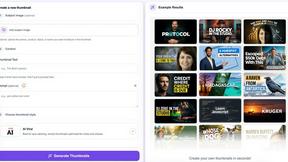
StopScroll is an AI thumbnail maker that generates YouTube thumbnail concepts from a URL, title, or prompt.


Best Face Swap
Best Face Swap evolves from simple edits to advanced, frame-consistent AI face swapping for photos and videos.

Art & See Custom Oil Painting Portraits
Transform cherished photos into heirloom-quality custom oil portraits that capture your loved ones' essence through masterful artistry.

Nano Banana
Nano Banana evolves your creative process, letting you generate and edit stunning images through simple conversation with its advanced AI.

SparkPix
SparkPix evolves your photos from simple edits to AI-powered art with just a text prompt.