

Alternatives to CompressFast
CompressFast evolves your workflow from clunky uploads to lightning-fast, private batch compression directly in your browser.
Explore 20 alternatives to CompressFast. Compare features, pricing, and find the best fit for your needs.
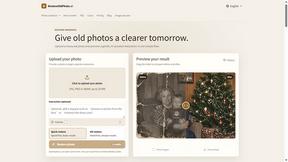
RestoreOldPhoto
Restore old photos with RestoreOldPhoto.ai: repair scratches, creases and fading, sharpen faces and details, and optionally colorize family memories.

RemoveObjectFromPhoto
Remove unwanted objects, people, and text from photos with AI for clean, natural-looking results in seconds.

ImageAgent
Create and edit AI images through conversation, using text or reference images and refining results in chat.

AppIconGenerator
Generate iOS and Android app icons from any image and export all platform sizes for free.

AiAgeFilter
Free AI age filter: upload an adult portrait, add 10-40 years, meet your older self. No app needed.

Nano AI
Create and edit AI images, generate videos, and compare models in one creative workbench.
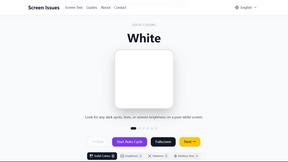
Screen Issues
Free Online Screen Test Tool - Instantly diagnose dead pixels, lines, color issues, and flickering. Multiple test modes, no download needed.

Tip Toe AI
Upload a Dancer photo and a Partner photo and get your own AI Tip Toe barn-dance video. Free 5s preview, 12s HD from $4.90. No subscription.

ImageGenerator
Create and edit AI images online with multiple models, text-to-image, image-to-image, background removal, and upscaling.
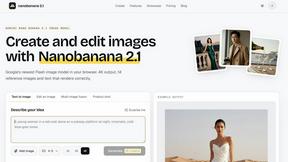
nanobanana 21
Fast, simple image studio powered by Nano Banana 2.1: accurate details, readable text, consistent characters, up to 14 reference images.
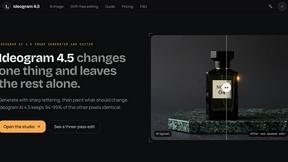
Ideogram AI 4.5
AI image generation and editing with precise typography, native 2K output, and localized edits.
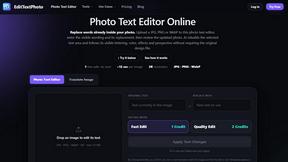
EditTextPhoto
AI-powered image text editor to edit, replace, fix, or translate text in images while preserving the original font, color, size, and style.

AIPetGen
AIPetGen turns a photo of your dog, cat, or other pet, or a written description, into a new picture or a short animation.



Qwen Image Edit
Prompt-based Qwen Image editing and generation for backgrounds, text, products, posters, outpainting, and creative styles.

IsThisAIImage
Free AI image checker: upload a photo for AI-generated and deepfake scores, a clear verdict, and optional generator hints.
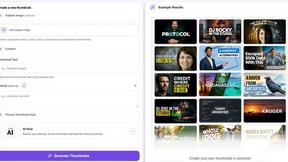
StopScroll
StopScroll is an AI thumbnail maker that generates YouTube thumbnail concepts from a URL, title, or prompt.

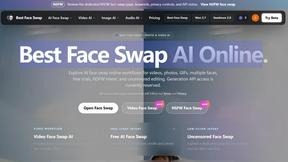
Best Face Swap
Best Face Swap evolves from simple edits to advanced, frame-consistent AI face swapping for photos and videos.
About CompressFast Alternatives
SECTION 1 - ALTERNATIVES INTRO CompressFast is a privacy-first, browser-based image compression tool that sits at the intersection of online utilities and desktop-grade performance. It belongs to the image optimization category, specifically designed for users who need to reduce file sizes without sacrificing quality or security. By processing everything locally in your browser, it eliminates the need for server uploads, making it a standout choice for privacy-conscious creators, web developers, and small business owners who handle sensitive visual assets. Users commonly explore alternatives when their workflow outgrows a tool's limits or requires different capabilities. For CompressFast, this often happens when the 30-image batch limit feels restrictive for larger projects, when someone needs advanced editing features like batch renaming or format conversion beyond the eight supported inputs, or when the one-time $24.99 Pro purchase doesn't align with a tight budget. Others may seek desktop-native solutions for offline work or tools that integrate directly with platforms like WordPress or Shopify. When evaluating alternatives, prioritize privacy protection, batch processing capacity, output format flexibility, and whether the pricing model—free, one-time purchase, or subscription—matches your usage frequency. Also consider the learning curve: the best alternative should accelerate your workflow, not complicate it.
FAQs about CompressFast Alternatives
What is CompressFast?
CompressFast is a free, browser-based image compression tool that processes all operations locally on your device. It supports batch compression of up to 30 images at once (500 with the Pro version) across eight input formats including PNG, JPEG, WebP, and HEIC. Unlike cloud-based tools, your images are never uploaded to any server, meaning you can even disconnect your internet after loading the page and it still works.
Is CompressFast free?
Yes, CompressFast is 100% free to use with no signup required and no advertisements. The free version allows batch compression of up to 30 images at once. For users who need more capacity, the Pro version is available as a one-time purchase of $24.99, which unlocks 500 images per batch, custom presets, AVIF output, and email support—with no recurring subscription fees.
What are the main features of CompressFast?
CompressFast offers batch compression for up to 30 images across eight input formats, with output options for PNG, JPEG, WebP, or AVIF. Key features include quality and speed sliders with live size preview, a target file size mode that auto-adjusts compression to meet a KB limit, one-click EXIF/GPS metadata removal, image watermarking with 9-grid positioning, image resizing with common presets, and ZIP batch download. All processing happens locally in your browser for maximum privacy.
Why choose CompressFast over other image compressors?
The primary advantage of CompressFast is its privacy-first approach—your images never leave your device because all processing happens locally in your browser. This eliminates security concerns associated with cloud-based uploads. Additionally, it offers a generous free tier with no ads or signup, and the Pro upgrade is a one-time purchase rather than a subscription, making it cost-effective for regular users who need higher batch limits and advanced output formats like AVIF.