

tool Details
Explore More
Alternatives

About Fluidium
Fluidium is a revolutionary interactive fluid art experience developed by the award-winning creator of Uzu. This innovative application invites users into a mesmerizing realm where vibrant streams of liquid color react to touch, crafting unique and dynamic patterns. With an impressive selection of 130 stunning presets, users can easily explore a variety of artistic styles and effects. For those with a creative spark, Fluidium also offers the option to design custom palettes and brushes, giving artists the freedom to express their individuality. The application not only allows for the recording and sharing of creations but also includes a tranquil Auto-Play mode, transforming any screen into a captivating work of art. Built with Metal for iOS, Fluidium ensures real-time performance and stunning visual effects across all devices, making it an essential tool for artists, designers, and anyone seeking a moment of relaxation through art.
Features
Interactive Fluid Dynamics
Fluidium harnesses cutting-edge technology to create a responsive art experience where colorful liquids flow and swirl in real-time. Users can interact directly with the screen, and their movements influence the patterns, making every session a unique journey of creativity.
Extensive Preset Library
With 130 beautifully crafted presets, Fluidium provides users with a rich palette of options to explore. This extensive library covers various styles and moods, allowing users to easily find the perfect look for any artistic endeavor or relaxation session.
Customization Options
Fluidium empowers users to create their own unique artistic expressions with customizable palettes and brushes. This feature encourages creativity and personal style, allowing artists to tailor their experience and produce original artwork that reflects their vision.
Auto-Play Mode
For those who prefer a more passive artistic experience, Fluidium includes an Auto-Play mode. This feature transforms the screen into a dynamic, ever-changing art installation that can be enjoyed as a serene backdrop in any setting, making it perfect for relaxation or decoration.
Use Cases
Personal Relaxation Tool
Fluidium serves as an excellent tool for personal relaxation and mindfulness. Users can engage with the fluid art experience to unwind and escape from daily stressors, creating a peaceful environment that fosters tranquility and focus.
Creative Exploration for Artists
Artists can utilize Fluidium as a digital canvas to explore new ideas and techniques. The ability to customize colors and patterns allows for experimentation, helping artists break through creative blocks and inspire new projects.
Educational Resource
Fluidium can be an effective educational tool in art classes or workshops. Instructors can use the app to demonstrate concepts in color theory and fluid dynamics, providing students with a hands-on experience that enhances their learning.
Social Sharing and Collaboration
The sharing features of Fluidium encourage collaboration among users. Artists can record their creations and share them on social media platforms or collaborate with others to create joint projects, fostering a community of artistic expression.
Frequently Asked Questions
What devices are compatible with Fluidium?
Fluidium is designed for iOS devices and is optimized for performance across all compatible models. It leverages Metal technology to deliver stunning graphics and responsive interactions.
Can I save my creations in Fluidium?
Yes, Fluidium allows users to record their artistic creations. This feature enables you to save your unique artworks and share them with friends, family, or on social media platforms.
Is there a learning curve to using Fluidium?
Fluidium is engineered for intuitive use, making it accessible to users of all skill levels. Whether you are a seasoned artist or a beginner, you can quickly grasp the interactive features and start creating beautiful fluid art.
Does Fluidium require an internet connection?
Fluidium can be used offline, allowing users to enjoy the interactive art experience without needing a constant internet connection. However, sharing creations may require internet access to upload to social media or other platforms.
Similar to Fluidium

Motion Control AI
Create motion-controlled character videos by transferring dance, gestures, timing, and camera rhythm from a reference video to a character image.

Labrynth AI
AI regulatory intelligence platform that turns complex requirements into cited, audit-ready outputs.
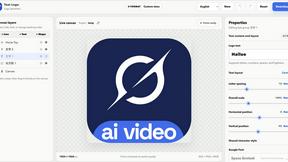
Text Logo
Create a custom text logo, wordmark logo, or typography logo with editable fonts, colors, icons, shapes, and flexible export formats.

Built2Win AI Indexing
AI‑ready websites, WebAgentScan SaaS, and Indexing Pack. MCP, A2A, llms.txt — hand‑coded PHP, complete ownership, flat‑fee, free quote.

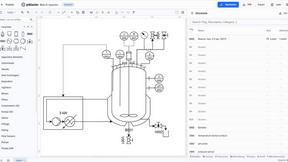


Wisegrid
Spreadsheet-native work management with AI formulas, dashboards, automation, reporting, and project views for growing teams.