

ScopeGuard
ScopeGuard empowers freelancers to track scope creep and recover lost revenue with instant AI contract checks.

About ScopeGuard
ScopeGuard is a cutting-edge tool tailored specifically for freelancers who face the financial burden of scope creep. Many freelancers unknowingly lose over $5,000 each year due to unbilled changes in project scope, making it crucial to implement a solution that effectively tackles this issue. ScopeGuard streamlines project management by enabling users to import contracts or Statements of Work (SOW) directly into its user-friendly dashboard. By leveraging advanced AI technology, the platform analyzes client requests in real-time, categorizing them as in-scope, out-of-scope, or borderline. This rapid feedback allows freelancers to log out-of-scope work, request approvals from clients, and generate invoices seamlessly. By safeguarding their income and ensuring proper compensation for every hour worked, freelancers can dedicate themselves to their creative pursuits while ScopeGuard manages the business side, ultimately leading to greater financial stability and growth.
Features
AI-Powered Scope Analysis
ScopeGuard utilizes sophisticated AI algorithms to analyze project requests instantly, providing precise categorization of client requests. This feature empowers freelancers to understand whether tasks fall within their agreed scope, ensuring they can easily identify out-of-scope work for accurate billing.
Contract Import Functionality
Users can effortlessly import various document types, including PDFs and screenshots of contracts, directly into ScopeGuard. This feature ensures that freelancers can quickly reference their agreements and make informed decisions about the scope of their projects without unnecessary delays.
Client Approval Portal
ScopeGuard includes a built-in client approval system that allows freelancers to send secure approval links for out-of-scope work. Clients can review and approve additional requests with a single click, streamlining communication and reducing the likelihood of misunderstandings.
Real-Time Dashboard
The intuitive dashboard provides freelancers with a comprehensive view of unbilled work across all projects. This centralized hub enables users to track their earnings effectively, ensuring they never miss out on additional revenue opportunities due to scope changes.
Use Cases
Freelance Web Designers
Web designers can leverage ScopeGuard to manage client requests for additional features or changes that extend beyond the original project scope. By categorizing requests and obtaining client approvals, designers can ensure they are compensated fairly for their work.
Marketing Consultants
Marketing professionals can utilize ScopeGuard to evaluate client demands for extra campaign elements or modifications. With the AI scope analysis, they can quickly determine if these requests are in-scope, thereby protecting their earnings and maintaining project clarity.
Software Developers
Developers can benefit from ScopeGuard by importing their project contracts and receiving instant feedback on client requests for new functionalities or adjustments. This allows them to address scope creep proactively and secure additional compensation for out-of-scope tasks.
Independent Contractors
Independent contractors across various fields can use ScopeGuard to safeguard their income by accurately logging scope changes and sending invoices for additional work. This ensures that they are paid for every hour invested, enhancing their financial sustainability.
Frequently Asked Questions
How does the AI scope checking work?
The AI scope checking feature analyzes client requests in real-time and categorizes them as in-scope, out-of-scope, or borderline. This allows freelancers to make informed decisions about billing for additional work.
What file formats can I import?
ScopeGuard supports a variety of file formats, including PDFs and image files of contracts or proposals. This flexibility allows freelancers to easily manage and reference their agreements.
How does the Chrome extension work?
The Chrome extension enables freelancers to check the scope of work directly from any webpage. Users can right-click to import contracts or analyze client requests without navigating away from their current projects.
Is my contract data secure?
Yes, ScopeGuard employs enterprise-grade security measures to protect user data. Contracts and sensitive information are stored securely on their servers, ensuring confidentiality and safety for all users.
Similar to ScopeGuard
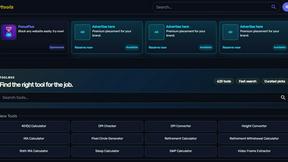
Kody Tools
Free collection of online developer utilities, code formatters, and digital converters designed to streamline your daily workflow.
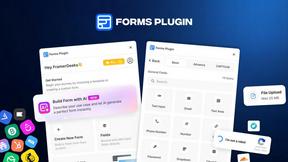
Forms Plugin
The #1 Native Form Builder Plugin for Framer - No Code, No Embeds, No External Platforms.




PerPageFax
PerPageFax lets you send a fax online from any browser for a flat $0.50 per page — no account, no subscription, no fax machine.

