

Sprite-AI
Transform your game ideas into pixel-perfect sprites in seconds without drawing skills, then refine and export them ready for any engine.
tool Details
Explore More
Alternatives
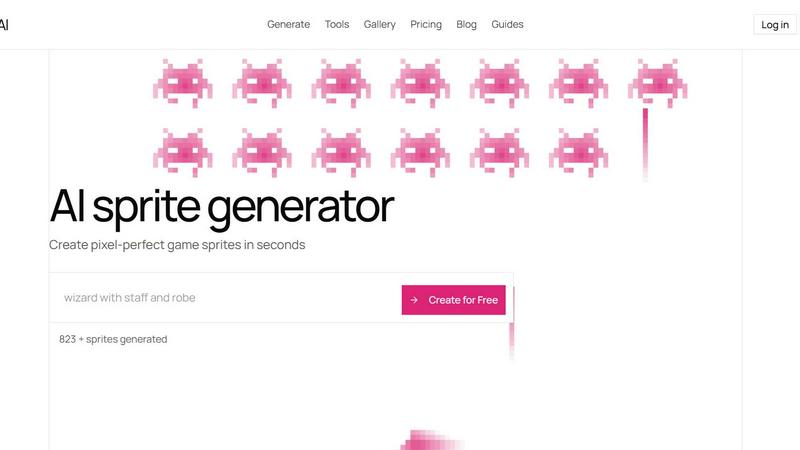
About Sprite-AI
Sprite-AI is a specialized AI-powered pixel art generator designed to transform plain English descriptions into clean, game-ready 2D assets in seconds. Built specifically for indie game developers, hobbyists, and prototypers, this tool eliminates the traditional barrier of needing drawing skills to create compelling pixel art. When you type what you imagine, Sprite-AI produces a sprite in your choice of three standard sizes: 32x32, 64x64, or 128x128 pixels, each correctly proportioned for its intended role, whether that is an icon, item, character, or hero and boss art. The platform understands context, so a description of a "fire-breathing dragon" generates a sprite that fits the medieval fantasy genre if you specify it. Once generated, a built-in pixel editor gives you full control, allowing you to paint, erase, fill, and color-pick to fine-tune every single pixel before exporting. The final output is a transparent PNG file that drops straight into popular game engines like Unity, Godot, GameMaker, and Unreal without any additional conversion. Beyond generation, Sprite-AI fosters a community through its gallery, prompt guides, and blog, helping you evolve from a beginner to a confident game artist. The token-based pricing model ensures you only pay for what you generate, making it accessible for side projects, game jams, and full production pipelines alike. With over 0 sprites already generated, the platform is rapidly becoming the go-to resource for anyone who needs pixel art fast, without sacrificing quality or control.
Features
AI-Powered Generation from Text
Describe any sprite in plain English, and Sprite-AI instantly generates a pixel art image that matches your vision. You can specify details like "red scales," "medieval knight with sword and shield," or "cute slime monster green and blue." The AI understands context and genres, producing sprites that are thematically consistent and game-ready. This feature removes the need for any drawing ability, allowing you to iterate on ideas rapidly and bring your game characters, items, and environments to life in seconds.
Flexible Size and Role Selection
Sprite-AI offers three standard output sizes: 32x32, 64x64, and 128x128 pixels, each tailored for specific game roles. Icons and small items work best at 32x32, while characters and enemies shine at 64x64. Hero and boss art demand the detail of 128x128. You can also generate sprites at 16x16 for retro-style assets. This flexibility ensures every sprite is correctly proportioned for its intended use, saving you time on resizing and maintaining visual consistency across your entire game project.
Built-in Pixel Editor for Fine-Tuning
Once a sprite is generated, you are not locked into the AI output. The integrated pixel editor provides essential tools: paint, erase, fill, and color-pick. You can tweak colors, fix small details, or add your own creative touch to every pixel. This feature bridges the gap between AI automation and human artistry, giving you complete control to refine sprites until they match your exact vision. It feels like magic, but it is a practical tool for polishing your assets.
Seamless Game Engine Export
Every sprite can be exported as a transparent PNG file, ready for immediate use in Unity, Godot, GameMaker, or Unreal. There is no need for conversion, resizing, or background removal. This direct integration accelerates your development workflow, allowing you to drop assets straight into your game engine and start testing. The export process is simple and fast, ensuring that your creative momentum is never interrupted by technical hurdles.
Use Cases
Rapid Prototyping for Game Jams
During a game jam, time is the most precious resource. Sprite-AI lets you generate a full set of sprites for your game concept in minutes instead of hours. Describe your main character, enemies, items, and background elements, and get game-ready pixel art instantly. You can then use the pixel editor to make quick adjustments, ensuring your prototype looks polished. This speed allows you to focus on gameplay mechanics and level design, turning your idea into a playable demo before the deadline.
Indie Game Development with Limited Art Resources
Many indie developers are solo or part of tiny teams without dedicated artists. Sprite-AI becomes your virtual pixel artist, generating consistent, high-quality sprites for characters, weapons, and environmental props. You can create a library of assets for your entire game, from a medieval knight to a golden magic lamp, all matching your chosen art style. The token-based pricing means you only pay for what you use, making it affordable for small budgets. This empowers you to ship a visually complete game without hiring additional help.
Creating Retro-Style Game Assets
For developers building games with a retro or 8-bit aesthetic, Sprite-AI excels at producing authentic pixel art. Generate classic sprites like alien invaders, gold coins, or artist palettes at 16x16 or 32x32 sizes. The AI understands the constraints and charm of retro pixel art, delivering sprites that feel nostalgic and fit seamlessly into old-school game engines. You can then fine-tune colors and details in the editor to match your specific retro palette, ensuring your game has a cohesive, classic look.
Educational Projects and Learning Game Development
Teachers, students, and hobbyists learning game development can use Sprite-AI to quickly create assets for educational projects. Describe a "skeleton with shield bone armor" or a "magic wand with star tip glowing" and get a sprite that illustrates a game design concept. This removes the frustration of art creation from the learning process, allowing beginners to focus on coding, level design, and storytelling. The community gallery also provides inspiration and examples, helping learners see what is possible and evolve their skills over time.
Pricing
Sprite-AI offers three pricing tiers, with a limited-time 38% discount on the Creator and Studio plans. Only 386 out of 500 spots remain, and locking in now guarantees the price forever, as it will increase at full release.
The Hobby plan is $5 per month and includes 8 game-ready sprites, direct engine export, and community gallery sharing. It is ideal for game jams and side projects.
The Creator plan is normally $13 per month but is currently $8 per month, a 38% discount. It includes everything in Hobby, plus 20 unique sprites, PNG and SVG exports, private art storage, and uncensored generations. This plan is best for indie developers shipping real games.
The Studio plan is normally $39 per month but is currently $24 per month, also a 38% discount. It includes everything in Creator, plus 75 sprites per month for full production. This plan is designed for teams and serious production pipelines. All plans can be canceled at any time.
Frequently Asked Questions
What sizes can I generate sprites in?
Sprite-AI supports four standard sizes: 16x16, 32x32, 64x64, and 128x128 pixels. Each size is optimized for different game roles. Icons and small items work best at 16x16 or 32x32, while characters and enemies are ideal at 64x64. Hero and boss art benefit from the higher detail of 128x128. You can choose the size that fits your specific asset needs during generation.
Can I edit the sprites after they are generated?
Yes, absolutely. Sprite-AI includes a built-in pixel editor that gives you full control over every pixel. You can paint, erase, fill areas, and use a color-picker to fine-tune colors and details. This lets you add your personal touch, fix any imperfections, or adjust the sprite to match your game's art style perfectly before exporting.
How do I export sprites for use in game engines?
After generating and editing your sprite, you can export it as a transparent PNG file. This format is directly compatible with all major game engines, including Unity, Godot, GameMaker, and Unreal. Simply download the PNG and import it into your project. There is no need for any additional conversion or background removal, making the workflow seamless and fast.
What is the token-based pricing model?
Sprite-AI uses a token-based system where you only pay for the sprites you generate. Each plan includes a set number of sprites per month, such as 8 for the Hobby plan, 20 for the Creator plan, and 75 for the Studio plan. Unused tokens do not roll over. This model ensures you are not locked into a subscription for more than you need, making it cost-effective for both small projects and larger productions.
Similar to Sprite-AI
RemoveObjectFromPhoto
Remove unwanted objects, people, and text from photos with AI for clean, natural-looking results in seconds.
ImageAgent
Create and edit AI images through conversation, using text or reference images and refining results in chat.

CloneWebsite
Clone any webpage pixel-perfect, export HTML/CSS/ZIP or React/Vue components.
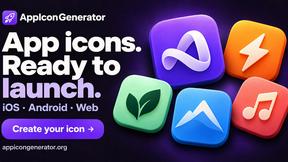
AppIconGenerator
Generate iOS and Android app icons from any image and export all platform sizes for free.
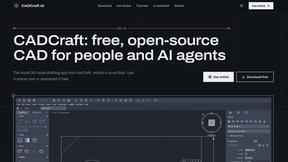
CADCraft
Free open-source 2D CAD in Rust with precision drafting, automation, and DWG/DXF/PDF/SVG/PNG support.
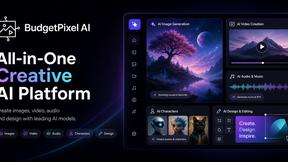
Budgetpixel AI
Create AI images, videos, music, and designs in one workspace with multiple models, powerful editing tools, and API access.
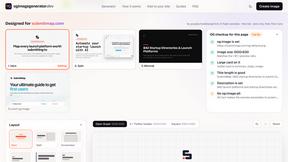
ogimagegenerator.dev
Paste a URL and AI designs on-brand Open Graph images from your page's colours, fonts and logo. Free, no sign-up.
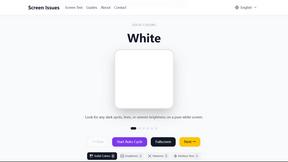
Screen Issues
Free Online Screen Test Tool - Instantly diagnose dead pixels, lines, color issues, and flickering. Multiple test modes, no download needed.