

Alternatives to Sprite-AI
Transform your game ideas into pixel-perfect sprites in seconds without drawing skills, then refine and export them ready for any engine.
Explore 20 alternatives to Sprite-AI. Compare features, pricing, and find the best fit for your needs.

RemoveObjectFromPhoto
Remove unwanted objects, people, and text from photos with AI for clean, natural-looking results in seconds.
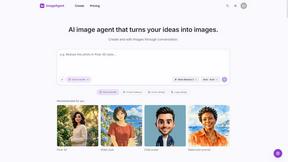
ImageAgent
Create and edit AI images through conversation, using text or reference images and refining results in chat.

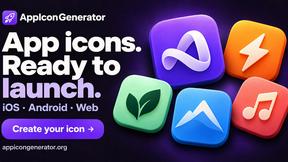
AppIconGenerator
Generate iOS and Android app icons from any image and export all platform sizes for free.
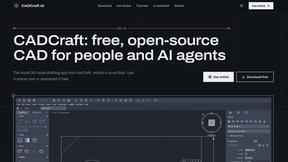
CADCraft
Free open-source 2D CAD in Rust with precision drafting, automation, and DWG/DXF/PDF/SVG/PNG support.
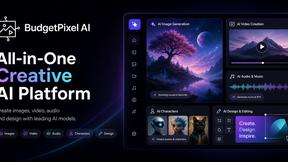
Budgetpixel AI
Create AI images, videos, music, and designs in one workspace with multiple models, powerful editing tools, and API access.
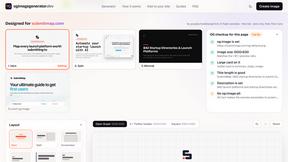
ogimagegenerator.dev
Paste a URL and AI designs on-brand Open Graph images from your page's colours, fonts and logo. Free, no sign-up.
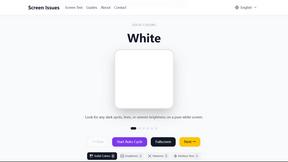
Screen Issues
Free Online Screen Test Tool - Instantly diagnose dead pixels, lines, color issues, and flickering. Multiple test modes, no download needed.
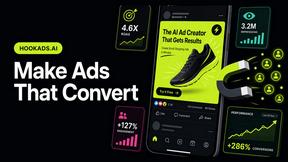
HookAds
Free ad creative hub: 1,750+ prompts behind viral AI ads, 118 hook frameworks, teardowns, swipe files and 27 free AI ad tools. Copy, remix, ship.
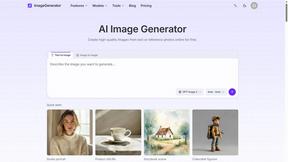
ImageGenerator
Create and edit AI images online with multiple models, text-to-image, image-to-image, background removal, and upscaling.
nanobanana 21
Fast, simple image studio powered by Nano Banana 2.1: accurate details, readable text, consistent characters, up to 14 reference images.
EditTextPhoto
AI-powered image text editor to edit, replace, fix, or translate text in images while preserving the original font, color, size, and style.

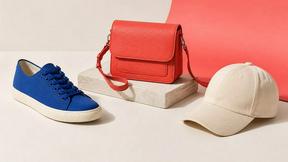

Qwen Image Edit
Prompt-based Qwen Image editing and generation for backgrounds, text, products, posters, outpainting, and creative styles.

Presentation Intelligence
AI-native presentation and visual content platform that turns prompts, documents, images, videos, and data into polished, shareable decks.
Text Logo
Create a custom text logo, wordmark logo, or typography logo with editable fonts, colors, icons, shapes, and flexible export formats.



IsThisAIImage
Free AI image checker: upload a photo for AI-generated and deepfake scores, a clear verdict, and optional generator hints.
About Sprite-AI Alternatives
Sprite-AI is an AI-driven pixel art generator that belongs to the design tools category, specifically tailored for indie game developers, hobbyists, and prototypers who need to create 2D assets quickly without any drawing skills. By simply describing a sprite in plain English, the tool produces clean, game-ready pixel art in sizes like 32x32, 64x64, or 128x128, suitable for roles such as icons, items, characters, or hero and boss art. Users often look for alternatives to Sprite-AI due to considerations like pricing models, as the token-based system may not fit every budget or usage pattern, or platform needs, such as compatibility with specific game engines beyond the supported Unity, Godot, GameMaker, and Unreal. Others might seek more advanced editing capabilities, offline functionality, or a different community ecosystem. When choosing an alternative to Sprite-AI, it is essential to evaluate the tool’s core generation quality, especially how accurately it interprets text prompts into pixel art and whether it offers adjustable output sizes and roles. Consider the presence and depth of a built-in pixel editor, as fine-tuning capabilities like painting, erasing, filling, and color-picking are critical for polishing assets. Additionally, assess the pricing structure—whether it is subscription-based, pay-per-use, or offers a free tier—and confirm that the tool exports transparent PNGs compatible with your target game engines. Finally, look for a supportive community or resource library, such as prompt guides and galleries, to help you evolve your skills from basic sprites to more complex designs over time.
FAQs about Sprite-AI Alternatives
What is Sprite-AI?
Sprite-AI is an AI-powered pixel art generator designed for indie game developers, hobbyists, and prototypers who need 2D assets quickly without any drawing skills. Users describe a sprite in plain English, and the app produces clean, game-ready pixel art in sizes like 32x32, 64x64, or 128x128, tailored for roles such as icons, items, characters, or hero and boss art. It includes a built-in pixel editor for fine-tuning and exports transparent PNGs compatible with popular game engines like Unity, Godot, GameMaker, and Unreal.
Who is Sprite-AI for?
Sprite-AI is primarily built for indie game developers, hobbyists, and prototypers who need to generate 2D pixel art assets rapidly for their projects. It is ideal for anyone who lacks traditional drawing skills but wants to create custom sprites for games, prototypes, or personal projects. The tool also serves designers who value a streamlined workflow from text prompt to game-ready export, supported by a community gallery and prompt guides for inspiration.
Is Sprite-AI free?
Sprite-AI uses a token-based pricing model, meaning you only pay for what you generate rather than a subscription fee. The platform does not offer a permanently free tier, but it may provide a limited number of free tokens for new users to test the service. Pricing details are structured around token consumption per generation, allowing users to control costs based on their specific asset creation needs.
What are the main features of Sprite-AI?
Sprite-AI’s main features include text-to-pixel-art generation that produces sprites in 32x32, 64x64, or 128x128 sizes for various roles like icons, items, characters, and hero or boss art. It comes with a built-in pixel editor that supports painting, erasing, filling, and color-picking for precise adjustments. Exported assets are transparent PNGs that integrate directly into Unity, Godot, GameMaker, and Unreal, and the platform also offers a community gallery, prompt guides, and a token-based pricing model.